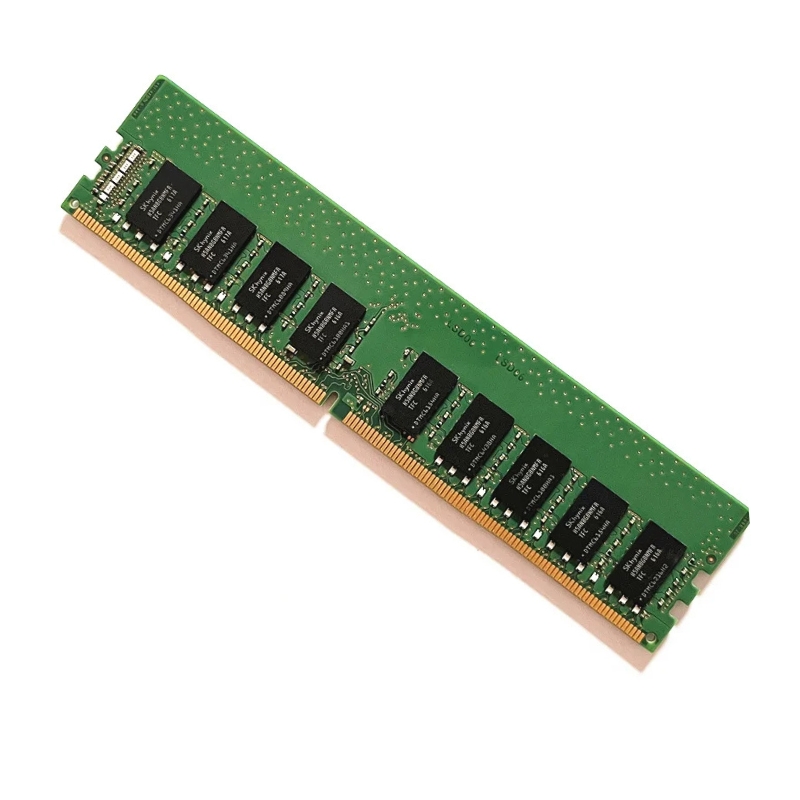
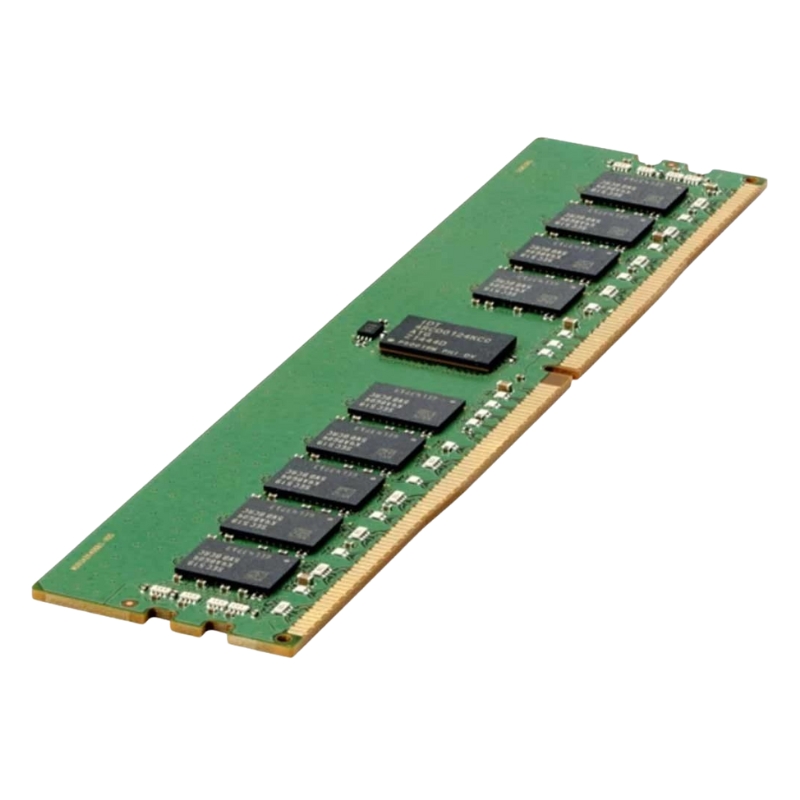
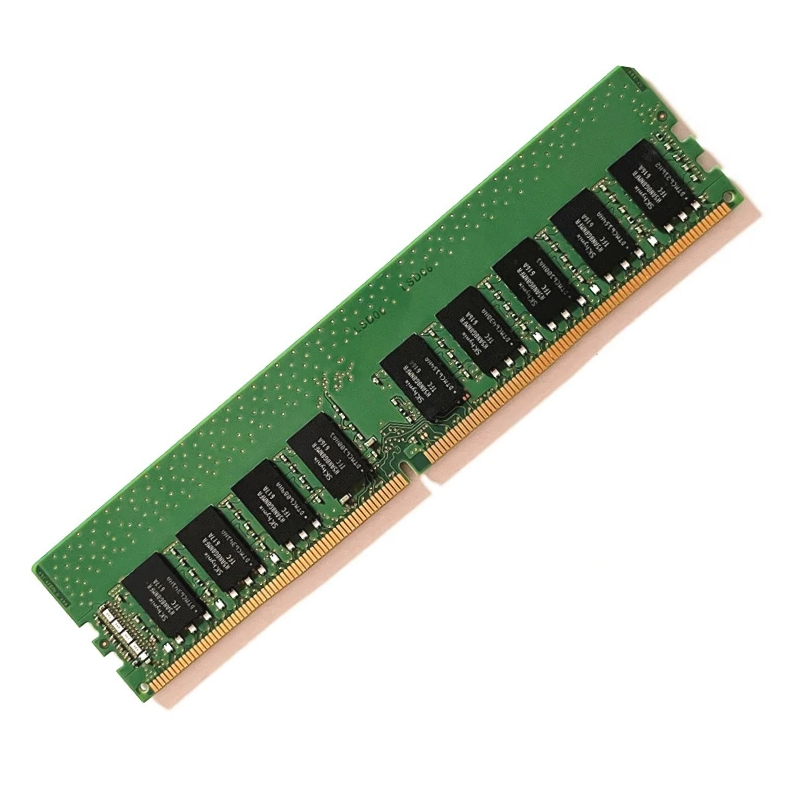
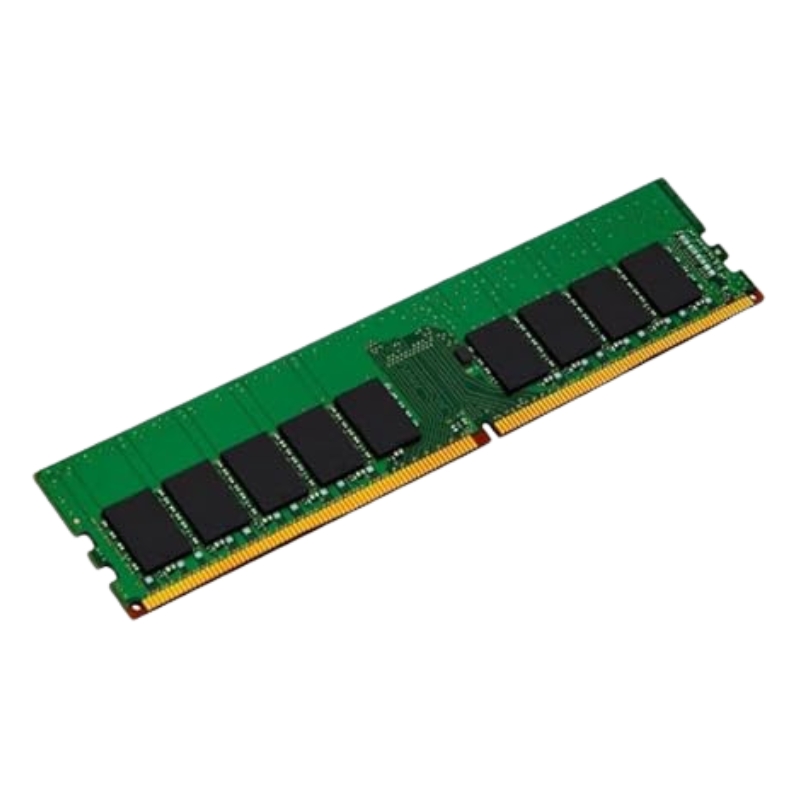
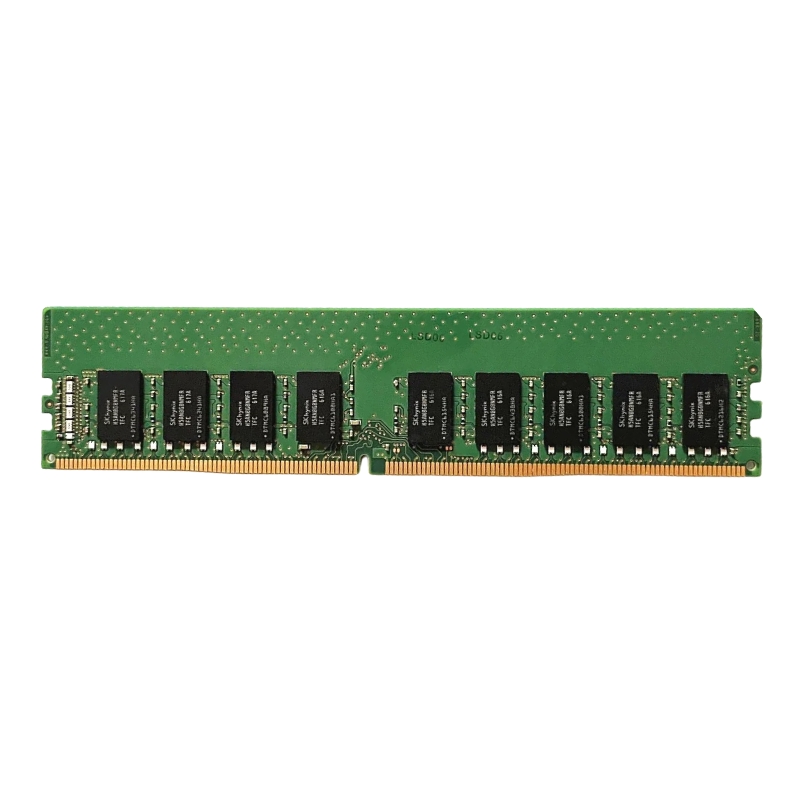
Intel NMB1XXD128GPSU4 512GB Persistent Memory
Introducing the Intel NMB1XXD128GPSU4 — a 512GB (4 × 128GB) Optane™ persistent memory kit built on DDR-T technology and engineered for modern data-center workloads. This high-capacity, low-latency memory module family combines DRAM-like access speeds with persistent behaviour to accelerate in-memory databases, virtualization, analytics, and caching layers while improving system resiliency and restart times.
Key Specifications
- Manufacturer: Intel
- Part Number: NMB1XXD128GPSU4
- Configuration: 4 × 128GB modules (total 512GB)
- Memory Type: DDR4 SDRAM (DDR-T / DCPMM persistent memory)
- Speed / Bandwidth: 3200 MHz (DDR4-3200 / PC4-25600)
- Latency: CL22
- Error Correction: ECC (Error-Correcting Code)
- Buffered / Registered: Registered (RDIMM / DCPMM)
- Form Factor: 288-pin DIMM
- Memory Feature: Optane™ persistent capability
- Physical Shipping Size: 1.00" (H) × 6.75" (D)
- Shipping Weight: 0.20 lb
Technical Highlights
High Capacity & Modular Design
This kit’s modular layout (four 128GB modules) enables flexible memory expansion and easy inventory management. The 512GB capacity is ideal for memory-intensive server tasks that require a large persistent addressable pool without shifting entirely away from byte-addressable memory semantics.
Optimized Performance
With a 3200MHz bus speed (PC4-25600), CL22 timings and registered signaling, these modules deliver predictable throughput and low jitter under heavy concurrent access. ECC provides on-the-fly error detection and correction to protect critical datasets and enhance uptime.
Persistent Memory Functionality
Optane™ persistent memory acts as a non-volatile layer that preserves data across power cycles when used in supported platforms and modes. It can be configured for:
- App Direct / Persistent Mode: Enables applications to directly manage persistent memory at the byte level.
- Memory Mode: Presents the module as volatile system memory with DRAM acting as a cache (platform dependent).
Advantages & Benefits
Speed, Persistence, and Scale
- Faster restarts: Reduce application warm-up times by preserving in-memory state.
- Large addressable pool: Scale datasets affordably without solely relying on expensive DRAM upgrades.
- Improved application performance: Accelerate database and analytics workloads by reducing I/O overhead and enabling in-place updates.
- Data integrity: ECC and registered signaling help ensure consistent operation in enterprise environments.
Cost & Operational Efficiency
By introducing a persistent layer that sits between DRAM and traditional storage, organizations can achieve better cost per usable gigabyte for large memory footprints and simplify tiering strategies for hot datasets.
Use Cases & Workloads
Best Fit Scenarios
- In-memory databases: Enable larger resident datasets for real-time queries and analytics.
- Virtualization: Boost VM density and accelerate boot/pause/resume cycles.
- High-performance caching: Use persistent memory as a fast cache layer for I/O-bound applications.
- Big data processing: Reduce I/O bottlenecks for large data transformations and streaming pipelines.
- Checkpointing & persistence: Provide near-instantaneous state persistence for resilient services.
Compatibility & System Requirements
Platform & BIOS Support
These modules require server platforms and firmware that explicitly support Intel persistent memory (DCPMM) technologies. Before purchasing or deploying:
- Verify motherboard / server vendor support for persistent memory and RDIMM 288-pin modules.
- Ensure your BIOS / UEFI firmware is updated to the vendor’s persistent memory-ready revision.
- Confirm CPU and chipset compatibility (some server processors and chipset families are required to enable persistent memory modes).
Operating Systems & Software
To fully leverage persistent memory features (App Direct mode, Memory Mode, PMEM-aware filesystems and libraries), your operating system and applications must include support for persistent memory APIs and drivers. Typical software components to check:
- OS kernel drivers and persistent memory subsystems
- PMDK (Persistent Memory Development Kit) or vendor SDKs for application integration
- Database engines and hypervisors with documented PMEM optimizations
Intel NMB1XXD128GPSU4 512GB Pc4-25600 Memory Module
The Intel NMB1XXD128GPSU4 512GB DDR-T 3200mhz Pc4-25600 200 Series Optane Persistent Memory Module sits at the intersection of high-capacity memory, persistent storage, and low-latency access for enterprise-class servers and data centers. This category is focused on persistent memory modules (PMMs) designed to deliver DRAM-like performance with storage-like persistence — a hybrid hardware tier that enables new application architectures and substantial performance gains for in-memory databases, virtualization, analytics, and fast persistence workloads. In this category description we break down technical specifications, architecture models, compatibility and integration details, deployment patterns, benefits versus alternatives, buying considerations, and operational best practices for administrators and SREs.
Key Terms & Definitions
Understanding the terminology helps optimize deployment and architecture decisions:
- DDR-T / DDR-T 3200MHz: Describes the data rate and interface similarities to DDR memory families — important when matching memory channels and platform frequency capabilities.
- PC4-25600: The bandwidth class (3200 MT/s => ~25.6 GB/s per module channel theoretical peak), useful for capacity planning and bandwidth calculations.
- App Direct Mode: Persistent memory is exposed to software as a separate, persistent namespace — used for direct persistence by applications and filesystems optimized for PMEM.
- Memory Mode: System uses PMEM as the main memory pool while DRAM acts as a cache, providing a transparent extension of volatile memory to software.
Platform & CPU Compatibility
Persistent memory requires motherboard, chipset, and BIOS/firmware support. When planning deployment:
- Confirm server platform support lists (SLR, HCL) for Intel 200 Series Optane modules.
- Match memory channel population rules and interleave configurations for optimal performance.
- Verify CPU support — modern server CPUs and memory controllers that support persistent memory semantics are required.
Memory Population & Slot Rules
For best throughput and latency:
- Follow vendor-specific guidelines for DRAM/PMEM intermixing per channel.
- Populate modules evenly across channels to maintain interleave and balance.
- When using Memory Mode, ensure DRAM caching ratios are compatible with workload access patterns.
Deployment Modes and Use Cases
Memory Mode — Transparent Capacity Expansion
In Memory Mode, the system treats PMEM as the main memory pool while using a smaller DRAM cache to accelerate access to "hot" memory regions. Key use cases:
- Large in-memory workloads that need capacity beyond DRAM limits without application changes.
- Virtualized environments where guests require large RAM allocations but can accept slightly higher latency for cold pages.
- Analytics and batch jobs that benefit from larger working sets in memory.
App Direct Mode — Software-Managed Persistence
App Direct Mode exposes persistent memory as a distinct namespace, enabling applications and filesystems to use byte-addressable persistent storage. Use cases include:
- In-memory databases with persistent snapshots and faster restart times (e.g., Redis, SAP HANA tuned configurations).
- Low-latency transaction logging where durability is required without the overhead of block storage.
- Checkpointing and fast recovery for HPC and enterprise workloads.
Hybrid Architectures — Tiered Memory & Storage
Combining PMEM with NVMe SSDs and DRAM allows architects to craft tiered stacks:
- Tier 1 (DRAM): Hot data with lowest latency.
- Tier 2 (PMEM): Large-capacity, persistent working set with DRAM-like access semantics.
- Tier 3 (NVMe): High-capacity persistent storage for cold data and backups.
Performance Considerations & Benchmarking
Latency and Bandwidth Profiles
Performance of persistent memory modules should be measured across both latency and bandwidth dimensions. While PMEM latency is higher than DRAM, it is substantially lower than traditional NAND SSDs:
- Expect sub-microsecond to low-microsecond access patterns for optimized workloads.
- Bandwidth scales with device count and memory channel utilization — populate channels evenly.
- Performance varies by read/write mix, access size, and interleave configuration.
Real-World Benchmarking Tips
To obtain reliable performance metrics:
- Use representative workloads (e.g., YCSB, FIO with DAX, application-level benchmarks).
- Run tests with production-like concurrency and working-set sizes to avoid misleading synthetic results.
- Test both Memory Mode and App Direct Mode to understand trade-offs for the target application.
- Validate with different allocation strategies (interleaving, direct mapping) to determine optimal configuration.
Interleaving & Channel Utilization
Interleaving across channels lowers access latency and increases parallelism. Ensure:
- Even module population per channel for balanced bandwidth.
- BIOS settings enable interleave modes appropriate for your workload.
Compatibility, Certification & Standards
Server Vendor Support and HCL
Before procurement, always consult the server Hardware Compatibility List (HCL) and vendor advisories. This category includes modules validated across:
- Major OEMs with certified server SKUs for Intel 200 Series PMEM.
- Vendor BIOS updates that enable App Direct and Memory Mode semantics.
- Firmware compatibility matrices listing supported CPU microcode and IMC revisions.
Industry Standards & Software Ecosystem
Persistent memory ecosystems rely on standards and software to extract value:
- PMDK (Persistent Memory Development Kit): Libraries and APIs for applications to use persistent memory safely and efficiently.
- DAX (Direct Access): Filesystem capability that allows file-backed memory regions to be accessed as persistent memory.
- Memory Mode/App Direct: Defined by platform vendors and documented in server manuals and Intel’s technical briefs.
Integration & Configuration Best Practices
BIOS and Firmware Preparation
Prior to installing PMEM modules:
- Update server BIOS and platform firmware to the latest recommended versions.
- Enable PMEM support flags and configure memory modes (App Direct, Memory Mode) per vendor instructions.
- Apply CPU microcode updates where required for persistent memory stability.
Operating System & Driver Requirements
OS and toolchain readiness is crucial:
- Linux kernel support for DAX and PMEM namespaces (modern kernels include native support; consult distro documentation).
- Windows Server versions with PMEM support for App Direct scenarios — check KBs and driver compatibility.
- Vendor utilities for persistent memory configuration and health reporting.
Filesystem & Application Preparation
For App Direct use:
- Choose DAX-capable filesystems (e.g., ext4 with DAX, XFS with DAX, or specialized PMEM-aware stores).
- Tune applications to use PMDK APIs or direct mmap/dax operations to fully utilize persistence semantics.
Security, Data Integrity & Resilience
Data Protection Techniques
Persistent memory requires careful attention to data integrity and security:
- Use platform-level encryption and server TPM for safeguarding memory contents where supported.
- Employ checksums, transactional writes, or journaling within application logic when writing persistent data structures.
- Validate backup/replication strategies that account for faster recovery from persistent snapshots.
Resilience Patterns
Resilience planning includes:
- Replication and high-availability clusters with PMEM-aware failover.
- Regular health checks using vendor tools and automated alerting for endurance, temperature, and error counts.
- Testing restart and recovery scenarios to ensure persistent states are handled correctly.
Operational Management & Monitoring
Health Monitoring Tools
Enterprise deployments should include ongoing monitoring of PMEM modules:
- Use vendor utilities for module health, temperature, and firmware revision monitoring.
- Integrate PMEM metrics into existing monitoring platforms (Prometheus, Nagios, proprietary dashboards) for holistic observability.
- Automate alerts for anomalies such as sustained high error rates, thermal excursions, or endurance thresholds.
Maintenance Windows & Firmware Updates
Manage firmware and system updates with caution:
- Schedule maintenance windows because firmware updates can require reboots and careful data-state handling.
- Follow vendor change control procedures and test updates in staging prior to production rollout.
- Document rollback procedures for module firmware and BIOS settings to protect against regressions.
Comparisons & Alternatives
PMEM vs. DRAM
Compare the trade-offs to determine where PMEM fits in your architecture:
- DRAM: Lowest latency, best for the hottest working sets; higher cost per GB.
- PMEM (Optane): Higher capacity at lower cost-per-GB, persistent, slightly higher latency than DRAM but much lower than SSDs.
PMEM vs. NVMe SSD
Key differences include:
- Access Model: PMEM supports byte-addressable loads/stores; NVMe is block-based.
- Latency: PMEM substantially reduces latency versus NAND SSDs, enabling new application patterns.
- Persistence Model: NVMe achieves persistence via block storage semantics; PMEM allows direct memory persistence.
Use Case Spotlights
In-Memory Databases & Low-Latency Caching
Persistent memory reduces restart times and improves durability for in-memory databases. Applications that implement memory-mapped persistence can quickly recover state from PMEM namespaces without lengthy restore processes from disk.
Virtualization & Large-Scale VM Density
On virtualization hosts, PMEM enables higher VM densities by expanding memory capacity more cost-effectively than DRAM-only strategies, particularly useful for memory-intensive multi-tenant environments.
High-Performance Analytics & Machine Learning
Large model parameter stores and large feature sets can live in PMEM to accelerate training and inference pipelines where working set sizes exceed DRAM budgets.





 Contact Us
 Information
 Catalog
 Solid State Drives (SSD)
 Network Switches
 Hard Disk Drives
 HBA & Controllers
 PC & Servers
 PC & Server Memory
 CPU & Processors
 Network Routers
 Power Supplies
 Tape Drives & Libraries
 Network Devices
 Computer & Network Cables