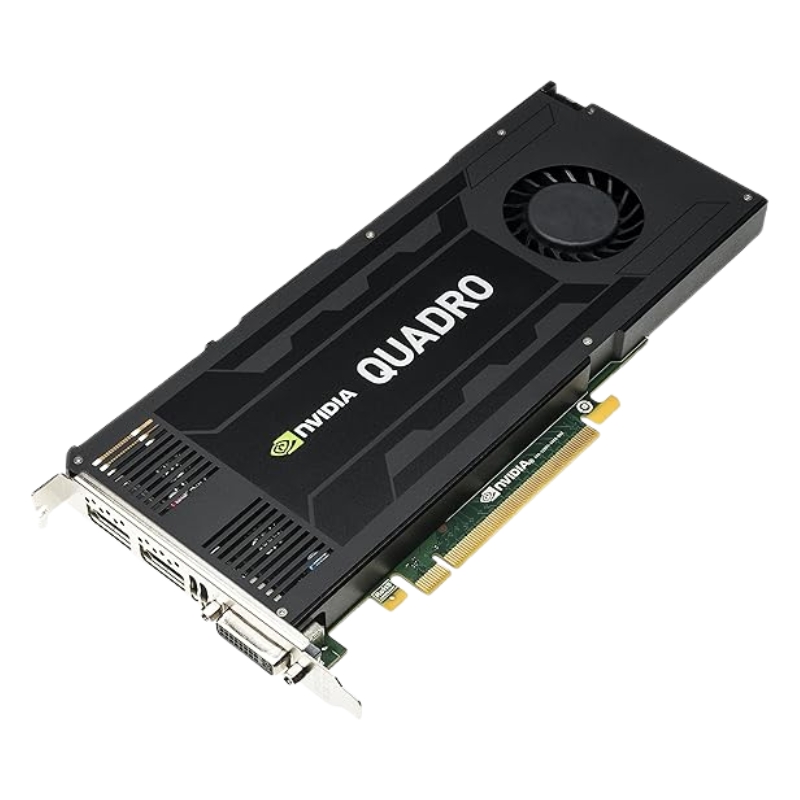
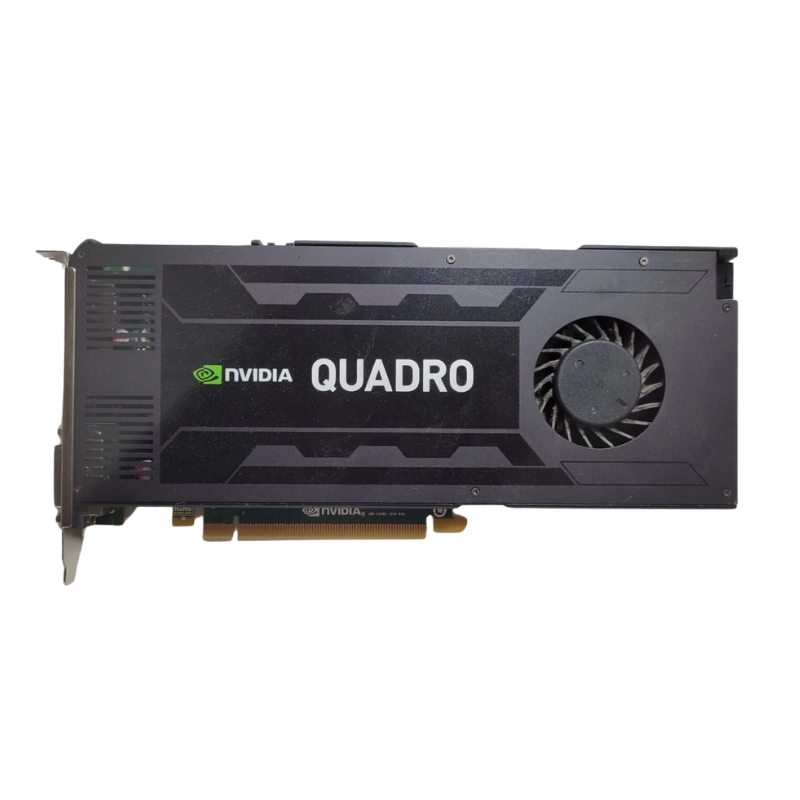
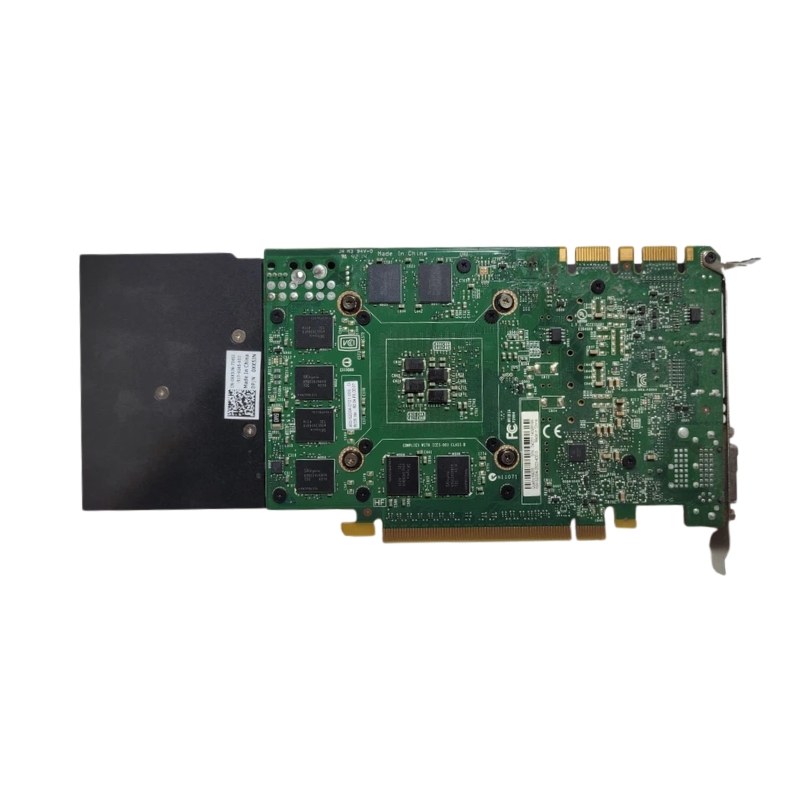
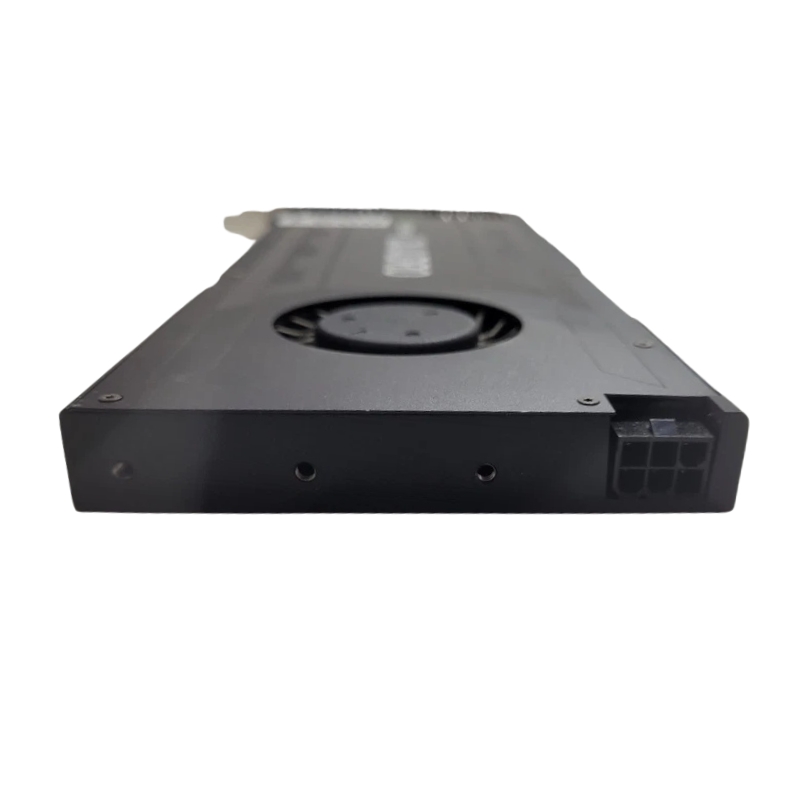
699-52004-0503-410 Nvidia Quadro K4200 4GB PCI-E Graphics Card.
- — Free Ground Shipping
- — Min. 6-month Replacement Warranty
- — Genuine/Authentic Products
- — Easy Return and Exchange
- — Different Payment Methods
- — Best Price
- — We Guarantee Price Matching
- — Tax-Exempt Facilities
- — 24/7 Live Chat, Phone Support
- — Visa, MasterCard, Discover, and Amex
- — JCB, Diners Club, UnionPay
- — PayPal, ACH/Bank Transfer (11% Off)
- — Apple Pay, Amazon Pay, Google Pay
- — Buy Now, Pay Later - Affirm, Afterpay
- — GOV/EDU/Institutions PO's Accepted
- — Invoices
- — Deliver Anywhere
- — Express Delivery in the USA and Worldwide
- — Ship to -APO -FPO
- — For USA - Free Ground Shipping
- — Worldwide - from $30
Nvidia 699-52004-0503-410 Quadro K4200 4GB PCI-Express 2.0 x16 Graphics Card Overview
The Nvidia 699-52004-0503-410 Quadro K4200 video graphics card delivers high-end performance, professional reliability, and excellent visual fidelity for demanding applications. Designed with creative professionals and engineers in mind, this GPU ensures smooth multitasking, optimized rendering, and enhanced compatibility with professional software platforms.
Main Features of Nvidia Quadro K4200 4GB GPU
- Brand: Nvidia – trusted leader in graphics processing technology
- GPU Model: Quadro K4200 for superior workstation performance
- Video Memory: 4GB for handling complex designs and graphics workflows
- Interface: PCI-Express 2.0 x16 for faster bandwidth and stable connectivity
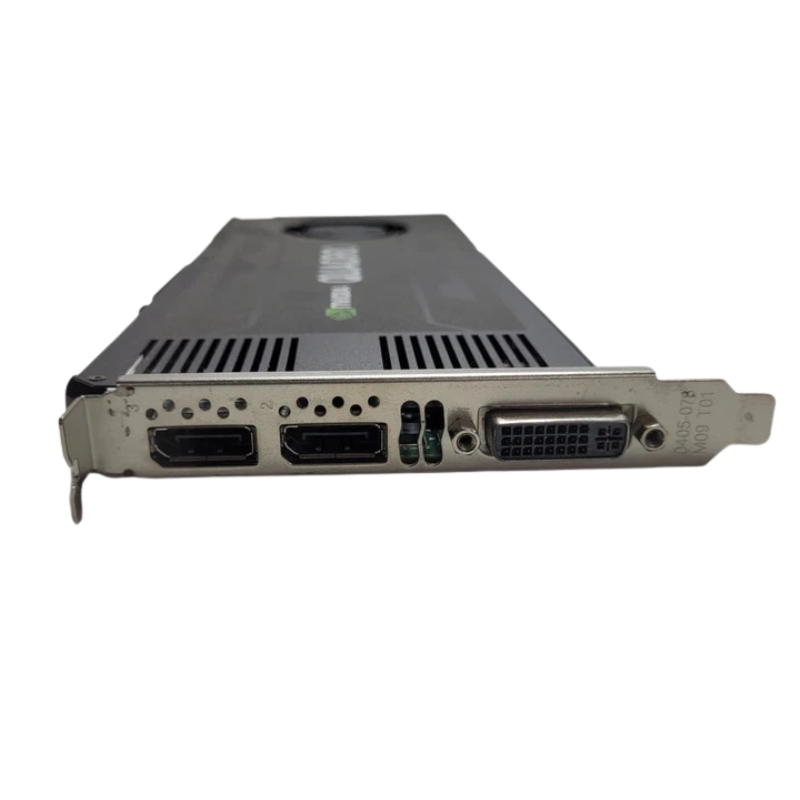
- Connectors: 1x DVI Port, 2x DisplayPorts for versatile display support
- Cooling System: Integrated fan-only cooling for efficient temperature control
- Compact Size: Height 4.75 in, Length 12.50 in, Width 0.625 in
Technical specification table (compact)
- Product: Nvidia Quadro K4200
- Part number / SKU: 699-52004-0503-410 (variation by vendor)
- GPU architecture: Kepler (GK104) — professional Quadro
- CUDA Cores: 1344
- Memory: 4 GB GDDR5
- Memory bus: 256-bit
- Memory bandwidth: ~173 GB/s
- Interface: PCI-Express 2.0 x16
- Power consumption: ~108 W
- Cooling: Active single-slot fansink
- Outputs: 1 x DL-DVI, 2 x DP 1.2 (varies by partner)
- Form factor: Single-slot, full-height
- Recommended users: CAD, DCC, GIS, visualization professionals
Performance and Efficiency
With its professional-grade Quadro K4200 chipset, this card enhances productivity across graphic-intensive tasks. Its 4GB of dedicated memory supports multitasking, 3D modeling, video editing, CAD design, and visualization projects without lag. Nvidia's advanced architecture ensures consistent power efficiency while maintaining high rendering accuracy.
Ideal Applications
- Computer-Aided Design (CAD) and 3D modeling
- Architectural visualization and engineering workflows
- High-definition video editing and rendering
- Scientific simulations and data analysis
- Multi-monitor workstation setups
Connectivity and Display Options
Equipped with 1x DVI output and 2x DisplayPort connectors, the Quadro K4200 offers flexible multi-monitor support for enhanced productivity. Professionals can easily run multiple screens, view large datasets, and work on complex projects without limitations.
Connector Benefits
- DVI Port: Compatibility with older and standard monitors
- Dual DisplayPort Outputs: Modern support for higher resolution displays
- Multi-screen setup capability for improved workflow management
Physical Specifications
This professional workstation graphics card comes in a slim and efficient design, making it easy to integrate into most PC cases while maintaining cooling efficiency.
Dimensions
- Height: 4.75 inches
- Length: 12.50 inches
- Width: 0.625 inches
Cooling Technology
To ensure uninterrupted operation, the Nvidia Quadro K4200 features a fan-only cooling mechanism. This cooling component keeps the GPU at an optimal temperature, reducing the risk of overheating and improving overall system longevity.
Competitive Advantages
- Engineered for professional-grade stability
- Supports high-resolution displays and advanced rendering
- Ideal balance of performance, efficiency, and reliability
Nvidia 699-52004-0503-410 — Quadro K4200 (4GB, PCI-Express 2.0 x16): Category Overview
The Nvidia Quadro K4200 (part number 699-52004-0503-410) is a professional-class workstation graphics card built for designers, engineers, and visualization professionals who need reliable, ISV-certified GPU performance in CAD, 3D modeling, GIS, video editing, and scientific visualization workflows. This continuous category description focuses on the Quadro K4200 family and its subcategories — certified workstation cards, single-slot professional GPUs, and legacy PCI-Express 2.0 x16 solutions — providing technical details, use cases, compatibility notes, optimisation tips, purchasing guidance, and frequently asked questions tailored for an ecommerce category page.
Key feature summary (quick snapshot)
- Model: Nvidia Quadro K4200 — commonly referenced by vendor part number 699-52004-0503-410.
- Memory: 4 GB GDDR5, 256-bit memory interface, ~173 GB/s memory bandwidth.
- Interface: PCI-Express 2.0 x16 (backwards/forwards compatible with PCIe slots, subject to motherboard limits).
- CUDA Cores: 1344 (GK104 GPU core — Kepler generation).
- Power: Typical board power ~108 W; single-slot, full-height form factor with active cooling.
- Display outputs: Dual DisplayPort 1.2 + Dual-Link DVI (varies by vendor/board partner).
- Target users: CAD professionals, architects, product designers, medical imaging, VFX and content creators requiring stable drivers and ISV certification.
Technical specifications and architecture details
GPU core and architecture
The Quadro K4200 is based on Nvidia’s Kepler family (GK104 variant). It delivers a balance of single-precision floating point performance, efficient power use, and mature driver support geared towards professional applications. Kepler architecture emphasizes compute density and parallel throughput — features beneficial for rendering, viewport performance, and GPU-accelerated compute tasks within supported applications.
Memory subsystem
With 4 GB of GDDR5 memory on a 256-bit bus, the K4200 provides 173 GB/s of memory bandwidth (vendor datasheets list ~173.0 GB/s). This memory configuration is optimized for handling complex models, large textures, and multi-monitor high-resolution datasets typical of CAD and DCC (digital content creation) workloads.
Display and connectivity
- Dual DisplayPort 1.2 outputs (allows ultra-high resolutions up to 4K UHD with MST configurations).
- One Dual-Link DVI-I connector for legacy displays and multi-monitor setups.
- Support for up to four simultaneous displays using compatible drivers and MST hubs.
Power, cooling, form factor
The Quadro K4200 is designed as a single-slot, full-height card with an active fansink cooler. Typical board power is around 108 W, so ensure adequate PSU headroom and case airflow in small form factor or crowded workstation chassis.
Performance characteristics and real-world use
Who benefits most from a Quadro K4200?
The K4200 is targeted at professionals who value driver stability and application certification over bleeding-edge gaming performance. Typical users include:
- Mechanical engineers using SolidWorks, Creo, or Inventor for large assemblies.
- Architectural designers using Revit, ArchiCAD, or Rhino for complex scenes.
- CG artists working in Autodesk Maya, 3ds Max, or Blender who need reliable viewport and OpenGL performance.
- GIS analysts and remote sensing specialists handling large geospatial datasets.
- Post-production editors on tighter budgets who need accurate color output and multi-monitor setups.
Benchmarks and comparative expectations
In ISV workloads, the Quadro K4200 typically outperforms consumer GPUs of a similar vintage in viewports and certified drivers for specific applications. However, it's a previous-generation (Kepler-era) Quadro; modern Quadro/RTX cards will outperform it in raw rasterization, ray tracing, and AI-accelerated tasks. The K4200's strengths are consistent drivers, application certification, and optimized OpenGL/DirectX behavior for professional tools.
Compatibility, installation and system requirements
Physical and electrical compatibility
- Slot: PCI-Express 2.0 x16 (works in PCIe 3.0 slots at reduced/negligible effect for most workloads).
- BIOS/UEFI: Enterprise desktops and workstations normally have no issues; consumer BIOS may need driver updates.
- Power connector: Verify whether your specific board SKU requires additional 6/8-pin power — many K4200 variants draw board power from the PCIe connector plus an auxiliary 6-pin connector.
- Chassis: Single-slot full-height form factor — suitable for many professional workstations and larger HTPC chassis, but check clearance in compact small form factor systems.
Operating systems and driver support
Official Quadro drivers from Nvidia provide long-term support for Windows (7, 8.1, 10) and various Linux distributions (RHEL/CentOS, Ubuntu) depending on driver generation. For best stability, download the latest Quadro certified driver that corresponds to your OS and ISV application version. Note that newer OS releases may require legacy driver compatibility checks.
ISV certification and professional driver advantages
Quadro drivers go through additional testing with major software vendors (ISVs) to ensure deterministic, stable behavior in professional applications. If you rely on CAD/CAM validation, design reviews, or certified rendering pipelines, the certified Quadro driver matrix reduces the risk of rendering artifacts, crashes, or incorrect results.
Subcategory breakdown: variants, refurb vs new, and vendor cards
OEM and board partner flavors
The K4200 can appear under several SKUs and part numbers (including the referenced 699-52004-0503-410), often offered by partners such as PNY, HP, Dell, Lenovo, and third-party refurbishers. Differences between SKUs are typically limited to cooler design, connector layout, accessory bundle (e.g., DP-to-DVI adapters), and warranty terms.
New vs Refurbished vs Used — what to consider
- New: Full warranty, untouched thermal paste and fan life, recommended for mission-critical workstations.
- Refurbished: Cost-effective, may include tested components and limited warranty; verify thermal and visual inspection records if available.
- Used: Lower price but potential for degraded fan bearings, thermal paste aging, or prior overclocking; ask for photos and functional testing details.
Optimization tips and best practices
Drivers and firmware
- Always use the latest Quadro (professional) driver recommended by Nvidia for your OS and primary application — avoid consumer GeForce drivers for certified workloads.
- Check OEM support pages if using a vendor-branded card inside an OEM workstation; these pages sometimes carry customized driver packages.
System tuning and monitoring
- Monitor GPU temperature and fan speeds during long renders — keep ambient airflow unobstructed to prevent thermal throttling.
- Use Nvidia Control Panel and application profiles to enforce performance/power modes suited to your task.
- Where possible, use GPU memory profiling in your apps to avoid OOM (out-of-memory) events; the K4200 has 4 GB, so optimize model/texture LOD.
Multi-GPU and scaling
The K4200 can be used in multi-GPU configurations depending on application support and motherboard lanes. For rendering that scales with multiple GPUs (certain offline GPU renderers), ensure cooling, PSU, and case layout support two or more cards without thermal interference.
Accessory and peripheral recommendations
Adapters and cables
- DP-to-DVI/HDMI passive or active adapters: Useful if your monitor lacks DisplayPort inputs.
- DisplayPort MST hubs: For driving multiple high resolution displays from a single DP 1.2 output.
- Quality DisplayPort cables: Ensure correct bandwidth for 4K@60Hz and color depth requirements.
Spare parts
For enterprise deployments, consider keeping a spare fan/blower and an anti-static bag. Vendor replacement parts are sometimes specific to the OEM bracket or board layout; confirm compatibility with the exact part number before ordering.
Comparisons: Quadro K4200 vs similar cards
Vs older Quadro K4000
The K4200 typically offers higher CUDA core count, more memory bandwidth, and improved overall throughput versus earlier K4000 variants. This translates to smoother viewport performance and better handling of larger models.
Vs modern Quadro/RTX alternatives
Newer Quadros and RTX-series cards provide greater memory capacity, hardware ray tracing, Tensor cores for AI acceleration, and improved rasterization performance. If your workflow relies on denoising, AI upscaling, or raytraced renders, evaluate modern alternatives. The K4200 remains a cost-effective option for certified OpenGL and CAD workflows with modest memory needs.
Environmental and disposal notes
Responsible recycling and refurbishment
Graphics cards contain metals and components that should be recycled through electronics recycling programs at end of life. If disposing of multiple units, consider working with an e-waste recycler that provides certificates of destruction or refurbishment pathways.
Energy efficiency
Although not a low-power mobile GPU, the K4200 is designed to be efficient for its class; however, modern GPUs often offer better performance per watt. For always-on visualization or render-farm nodes, compare total operating cost (power consumption × time) when deciding whether to upgrade.
Common troubleshooting and maintenance
Installation troubleshooting
- No display on boot: check power connectors, reseat the card, ensure monitor is on the correct input, confirm BIOS recognizes discrete GPUs over integrated graphics.
- Artifacting or crashes: verify driver version, check for overheating (monitor GPU temps), test in another system to isolate motherboard vs card issues.
- Driver conflicts with older OS: uninstall previous video drivers completely (use DDU for Windows) before installing Quadro certified drivers.
Maintenance best practices
- Keep fans and heatsink clear of dust — compressed air cleaning periodically extends fan lifespan.
- On older refurbished cards, consider replacing thermal paste and checking fan bearings if accessible and if warranty permits.
- Document driver versions and application updates to enable rollback if a new update causes instability.
Category-level content to boost conversions
User scenarios and case studies
Provide short case blurbs on the category page such as: “Mechanical designer replaced a K4200 after 6 years with minimal downtime — legacy systems still benefit from certified drivers”; or “Small studio used refurbished K4200 cards to build a low-cost rendering node cluster for offline batch renders.” These real-world scenarios capture buyer intent for budget-conscious professionals.

Cross-sell and upsell opportunities
- Offer display adapters, extra DP cables, and MST hubs as cross-sells.
- Upsell to higher memory or newer Quadro/RTX models for users who select “I need more VRAM” during the buying flow.
- Include optional extended warranties and refurbishment certificates on refurbished SKUs.