(7% discount is applied at checkout)
Cart is empty
Your go-to destination for cutting-edge server products
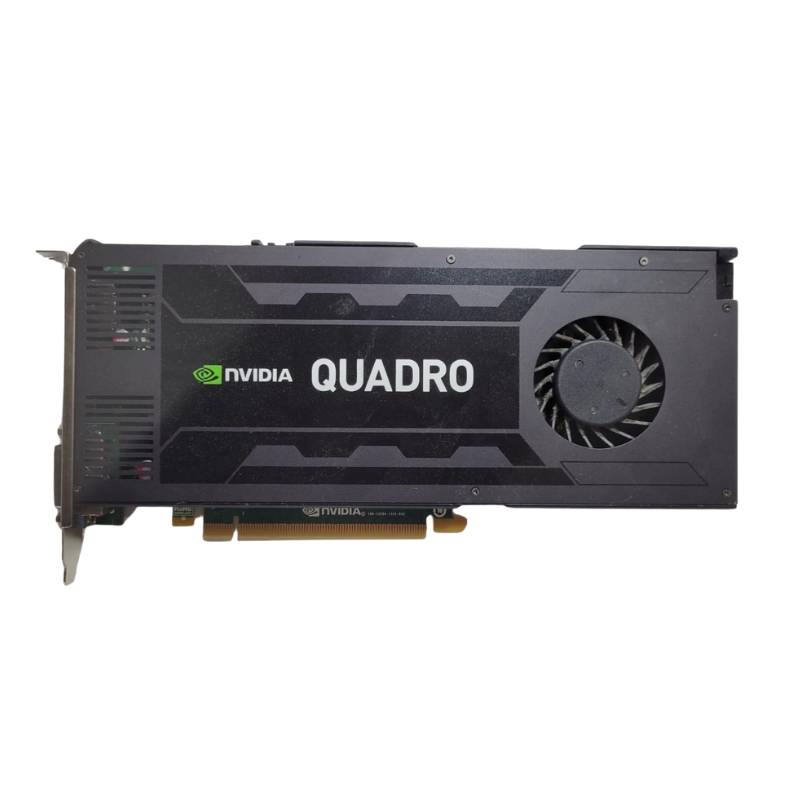


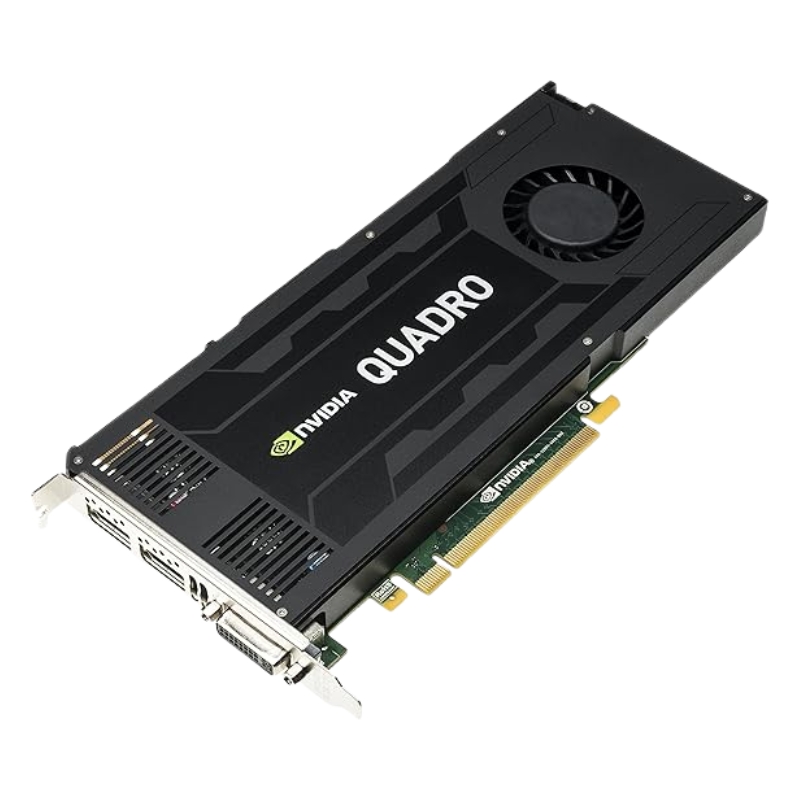
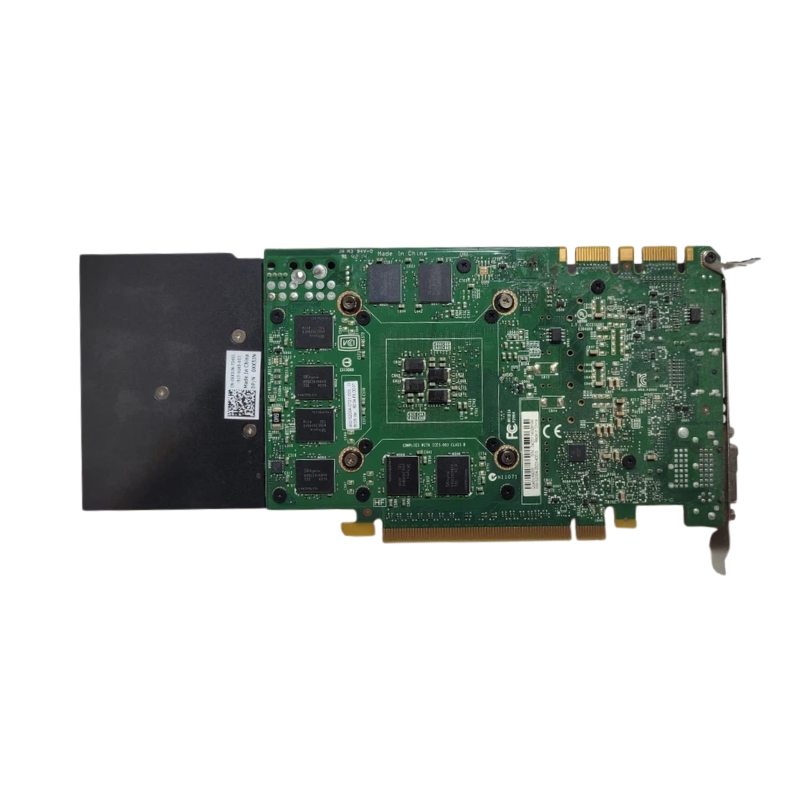
Nvidia 699-52004-0503-430 Quadro K4200 4GB PCI-Express 2.0 x16 Video Graphics Card. Excellent Refurbished with 1 year replacement warranty
The Nvidia 699-52004-0503-430 Quadro K4200 4GB PCI-Express 2.0 x16 GPU delivers professional-grade performance designed for engineers, architects, creators, and gamers. With its reliable construction, efficient cooling system, and versatile connectors, this video card is an excellent choice for users who demand stability, speed, and precision in visual applications.
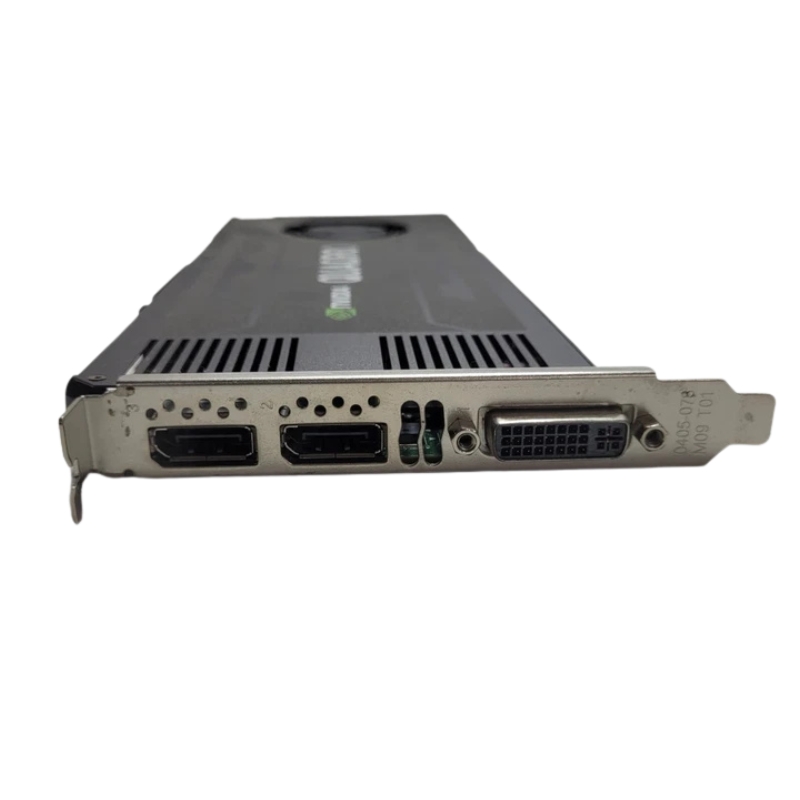
This Quadro K4200 card is built to support multiple monitor configurations and professional-grade display setups with the following connectors:
The Nvidia Quadro K4200 4GB is engineered for stable performance across a wide variety of workloads. It ensures superior rendering, faster computational speeds, and high visual fidelity in complex graphical environments.
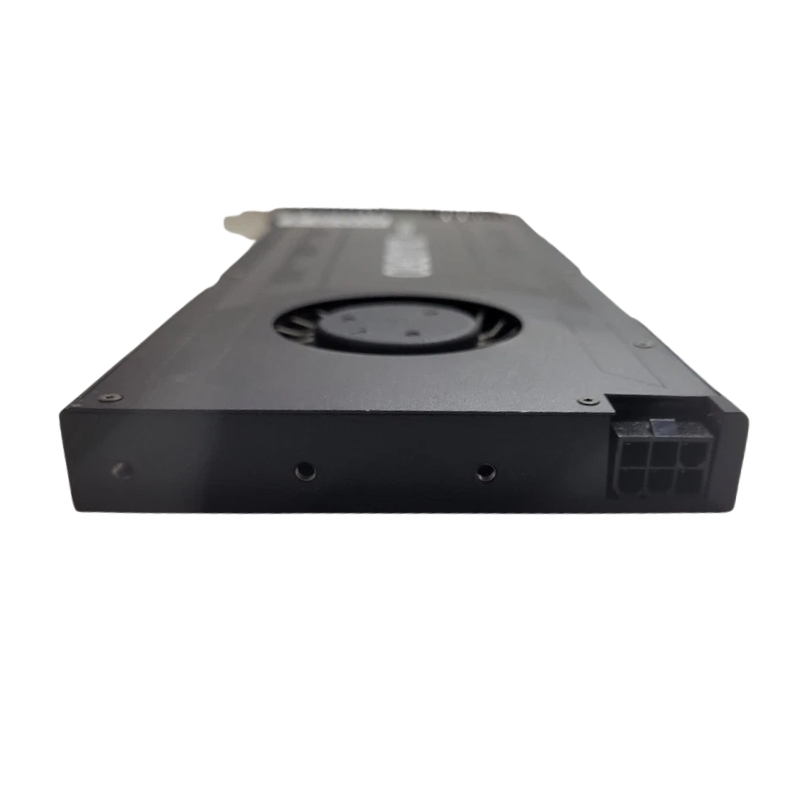
The slim design makes the Nvidia Quadro K4200 ideal for both workstations and desktop towers. Measuring 12.50 inches in length, 4.75 inches in height, and 0.625 inches in width, it maintains a compact yet powerful build. The integrated fan cooling system provides steady airflow to maintain temperature balance during demanding workloads.
This professional-grade GPU is not only suitable for high-end design tasks but also widely used in gaming, simulation, rendering, and business applications. Its stability makes it a trusted option for workstations handling intensive data and graphics.
The Nvidia Quadro K4200 (model number 699-52004-0503-430) is a workstation-class graphics card engineered for professionals who demand dependable GPU performance for computer-aided design (CAD), 3D modelling, digital content creation, scientific visualization, and other precision-driven workflows. With 4 GB of GDDR5 memory, a PCI-Express 2.0 x16 interface and a thermal/power profile optimized for sustained, predictable throughput, this Quadro card sits at the intersection of reliability and value for small-to-medium studios, system integrators, and engineers maintaining legacy-certified applications.
While the Quadro K4200 is no longer the newest card in Nvidia’s Quadro lineage, it excels at a set of specific tasks. Its 4GB of GDDR5 memory provides sufficient headroom for complex scenes at moderate resolutions, and its architecture (Kepler-based Quadro lineage) offers optimized drivers and hardware features tailored to professional applications. Expect consistent viewport interactivity, faster mesh editing, and improved playback of complex CAD assemblies compared to consumer cards without professional drivers.
In modeling environments — for example, SolidWorks, CATIA or Autodesk Inventor — the Quadro K4200 improves model manipulation fluidity, selection responsiveness, and shading performance. The card’s driver stack is tuned to prioritize geometric accuracy, anti-aliasing behavior that is predictable across sessions, and flawless handling of large assembly hierarchies.
For GPU-accelerated rendering engines and compute tasks, the K4200 delivers respectable results for iterative preview renders and GPU-accelerated denoising. It is especially useful for hybrid CPU/GPU workflows where the GPU offloads intermediate shading or post-process effects. That said, modern high-end GPUs with larger memory pools will outperform it on very large frame buffers and massive texture sets.
The Quadro K4200’s PCI-Express 2.0 x16 interface ensures broad motherboard compatibility. Many workstations with legacy expansion slots, compact form factors, or server chassis can accept this card without requiring the latest PCIe 3.0/4.0 lanes. The card’s power and thermal envelope make it suitable for single-GPU workstations or multi-card setups in systems where power budgets and airflow are carefully managed.
Typical power consumption for the K4200 is moderate, and many OEM variants were designed to operate without external power connectors in constrained chassis. When installing into smaller enclosures or stacked multi-card systems, ensure adequate case ventilation and check manufacturer-recommended clearances — especially for models with blower-style coolers or enclosed housings.
Enterprise buyers often prioritize durability and lifecycle support over the absolute highest benchmark figures. The Quadro K4200’s benefits in this regard include:
To maximize the lifespan and stability of a K4200-based workstation, follow straightforward maintenance steps:
Because the K4200 is an older model, many buyers encounter refurbished or pre-owned options that offer substantial savings. Consider these trade-offs:
Integrating a K4200 into a workstation requires attention to mechanical, electrical, and software-level details. Use these practical tips to ensure a successful deployment:
Confirm card dimensions against your chassis specification. If installing multiple cards, plan for inter-card spacing and direct airflow channels. Blower-style cards exhaust hot air out of the case and are preferred in multi-GPU, tightly packed builds.
Ensure the BIOS is set to enable PCIe x16 slots at full capacity where available. In legacy systems, check that shared resources (like onboard graphics) are disabled or configured to avoid conflicts. On the OS side, install the certified Nvidia Quadro driver release to maintain ISV compatibility and productivity.
For fleet deployments, centralize driver distribution with configuration management tools and test each driver/build against a representative set of applications to catch regressions before a full rollout. Keep a rollback plan for drivers, as some updates may alter application rendering behavior subtly.
To illustrate the kinds of workloads a Quadro K4200 handles well, consider these example scenarios:
The K4200 is ideal for rendering interactive walkthroughs, loading complex BIM assemblies to explore spatial relationships, and generating high-quality real-time previews for client presentations. Combined with an optimized viewport and level-of-detail management, it can accelerate iterative design reviews.
When opening assemblies with thousands of parts, the K4200 provides smoother pan/zoom operations and more reliable shading than consumer cards. Accuracy in selection chains, collision highlights, and measurement overlays remain consistent, aiding engineering reviews and design validation.
For compositors and motion graphics artists, the K4200 speeds viewport previews, accelerates timeline scrubbing in timeline-based editors (when GPU acceleration is supported), and helps manage medium-sized textures and layered timelines without frequent cache thrashing.
When working with a GPU that has a finite memory budget, thoughtful optimizations will extend its usefulness:
Toggle application-level GPU settings to favor viewport interactivity over photorealistic real-time effects. For example, reduce anti-aliasing levels during modeling sessions, disable unnecessary post-process effects in the viewport, and enable precision options only during final inspections.


 Contact Us
 Information
 Catalog
 Solid State Drives (SSD)
 Network Switches
 Hard Disk Drives
 HBA & Controllers
 PC & Servers
 PC & Server Memory
 CPU & Processors
 Network Routers
 Power Supplies
 Tape Drives & Libraries
 Network Devices
 Computer & Network Cables