(7% discount is applied at checkout)
Cart is empty
Your go-to destination for cutting-edge server products
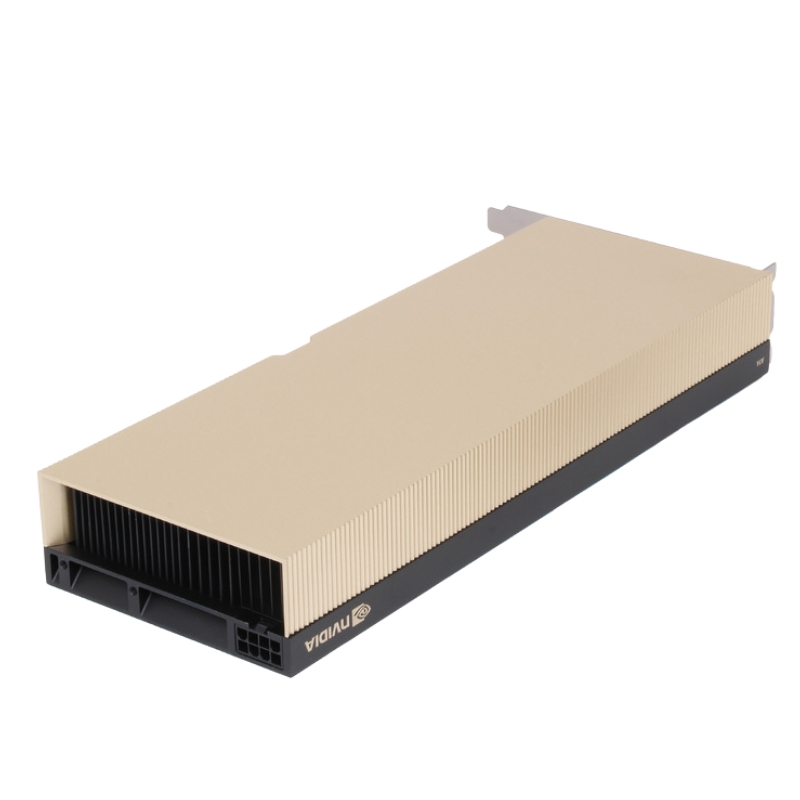


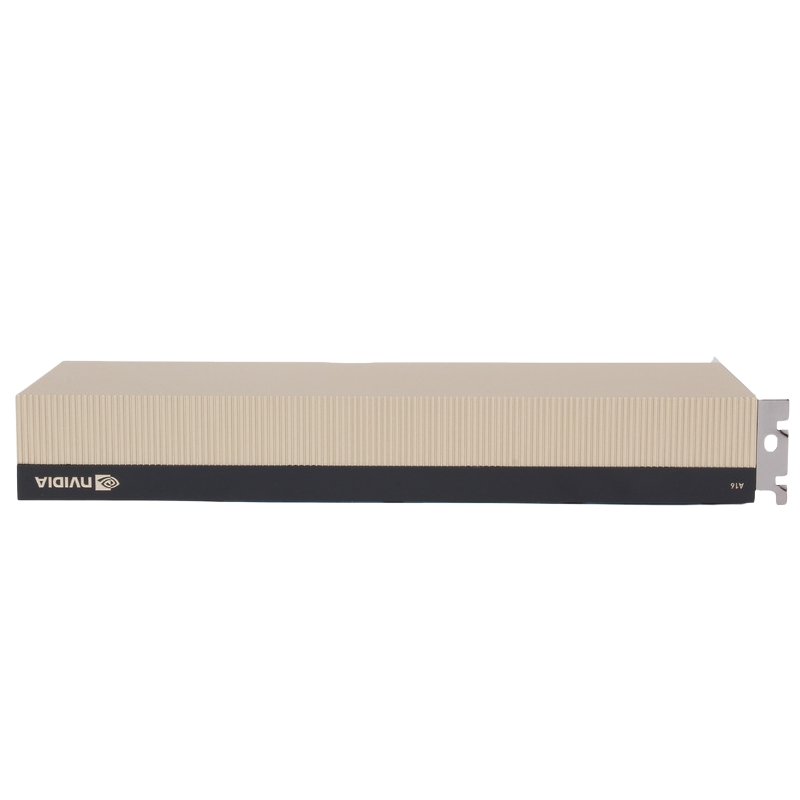
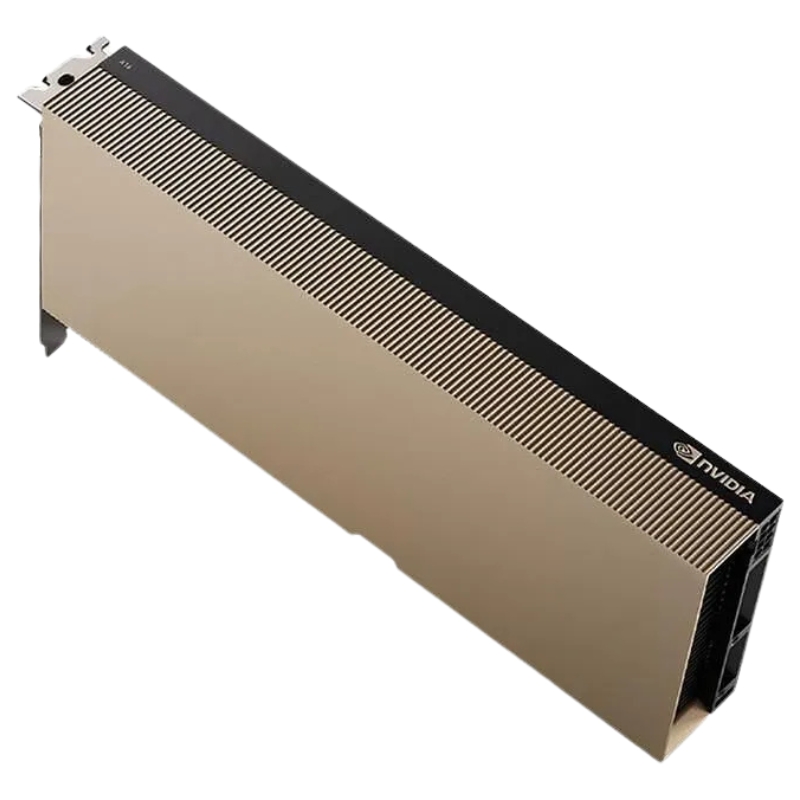
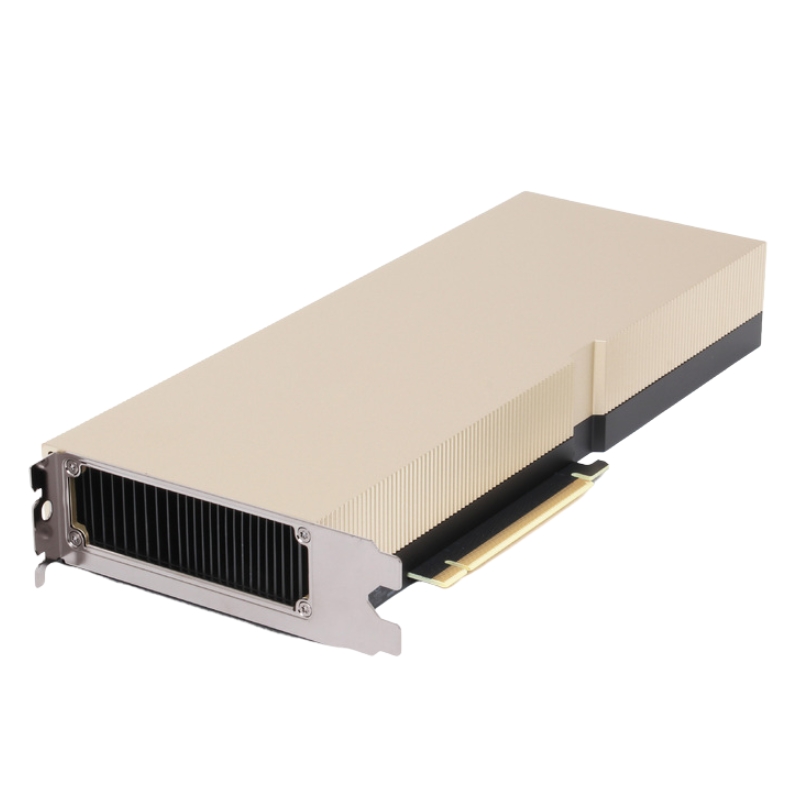
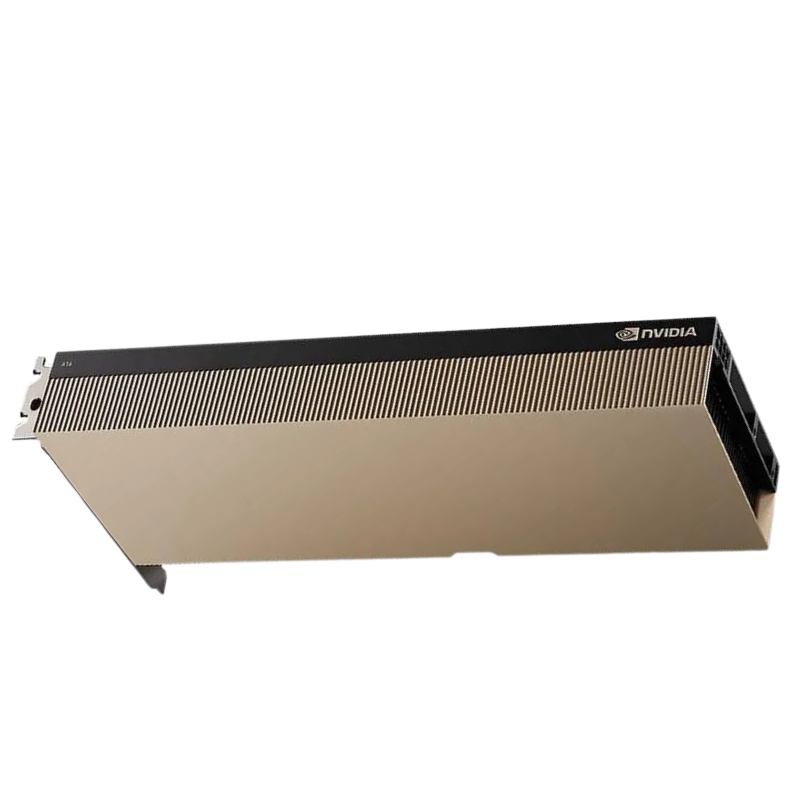
NVIDIA 900-2G171-0000-100 A16 64GB GDDR6 Passive Cuda GPU PCIe Accelerator. New Sealed in Box (NIB) with 3 Years Warranty. Call. ETA 1-2 Weeks. No Cancel No Return
The NVIDIA 900-2G171-0000-100 A16 graphics processing unit delivers enterprise-grade acceleration for data-intensive workloads. Engineered with passive cooling and PCIe Gen4 interface, this plug-in card is ideal for scalable server deployments.
With robust memory bandwidth, passive cooling, and PCIe Gen4 support, the NVIDIA A16 GPU is optimized for scalable enterprise workloads. Its CUDA architecture ensures seamless parallel processing, making it a top-tier choice for IT professionals and system integrators.
The A16 lineup stands out in scenarios that require many concurrent virtual GPU instances, deterministic user density, and a compact footprint for rack-scale deployments. Typical differentiators include a large 64GB GDDR6 frame buffer to support multiple simultaneous sessions and high-resolution graphics across many users, a passive thermal solution enabling dense server chassis mounting, and a PCIe interface offering broad platform compatibility. These cards are engineered to balance memory capacity and multi-workload efficiency over peak single-threaded FLOPS, which makes them particularly suitable for VDI and large-scale remote graphics rather than single-GPU workstation replacement.
The A16 category uses a server-optimized, passively-cooled PCB design that presumes front-to-back or bottom-to-top chassis airflow. Cards are typically low profile in depth with full-length PCB dimensions to fit in 1U/2U server bays when used with the appropriate riser and chassis placement. Expect to see vendor-specific bracket options to match standard server form factors and secure mounting points for enterprise-grade vibration resilience.
The hallmark 64GB GDDR6 memory capacity gives the A16 family a meaningful edge in multi-session deployments: higher framebuffers per user, larger texture sets for virtual GPUs, and the ability to cache more working sets in-memory for AI inference micro-batches. For administrators, this equates to higher user density per card and reduced host memory pressure, especially in workloads where large framebuffers or multiple simultaneous encoders/decoders are active.
VDI is the primary sweet spot for A16-class cards. Their multi-instance capability and memory-rich design enable service providers and enterprises to host dozens of graphical or compute-accelerated user sessions on a single card. The passive design simplifies integration into data centers where chassis-level fans are the primary cooling source. IT administrators often pair A16 cards with GPU virtualization platforms to allocate slices of GPU memory and compute to each virtual desktop—resulting in predictable user performance and simplified resource management.
For inference workloads—especially those that benefit from larger memory buffers (large models, batch scoring, or real-time multi-stream inference)—the 64GB GDDR6 buffer is an advantage. The category is often selected for distributed inference clusters where many models are hosted concurrently and where memory capacity reduces the need for repeated model streaming from storage. While peak training throughput for massive models may still favor other HPC GPUs, A16 cards shine when the workload is inference-heavy and needs to be colocated with virtualization or media pipelines.
The integrated media engines and hardware encoders/decoders commonly found on server GPUs make A16 cards a solid choice for large-scale video transcoding, cloud gaming front ends, and live-streaming platforms where multiple concurrent encode/decode sessions are required. The 64GB memory helps to buffer multiple video streams and maintain smooth frame delivery for remote or cloud-hosted sessions.
Deploying A16-series cards requires careful coordination between host OS drivers, server firmware, and vendor-supplied firmware bundles. Ensure drivers are matched to the OS release and hypervisor level, and track vendor-supplied firmware updates for stability and security patches. Enterprise deployments typically follow validated stacks (driver + OS + hypervisor versions) tested by the server vendor; deviation may require additional validation to ensure stable behavior under dense multi-tenant loads.
A central appeal of the A16 category is GPU-sharing capability. Many customers use NVIDIA’s virtual GPU solutions or equivalent hypervisor features to carve GPU resources across VMs or containers. Evaluate whether your chosen virtualization platform supports the precise partitioning and driver model required by the A16 family and confirm license requirements, as GPU virtualization often depends on both software licensing and platform compatibility.
Common hypervisors—both commercial and open source—support GPU pass-through or virtual GPU modes, but capabilities differ. Validate support for your hypervisor (e.g., VMware, Citrix, KVM, or Microsoft Hyper-V), check for any additional management tooling required, and plan for driver deployment across golden images and host images to ensure consistent end-user experience.
Because the A16 cards are passively cooled, proper chassis airflow design is non-negotiable. Use servers with high-efficiency, redundant front-to-back cooling and maintain recommended inlet temperatures. When packing multiple cards into a chassis, confirm there is adequate space between adjacent cards and that the server’s airflow capacity has headroom for sustained loads. In dense GPU server builds, supplement airflow considerations with temperature monitoring and conservative thermal thresholds for throttling to maintain reliability.
Passive GPU accelerators typically rely on the host platform's power delivery. Ensure your server’s power rail, PCIe power connectors, and overall PSU capacity match the populated configuration at maximum expected utilization. Plan for peak power budgeting and avoid overcommitting PSU capacity in high-density racks. Redundancy at the power supply level is recommended for production systems to prevent single-point failures.
Optimal PCIe slot selection is essential for predictable throughput and latency. Check the server vendor’s documentation for preferred slot mappings when multiple accelerators are installed. Some server platforms provide root-complex mappings that affect NUMA locality and host memory access latency; for high-performance workloads, align critical GPU tasks with the CPU sockets that provide the best PCIe affinity.
Scaling horizontally by adding multiple A16 cards across servers is a standard approach for increasing aggregate user density or inference throughput. Design the orchestration layer to balance sessions across hosts and consider using centralized GPU management tools that can inventory and provision GPU virtual instances. For predictable growth, use sizing exercises based on user profiles (light, medium, heavy) to estimate how many simultaneous sessions a single card supports and then extrapolate to rack and cluster sizes.
When A16 cards are deployed in clusters, integrate GPU-aware scheduling into your orchestration layer—whether that’s Kubernetes with device plugins, VM orchestration, or specialized VDI brokers. Monitor utilization to avoid hotspots and to plan capacity expansions before SLAs are impacted. In containerized environments, use GPU partitioning and resource quotas to maintain fair sharing and predictable performance across namespaces.
In multi-tenant environments, robust isolation is crucial. Use hypervisor-level separation, secure boot, and signed firmware where available. Ensure that the GPU virtualization approach provides adequate memory isolation between tenants and that driver stacks are configured to prevent information leakage between virtual GPUs. Security hardening processes should include firmware integrity checks, restricting administrative consoles, and regular patching of GPU drivers.
For regulated workloads, maintain audit trails for provisioning and de-provisioning virtual GPUs and ensure data does not persist across tenant boundaries. When GPUs are used to process sensitive datasets, apply encryption and key-management practices for model and data storage, and document the GPU asset lifecycle as part of your compliance posture.
For proof-of-concept VDI pods, a single 1U server with one or two A16 cards can host dozens of light-to-medium user sessions. Golden images should be prepared with validated GPU drivers and VDI client software. Performance baselines should be established using representative workloads (document editing with hardware-accelerated video, multiple browser tabs with webGL, and occasional media playback) to determine the realistic user-per-card ratio.
For inference clusters, distribute A16 cards across multiple hosts and enable a load-balancing layer in front of the service. Consider local NVMe caches to reduce model load times and orchestrate model placement to exploit host-local memory. Use observability tooling to measure request latency, throughput, and GPU memory utilization; iterate on batch sizes and model sharding to maximize throughput while maintaining target latency SLOs.
To maximize density on an A16 card, optimize how memory is partitioned between active user sessions or models. Techniques include model quantization, swapping cold segments to host storage, and dynamic allocation of encoder/decoder resources based on session priority. Intelligent memory packing reduces wasted buffer space and enables more concurrent sessions per card.
For GPU-accelerated services, network and storage performance can be a limiting factor. Provision low-latency network fabrics and fast local storage for model and swap to avoid GPU stalls waiting on I/O. For remote desktop scenarios, ensure low jitter and prioritize traffic for interactive sessions to maintain responsiveness.
When evaluating the A16 category, compare it against other GPU families focused on either pure HPC performance or graphics workstation replacement. The A16’s design philosophy skews toward multi-session density and memory capacity rather than absolute single-card peak FLOPS. If a deployment requires raw training throughput for very large models, consider GPUs optimized for HPC training instead. Conversely, if workstation users need single-GPU maximum frame rates for CAD or 3D rendering, workstation-class cards with active cooling may be preferable.


 Contact Us
 Information
 Catalog
 Solid State Drives (SSD)
 Network Switches
 Hard Disk Drives
 HBA & Controllers
 PC & Servers
 PC & Server Memory
 CPU & Processors
 Network Routers
 Power Supplies
 Tape Drives & Libraries
 Network Devices
 Computer & Network Cables