(7% discount is applied at checkout)
Cart is empty
Your go-to destination for cutting-edge server products
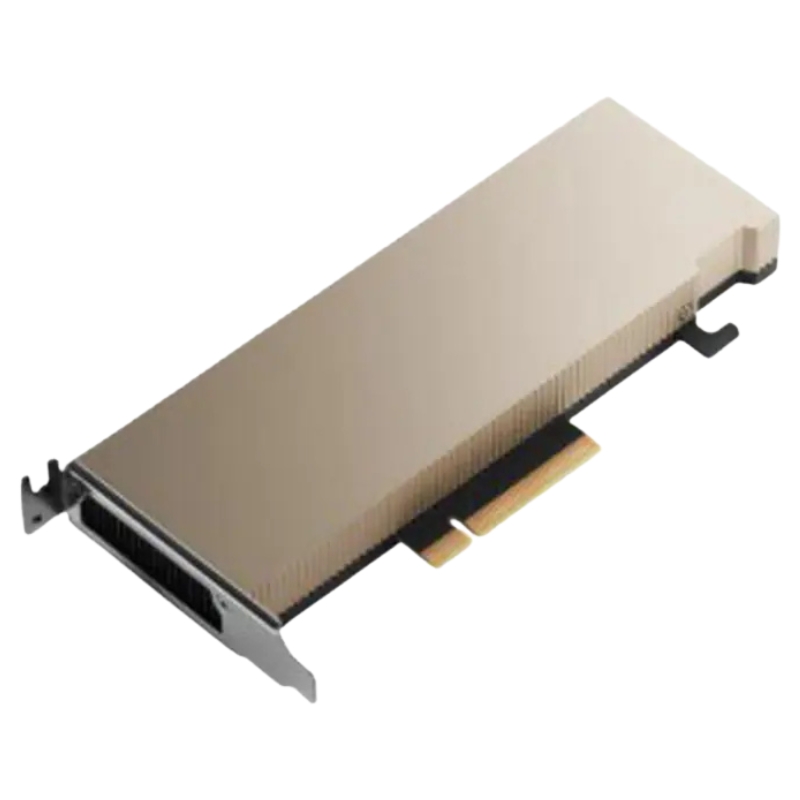


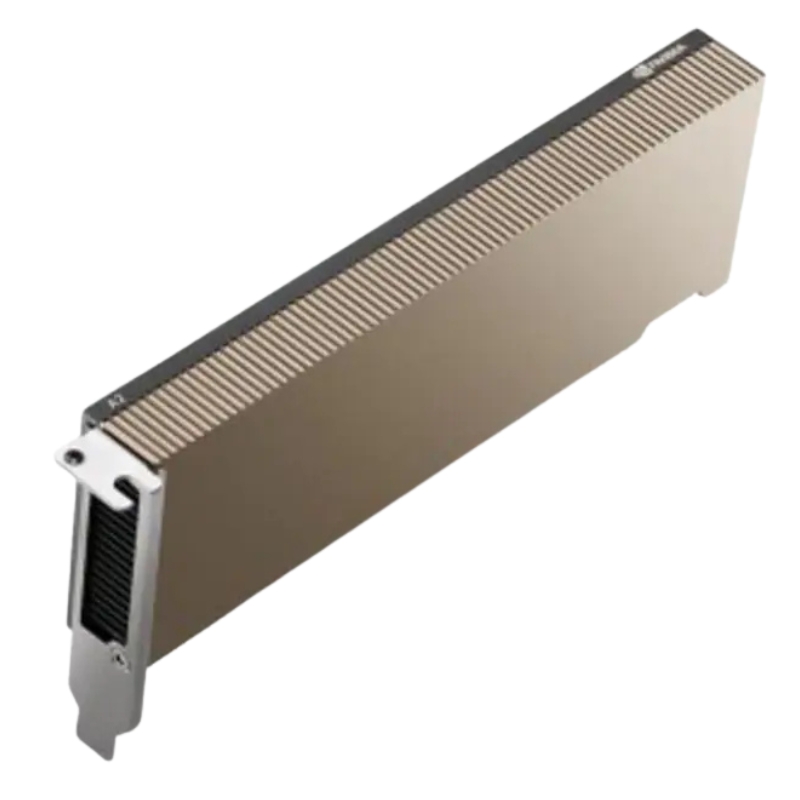
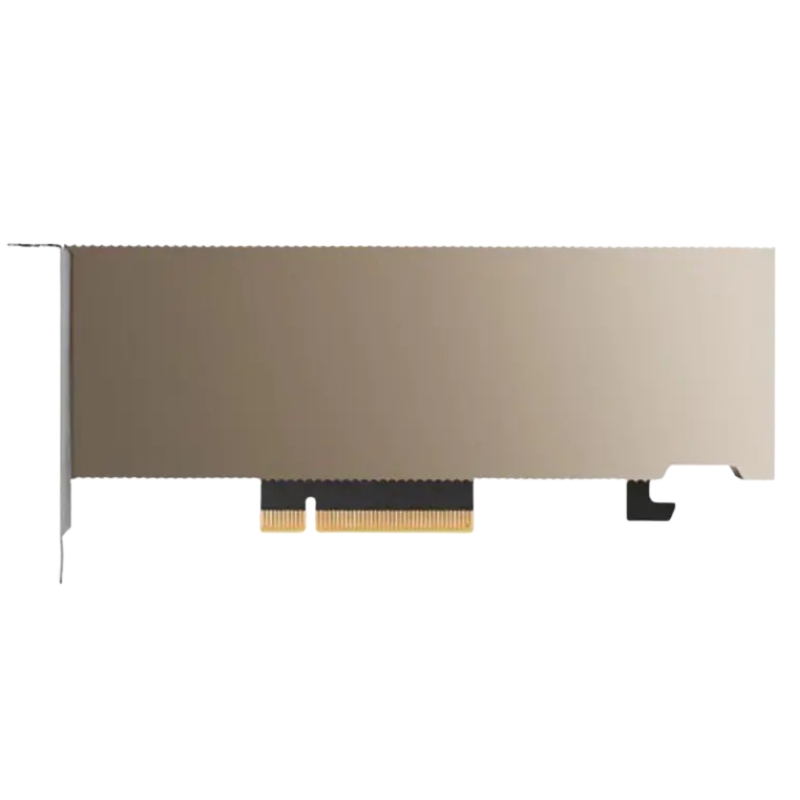
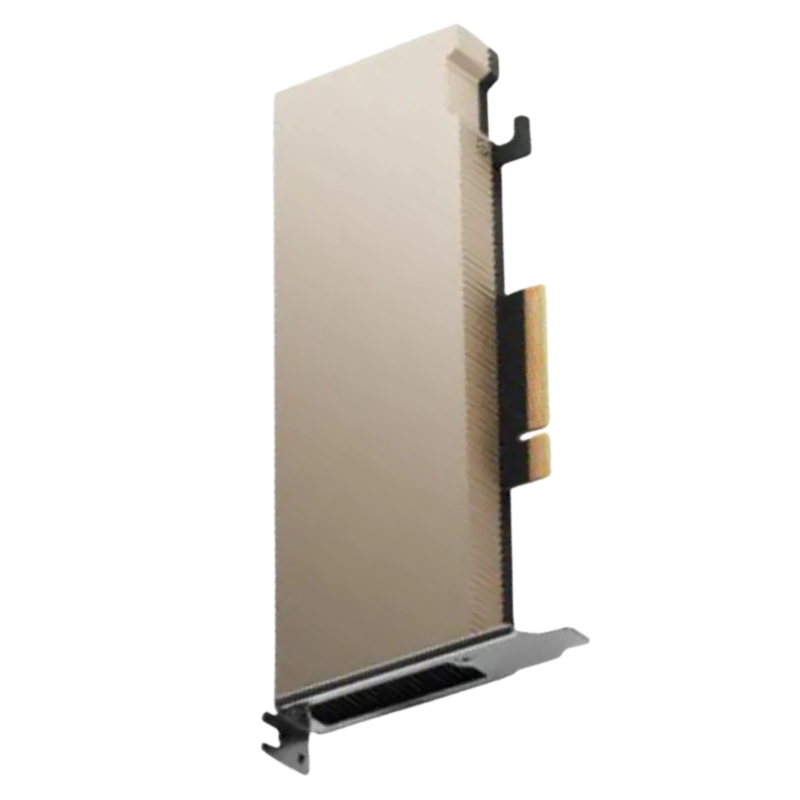
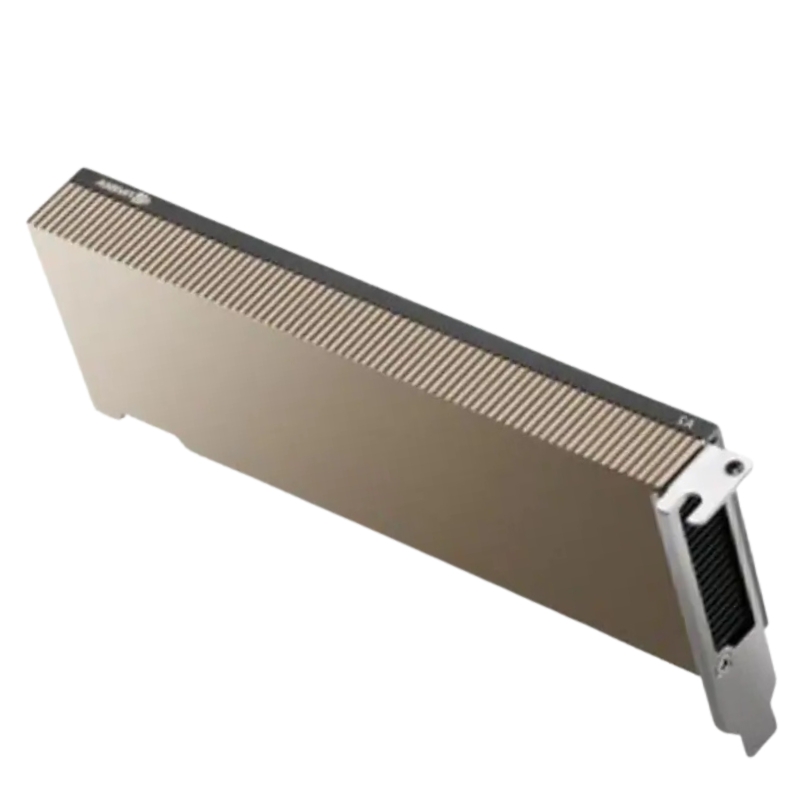
Nvidia 900-2G179-0020-100 A2 Computing Processor 16GB GDDR6 PCIe Gen4 X8 Tensor Core GPU. Excellent Refurbished with 1-Year Replacement Warranty. Call(eta 2-3 Weeks).
The NVIDIA 900-2G179-0020-100 A2 Tensor Core GPU delivers high-performance computing with 16GB GDDR6 memory and PCIe Gen4 x8 interface. Designed for enterprise-grade AI workloads and data-intensive applications, this graphics accelerator ensures optimal throughput and scalability.
Core hardware highlights
This category covers the NVIDIA A2 Tensor Core GPU family and specifically listings and variants of the 900-2G179-0020-100 A2 module — a compact, low-power, data-center focused GPU that pairs 16 GB of GDDR6 memory with a PCIe Gen4 x8 interface and Ampere architecture Tensor and RT cores. The A2 sits intentionally at the entry-to-mid performance tier for modern AI inference, VDI/virtual workstation acceleration, video transcoding and compact edge deployments where power and thermal budgets are constrained but compute and media capability are required.
Though positioned below the largest enterprise GPUs in raw throughput, the A2 delivers balanced FP16/FP32/Tensor performance and high inference throughput for many production models. It includes dedicated Tensor Cores for mixed-precision workloads, offering competitive INT8 and INT4 TOPS for quantized inference, and supports media engines for hardware accelerated encode/decode, including modern codecs useful in streaming and video analytics workflows. These traits make A2 attractive when cost, density, and power efficiency are priorities.
Built on NVIDIA’s Ampere lineage, the A2 GPU leverages CUDA cores, multi-precision Tensor Cores and RT cores to accelerate diverse workloads. The architecture focuses on efficient inference, mixed precision training acceleration on smaller models, and the ability to offload media processing. For teams adopting this GPU category, the Ampere enhancements translate into better per-watt performance and broader format support (e.g., TF32 / BFLOAT16 / INT8 / INT4) than older architectures.
The A2’s Tensor Cores are optimized for matrix math used in DL inference and some training workloads. Expect solid TFLOPS numbers in TF32 and FP16 modes and especially strong throughput on quantized INT8/INT4 models — a common deployment choice to maximize latency and cost efficiency for production inference. When sizing clusters for inference, factor in model size, batch size, and whether quantization or model compression will be used, since the 16 GB of GDDR6 is shared across model activations, parameter storage, and GPU system overhead.
The presence of RT cores and media encoders/decoders on A2 cards enables not only ray-tracing workloads at smaller scales (useful for rendering preview tasks or accelerated graphics workloads) but also hardware accelerated video encode/decode — valuable for video-streaming, transcoding farms, and multi-camera analytics deployments. The inclusion of modern codecs and AV1 decode in many A2 variants reduces CPU offload and improves throughput for media processing pipelines.
The 16 GB GDDR6 on the A2 balances cost and capability: large enough for many inference models (including medium-sized transformer variants with batching) while limiting this SKU’s footprint in dense server environments. Memory bandwidth (~200 GB/s) and a 128-bit memory interface are tuned for inference data movement patterns and media workloads rather than massive training datasets. When orchestrating multi-tenant GPU servers or vGPU deployments, remember that effective memory per instance can be less than raw memory due to virtualization metadata and driver overhead — plan accordingly.
Use quantization (INT8/INT4) to shrink model size and increase throughput.
Batch efficiently — larger batch sizes can improve device utilization but increase memory footprint.
Offload preprocessing to host CPU or specialized accelerators to preserve GPU memory for model tensors.
For multi-model serving, use model sharding or a model cache layer to avoid duplicating large model weights across instances.
The A2 category emphasizes compactness: many SKUs (including the 900-2G179-0020-100) are single-slot, low-profile designs intended for dense servers, edge appliances and accelerated enterprise desktops. This form factor enables higher GPU counts per rack unit and fits into server chassis that cannot accommodate dual-slot full-height cards. When selecting servers, verify chassis clearance, airflow direction and riser slot compatibility for PCIe Gen4 x8 lanes.
A hallmark of the A2 is its low power envelope — TDP is configurable and commonly specified in the ~40–60 W region depending on OEM tuning. This makes it suitable for edge and multi-GPU dense deployments where power is constrained or where thermal budgets are tight. However, always check the exact OEM part number — power caps and cooling (passive vs active) can vary between vendor builds and aftermarket cards.
Passively cooled A2 cards depend on adequate system airflow. When deploying passively cooled variants, ensure that server fans and case ventilation meet the vendor-recommended airflow specifications. In cramped or poorly ventilated enclosures, the A2 may require active cooling variants or chassis modifications to maintain sustained performance under load.
The A2 supports mainstream server OSes (Linux distributions widely used in data centers, as well as Windows Server for workstation virtualization) and is fully supported by NVIDIA’s data center drivers and container-ready CUDA stacks. Integration with orchestration platforms (Kubernetes + NVIDIA device plugin), model serving stacks (TensorRT, Triton Inference Server) and virtualization solutions is well documented by NVIDIA and partner OEMs. For guaranteed vGPU or virtual workstation features, select vendor-validated driver and vGPU license combinations.
The A2 is particularly well-suited for production inference endpoints: image classification, object detection, small-to-medium NLP models, recommendation caches and other real-time model serving scenarios where high throughput per watt is a key requirement. Because of the A2’s Tensor Cores and strong INT8/INT4 performance, quantized models exhibit especially strong latency and cost advantages on this card. For inference fleets, the A2 provides a cost-effective platform for scaling many endpoints in parallel.
With vGPU support on certain OEM variants, the A2 can accelerate virtual desktops and creative workflows for users who require moderate 3D and video performance in dense environments. For enterprise VDI deployments where per-user resource allocation and cost control are important, the A2 offers a compelling balance between density and capability. Verify specific vGPU license tiers and compatibility matrices before committing to large deployments.
The A2’s low profile and low power consumption make it a frequent choice for edge servers, telecom compute nodes, or near-camera analytics platforms. Use cases like real-time video analytics, multi-camera object tracking and smart retail deployments benefit from a GPU that can be densely deployed on-premises or in ruggedized enclosures. Passively cooled variants are common in NEBS-style server designs when thermal conditions and airflow are controlled.
Hardware encoders and decoders on the A2 accelerate live transcoding, stream packaging and multi-stream encoding tasks — freeing CPU cycles for application logic. For media farms and cloud transcoding providers, the A2 offers a lower-cost route to offload common codec pipelines while maintaining acceptable per-stream latency and throughput. AV1 decode support improves future-proofing for newer, more efficient codecs.
When planning capacity, consider that A2 is optimized for density rather than raw peak training performance. Use A2 GPUs for high-card count inference clusters, VDI clouds, or media farms; reserve larger devices (e.g., A30/A40/A100 families) for heavy training workloads or extremely large model inference. If your workload mixes training and inference, consider hybrid deployment strategies (training on larger GPUs, serving on A2s after conversion/quantization).
Because the A2 uses PCIe Gen4 x8, validate server riser layouts and CPU-to-PCIe lane distribution to avoid bandwidth bottlenecks. On multi-GPU motherboards, ensure GPUs receive adequate PCIe lanes and that CPU platform supports PCIe Gen4 to fully leverage interconnect gains. For remote or multi-server clusters, network bandwidth and latency (e.g., 25/40/100GbE) become the limiting factors for distributed inference pipelines, so size those links to match your per-GPU throughput targets.
Fast local NVMe or distributed storage will improve model load times and batch preparation. For large model sets or high churn inference deployments (many model versions deployed concurrently), ensure storage I/O and caching strategies are optimized to prevent GPU starvation due to model loading or preprocessing delays.
The part number 900-2G179-0020-100 identifies a particular A2 configuration and packaging; similar part numbers (e.g., 900-2G179-0020-101 or vendor variants) often indicate different cooling, firmware, or accessory sets included by OEMs or channel partners. When comparing SKUs, review the exact thermal solution (passive vs active), power cap, warranty terms, and whether the card is covered by enterprise support options. Retail resellers and server suppliers commonly list slight part number variations for different region or vendor builds.
Pricing and condition vary across channels (brand new, OEM refurbished, or third-party refurbished). For production and enterprise use, prefer new or OEM-renewed units with full warranty. For lab or dev/test environments, refurbished cards can provide cost savings but verify return policy and warranty duration. Many authorized resellers list both 900-2G179-0020-100 and closely numbered variants — always confirm part numbers and returns processes before purchasing.
Compared with larger Ampere data center GPUs, the A2 trades peak GPU FLOPS for lower power and smaller physical size. It is an excellent choice when per-unit cost, density, or constrained environments matter more than maximum single-GPU training throughput. If your roadmap includes large model fine-tuning, plan for hybrid clusters where A2 handles production inference and larger cards (A30/A40/A100) handle training and heavy fine-tuning.
Use NVIDIA’s recommended data center driver sets for best stability and performance. Keep CUDA, cuDNN and Triton versions consistent across your cluster, and use container images (NVIDIA NGC or custom images) to ensure reproducible runtime environments. For vGPU use, follow the vGPU driver and licensing guides carefully; mismatched driver versions across hypervisor and guest OS can cause stability or provisioning issues.
Check server BIOS and firmware for PCIe and SR-IOV support if deploying virtualized workloads. Apply vendor-recommended firmware updates for both servers and GPU microcode to maintain security and performance. For passively cooled SKUs, BIOS fan profiles and chassis airflow settings can significantly affect sustained performance; consult hardware vendor best practices when tuning.
Monitor GPU telemetry (temperature, power draw, GPU utilization, memory usage) using NVIDIA tools (nvidia-smi, DCGM) and integrate alerts into your cluster monitoring stack. For cloud or on-prem clusters, implement rolling driver updates, capacity planning, and end-of-life tracking to avoid unexpected downtime. Maintain spare cards and validated replacement procedures for critical deployments.


 Contact Us
 Information
 Catalog
 Solid State Drives (SSD)
 Network Switches
 Hard Disk Drives
 HBA & Controllers
 PC & Servers
 PC & Server Memory
 CPU & Processors
 Network Routers
 Power Supplies
 Tape Drives & Libraries
 Network Devices
 Computer & Network Cables