(7% discount is applied at checkout)
Cart is empty
Your go-to destination for cutting-edge server products


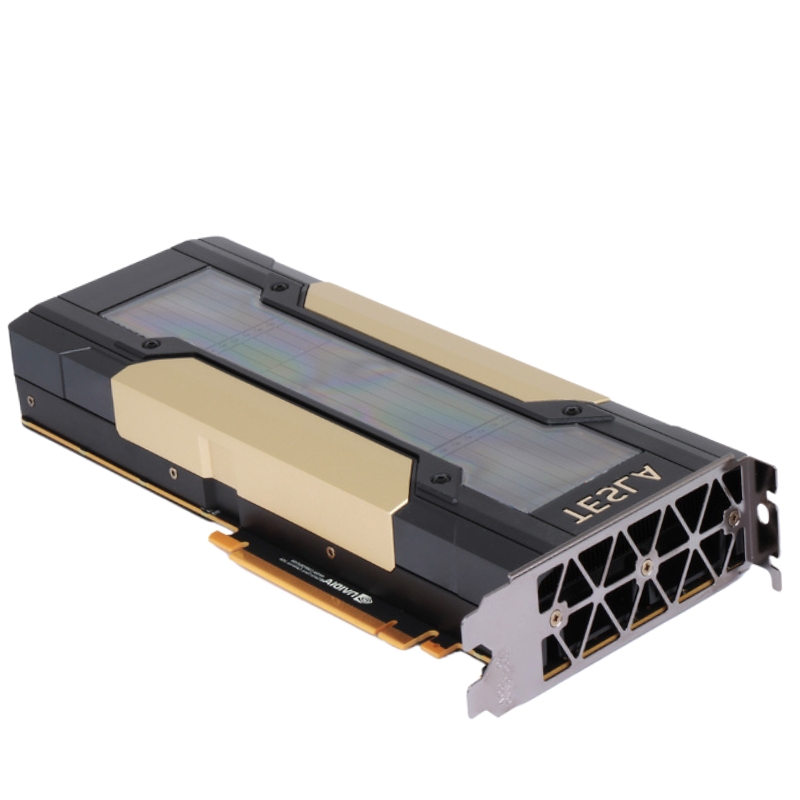
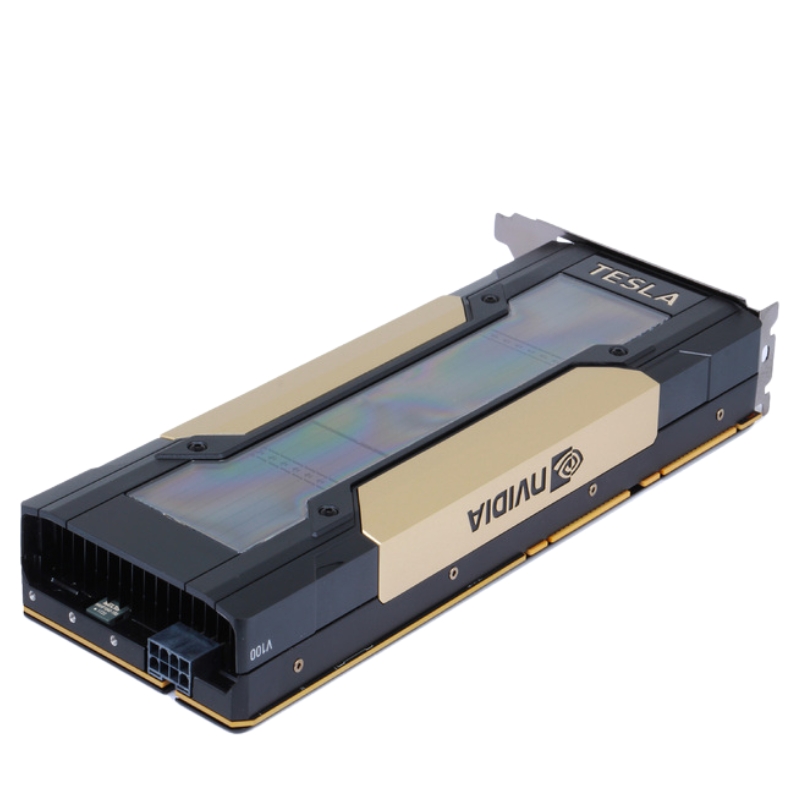
Nvidia 900-2G500-0000-000 Tesla V100 16GB HBM2 CUDA PCI-E Accelerator Card GPU. Excellent Refurbished with 1 year replacement warranty
The NVIDIA Tesla V100 (Part Number: 900-2G500-0000-000) is a premium data-center GPU engineered for AI training, inference, high‑performance computing (HPC), and advanced graphics workloads. Powered by the NVIDIA Volta architecture with Tensor Cores, the V100 delivers exceptional throughput and efficiency, making it ideal for researchers, data scientists, and enterprise compute environments.
The Nvidia 900-2G500-0000-000 Tesla V100 16GB HBM2 CUDA PCI-E Accelerator Card GPU category represents a class of enterprise-grade GPU accelerators engineered for high-performance computing (HPC), artificial intelligence (AI) training and inference, scientific simulation, and data center workloads. This category page focuses on the Tesla V100 16GB variant offered in a PCI-Express (PCI-E) form factor — a powerful, memory-dense card built around high-bandwidth HBM2 memory and Nvidia’s CUDA-accelerated software stack. The description below explores the product family, key features, technical considerations, common use cases, deployment patterns, procurement guidance, compatibility notes, and lifecycle/maintenance tips that procurement teams, system integrators, and technical buyers need to evaluate before adding these accelerators to servers, workstations, or cluster nodes.
The Tesla V100 16GB PCI-E family is defined primarily by three attributes: enterprise-grade reliability, specialized memory architecture, and deep integration with Nvidia’s CUDA ecosystem. Cards in this category typically combine:
16GB of HBM2 memory — High Bandwidth Memory (HBM2) delivers very high throughput per pin and is optimized for large-model training and in-memory datasets.
PCI-Express interface — PCI-E provides a flexible, server-friendly connection that supports wide adoption in standard x86 servers and many workstation platforms.
CUDA acceleration and software compatibility — Full support for CUDA, cuDNN, NCCL and other Nvidia libraries and toolchains used by data scientists and HPC engineers.
The 16GB HBM2 memory configuration is a hallmark of this card. HBM2 places multiple DRAM dies in a 3D stacked arrangement and connects them with an ultra-wide interface. For workloads that require both memory bandwidth and capacity — large batch sizes in deep learning, large sparse matrices in scientific computing, multi-tenant inference scenarios — HBM2 delivers an advantage over traditional GDDR memory due to its higher throughput per watt and lower latency characteristics when performing memory-bound operations. When evaluating the V100 16GB SKU, consider whether the 16GB capacity matches your model parameters, dataset size, and batch-sizing strategy; for many production AI workloads, 16GB is a capable balance between capacity and cost.
Cards in this category are tightly integrated into the Nvidia CUDA ecosystem. They enable developers to use CUDA kernels, cuBLAS, cuDNN, and TensorRT for optimized matrix operations, convolutions, and inference pipelines. Many V100-class accelerators also include specialized units that accelerate mixed-precision arithmetic for neural network training — delivering higher effective throughput for AI workloads while retaining numeric stability strategies for model convergence. For engineering teams, the availability of a mature software stack is a major advantage for productivity and performance tuning.
The PCI-E form factor of this SKU ensures broad compatibility with a wide range of server motherboards and professional workstations. Because these cards are designed with enterprise cooling and power delivery in mind, server integrators should confirm chassis airflow, PCIe lane distribution, and power-supply capacity before purchase. In multi-GPU configurations, check server vendor guidance regarding spacing (to avoid thermal throttling) and lane balancing (to preserve maximum interconnect bandwidth).
While the PCI-E variant is excellent for standard server deployment, multi-GPU scaling strategies often leverage direct-GPU interconnects (such as NVLink in other form factors) to reduce peer-to-peer latency and increase bandwidth for synchronized training. The PCI-E Tesla V100 can still be deployed in multi-GPU racks leveraging high-performance switch fabrics and optimized collective libraries (e.g., NCCL) to achieve near-linear scaling for many workloads, but planners should understand trade-offs between PCI-E peer performance and NVLink-enabled alternatives when designing large training clusters.
The V100 16GB is widely used for deep learning model training, from convolutional neural networks (CNNs) for computer vision to transformers for natural language processing. Because of its high memory bandwidth and optimized math pipelines, it effectively processes large matrix multiplications and convolution operations, allowing higher throughput for training iterations. Data scientists frequently pair this class of accelerator with mixed-precision training (FP16/FP32 dynamic scaling) to get faster training without sacrificing model accuracy.
Inference workloads — especially those requiring low latency and high concurrency — also benefit from the architectural strengths of the V100. When deployed in inference clusters or as dedicated acceleration nodes, these GPUs can serve multiple models or parallel requests using containerized inference stacks and inference-optimized runtimes like TensorRT.
Many HPC applications rely on GPU-accelerated linear algebra, finite element analysis, computational fluid dynamics, and molecular simulation. The Tesla V100 family is engineered to accelerate double-precision and single-precision math widely used in scientific computing environments, making it a fit for research centers and computational labs that require fast turnaround on complex simulations.
Although Tesla-class cards are compute-oriented and lack some workstation-specific display outputs, they can be used in GPU-accelerated rendering pipelines and visualization clusters. Remote visualization nodes and GPU-accelerated render farms can use these cards to offload ray-tracing, shading, and high-resolution image processing tasks when paired with appropriate server-grade virtualization or remote display infrastructure.
To extract consistent performance from Tesla V100 16GB cards, teams should adopt an iterative tuning workflow: optimize batch sizes to fit within the available 16GB buffer, utilize mixed-precision training where appropriate, and profile kernels to find bottlenecks (memory-bound vs compute-bound). Use Nvidia profiling tools (e.g., Nsight, nvprof) to obtain actionable metrics and tune host-to-device transfer patterns, data pipeline prefetching, and asynchronous copy operations.
The success of deployment often hinges on matching driver, CUDA toolkit, and library versions across nodes. Use vendor-tested driver/CUDA combinations that match your target ML frameworks and consider using container images (Docker/OCI) with pinned dependencies to preserve reproducibility across development and production environments. Nvidia provides a mature ecosystem of libraries — cuDNN for deep neural networks, NCCL for multi-GPU collectives, and TensorRT for inference optimization — that should be part of your software stack checklist.
For multi-node training, network fabric design (InfiniBand, high-performance Ethernet) and topology matter. Ensure your cluster interconnect provides sufficient bandwidth and low latency for gradient synchronization and parameter exchange. Efficient scaling also depends on optimized collective communication strategies; libraries like NCCL can utilize available interconnects to minimize communication overhead. In many cases, system architects co-design compute and network architectures to achieve consistent, predictable scaling behavior.
Incorporate GPU health monitoring into your observability stack. Monitor temperature, power draw, memory utilization, and ECC error rates (if applicable). Tools and APIs available from Nvidia allow for programmatic collection of these metrics; integrate them into your existing monitoring systems to alert on thermal spikes, prolonged high utilization that might indicate a runaway job, or abnormal ECC rates that could presage hardware faults.
Maintain a controlled process for applying firmware and driver updates. Test updates in a staging environment to ensure compatibility with your CUDA and framework versions before rolling them out to production. Also maintain a rollback plan in case an update causes regressions — this is especially important for clusters supporting multi-tenant workloads.
Regularly inspect physical host environments for dust accumulation and verify fans and thermal sensors operate within manufacturer tolerances. In rack-dense deployments, maintain recommended slot spacing and airflow patterns to prevent thermal throttling and to prolong card longevity. Consider environmental controls like rack-level cooling and hot-aisle/cold-aisle containment for large-scale GPU farms.
When comparing this category to other GPU families, weigh the V100’s balance of compute throughput and memory bandwidth against alternatives that may prioritize larger memory (e.g., later Ampere or Hopper-based cards with higher per-card memory) or higher interconnect speed (NVLink/PCIe Gen4/Gen5). For buyers focused on maximum single-card model capacity, newer families might offer larger on-card memory; for teams focused on proven software maturity and per-dollar performance, the Tesla V100 16GB remains a sensible choice in many contexts.
If your cluster design requires extremely low latency peer-to-peer GPU communication (for example, tight synchronous training across four or more GPUs), NVLink-enabled form factors can provide measurable scaling benefits. Conversely, if you need a drop-in PCI-E solution for a mix of server types and want to leverage existing PCIe infrastructure, the PCI-E V100 16GB is often the pragmatic selection.
Many organizations use a single PCI-E Tesla V100 16GB card in development workstations or dev/test servers to prototype models, debug training scripts, and validate model convergence before scaling to multi-GPU or multi-node training. This pattern minimizes initial capital expenditure while keeping the development environment representative of production performance characteristics.
For production model training, architects commonly deploy racks populated with multiple PCI-E V100 cards per node and link nodes via a high-speed fabric. Cluster orchestration tools, training schedulers, and container runtime environments are combined to manage job placement, resource isolation, and reproducible experiments. Ensure your job scheduler understands GPU topology to maximize resource packing and minimize cross-node communication overhead.


 Contact Us
 Information
 Catalog
 Solid State Drives (SSD)
 Network Switches
 Hard Disk Drives
 HBA & Controllers
 PC & Servers
 PC & Server Memory
 CPU & Processors
 Network Routers
 Power Supplies
 Tape Drives & Libraries
 Network Devices
 Computer & Network Cables