(7% discount is applied at checkout)
Cart is empty
Your go-to destination for cutting-edge server products
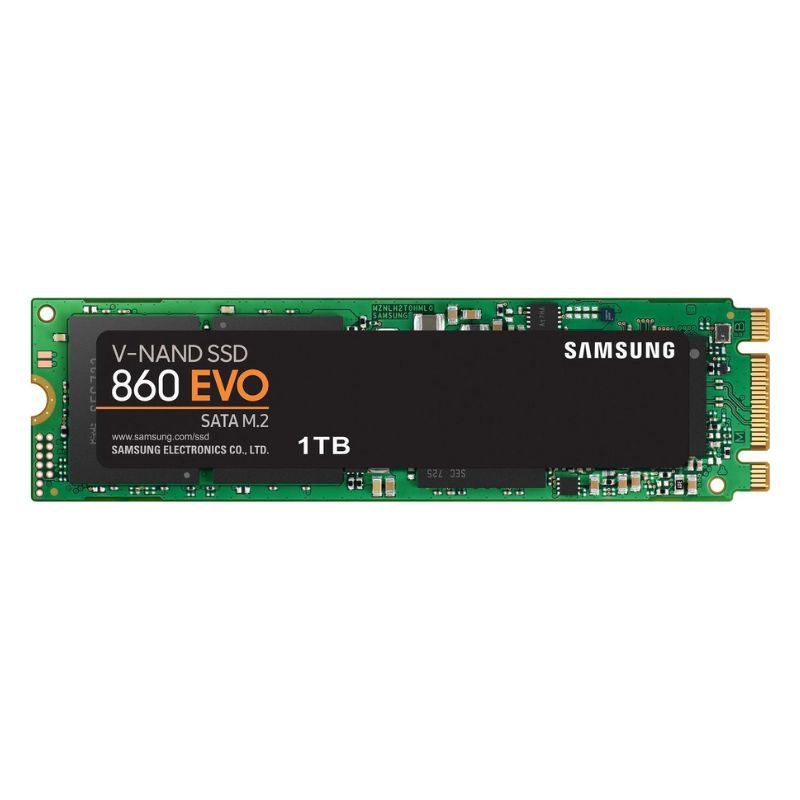


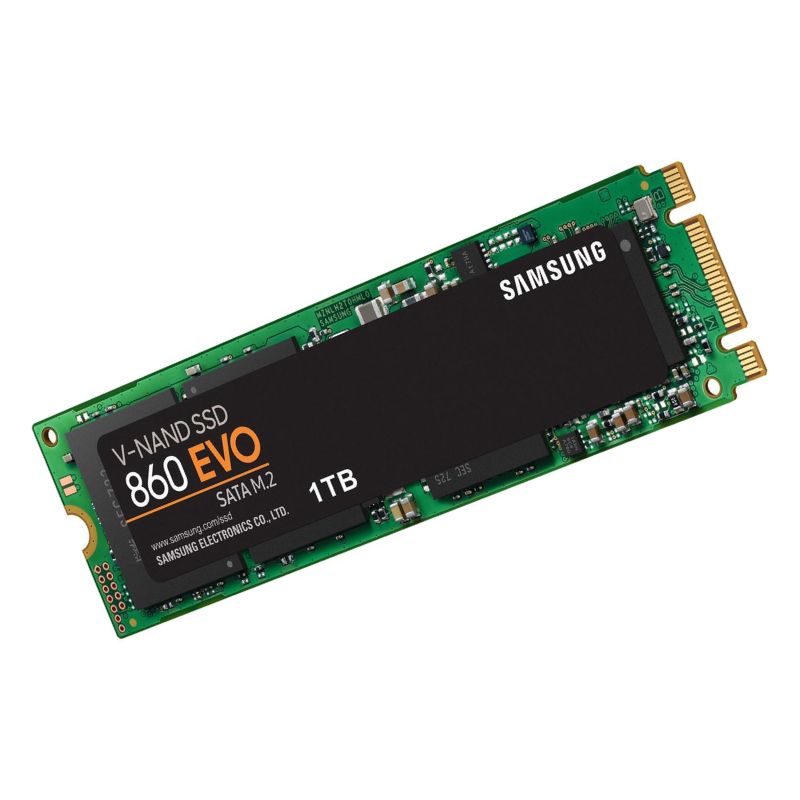
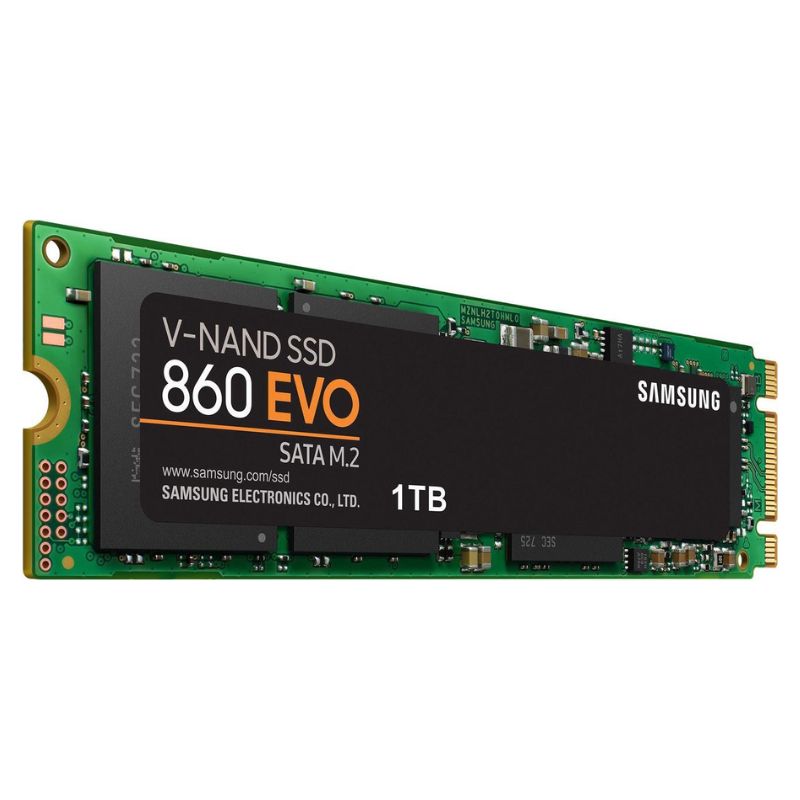
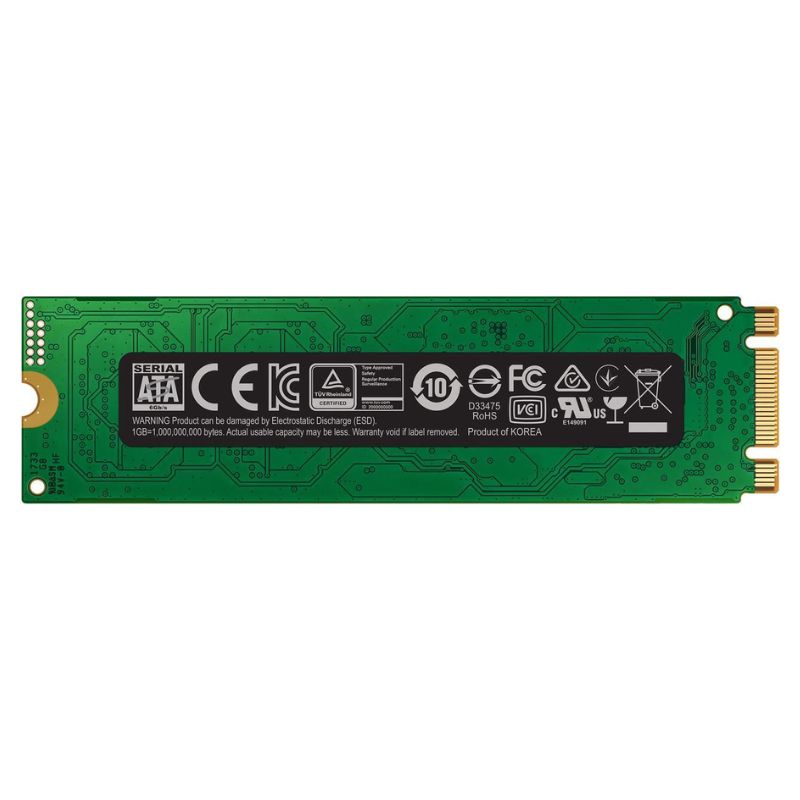
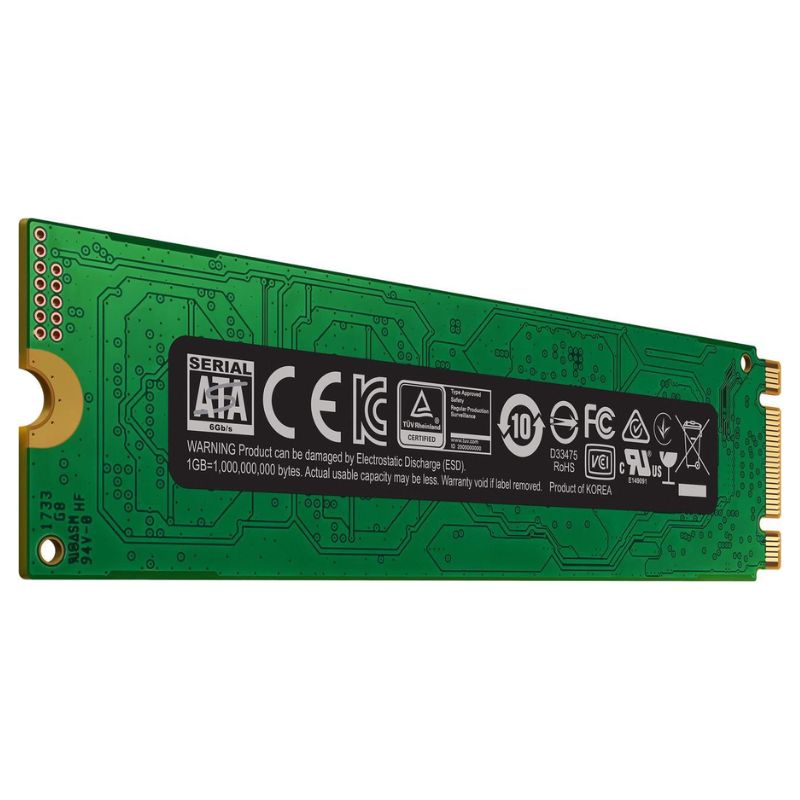
Samsung MZ-N6E1T0BW 1TB SATA 6GBPS MLC 3D V-Nand 860 Evo M.2 2280 Internal Solid State Drive. Excellent Refurbished with 1 Year Replacement Warranty
Upgrade your PC with the Samsung 860 EVO M.2 2280 solid-state drive, delivering swift boot times, responsive multitasking, and dependable data storage. This 1TB SATA III drive blends speed, durability, and energy efficiency for everyday computing and professional workloads.
The Samsung MZ-N6E1T0BW 1TB SATA 6GBPS MLC 3D V-Nand 860 Evo M.2 2280 Internal Solid State Drive category offers a focused selection of compact, high-performance SATA-based M.2 storage solutions that combine proven Samsung V-NAND technology with SATA III (6 Gb/s) interface compatibility for mainstream laptops, desktops, and workstation upgrades. This continuous category description explains product positioning, real-world benefits, technical details, compatibility considerations, buying advice, installation notes, performance expectations, maintenance tips, and frequently asked questions — all crafted to help site visitors decide, compare, and convert.
The M.2 2280 form factor denotes a 22mm width and 80mm length — the most common M.2 size used across laptops and motherboards. The SATA 6Gbps (SATA III) interface on this drive provides legacy compatibility for systems that have an M.2 slot wired for SATA rather than PCIe/NVMe.
With a 1TB capacity, this drive category hits the sweet spot for users wanting ample space for operating systems, a large application library, multiple games, and significant media collections while keeping cost-to-capacity favorable.
This category highlights drives using Samsung’s 3D V-NAND architecture — which stacks memory cells vertically to improve density and endurance versus older planar NAND. The model name may include specifics such as MLC or TLC designations depending on the SKU; always confirm the exact NAND type shown on the product page or spec sheet. Samsung pairs V-NAND with a tuned controller and firmware that optimizes performance, error correction, and background maintenance (such as wear leveling and garbage collection).
Expect SATA-limited sequential read/write figures (common read speeds up to ~550 MB/s and write speeds slightly lower depending on the drive’s internal caching and state). Random I/O (IOPS) performance is improved substantially over HDDs and will deliver snappier OS responsiveness, faster application launches, and reduced load times in productivity and creative workloads.
Sequential throughput matters for large file transfers (video files, disk cloning), while random IOPS are what you notice when opening many small files, accessing databases, or running the operating system. This category provides a balanced profile that benefits both scenarios relative to spinning media.
Samsung’s drives typically publish a TBW (terabytes written) metric and a limited warranty. Look for TBW values and warranty terms on each product listing. The category emphasizes long-term reliability due to V-NAND design, robust firmware, and integrated features like TRIM support that maintain steady performance over the drive’s lifespan.
BIOS/UEFI and driver considerations
Modern BIOS/UEFI versions recognize M.2 SATA drives automatically. In older systems, updating the BIOS and ensuring the SATA controller is enabled (AHCI mode) can prevent detection issues. Operating systems like recent Windows and mainstream Linux distributions have built-in support for SATA SSDs — no special driver is usually necessary.
M.2 2280 is generally supported by desktops and most modern laptops, but some ultra-thin notebooks use different lengths (e.g., 2230 or 2242). Physical clearance for heatsinks or bracketed M.2 slots should be checked; while SATA M.2 drives typically run cooler than high-end NVMe drives, they still benefit from adequate airflow and may include thermal pads or low-profile heatsinks in certain product bundles.
The immediate subcategory consists of SATA interface M.2 2280 drives across capacities (256GB, 512GB, 1TB, 2TB, etc.). These prioritize compatibility with mainstream hardware and emphasize cost-per-gigabyte value.
Related items include M.2 to USB adapters (for cloning or external usage), M.2 to PCIe adapters for desktop installations, and thermal pads/heatsinks designed for M.2 modules. Disk imaging software, cloning cables, and installation kits are also commonly cross-sold.
Verify M.2 slot length (2280) and whether the slot is SATA-capable. If your system manual says “M.2 (SATA/PCIe)” you’re typically safe; if it says “M.2 PCIe only,” choose an NVMe drive or use an adapter with caution.
Consider current storage usage and future growth. 1TB is a practical mainstream capacity that balances cost and space for most users. If you work with very large media projects or want long-term headroom, consider 2TB. For budget builds, 512GB remains a solid alternative.
SATA M.2 is constrained by the SATA interface. If your workflow heavily depends on sustained sequential transfers (e.g., editing multi-hour 4K footage directly off the system drive), an NVMe SSD will deliver higher sustained throughput. For everyday use, SATA M.2 offers a highly noticeable upgrade over HDDs.
Review TBW (terabytes written) and the manufacturer warranty length. Higher TBW and longer warranties indicate a drive built for more intensive write workloads or enterprise-grade resilience. Choose a model whose warranty and TBW align with your expected usage pattern.
Samsung and other major brands often include drive management utilities that handle firmware updates, performance optimization, and health monitoring. These tools make it easier to keep the drive updated and to migrate data using bundled cloning software.
Power down the system and remove battery (laptops) where applicable. Open the chassis to access the M.2 slot. Insert the M.2 drive at a slight angle into the keyed socket, press it down gently, and secure with the mounting screw. Replace panels and power on.
If the drive will be the boot drive, use cloning software to migrate the OS or perform a clean install of the operating system. Enter BIOS/UEFI to confirm drive detection and set boot order if needed. For data-only drives, initialize and format the drive in Disk Management (Windows) or the appropriate disk utility for your OS.
Users upgrading from HDDs will notice immediate improvements: OS boot times drop dramatically, applications load faster, file transfers are more responsive, and multitasking snappiness increases. The perceived speed change is greatest in random I/O tasks such as opening many small files or running databases.
For gaming, a SATA M.2 SSD reduces level load times and texture streaming wait times compared to HDDs; however, cutting-edge open-world titles that stream massive assets will benefit more from NVMe speeds. Content creators working with compressed media or moderate-sized projects will find faster export times and smoother scrubbing compared to HDDs.
SATA-based drives may throttle under very long sustained writes due to interface and controller thermal limits; however, for most consumer workloads this is rarely a limiting factor. Manufacturer-provided specifications, internal cache sizes, and firmware optimization affect sustained throughput — consult the product page for exact numbers.
Show comparison tables that highlight capacity, TBW, warranty length, sequential read/write, and bundled utilities. Compare 1TB variants across price and endurance to help customers choose between budget and higher-end SKUs.


 Contact Us
 Information
 Catalog
 Solid State Drives (SSD)
 Network Switches
 Hard Disk Drives
 HBA & Controllers
 PC & Servers
 PC & Server Memory
 CPU & Processors
 Network Routers
 Power Supplies
 Tape Drives & Libraries
 Network Devices
 Computer & Network Cables