(7% discount is applied at checkout)
Cart is empty
Your go-to destination for cutting-edge server products


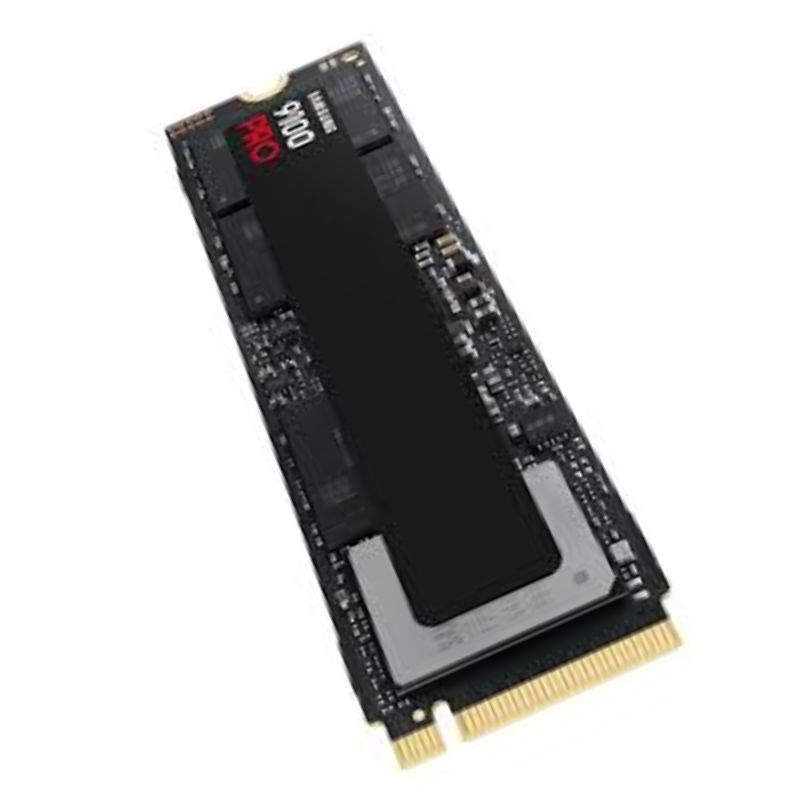
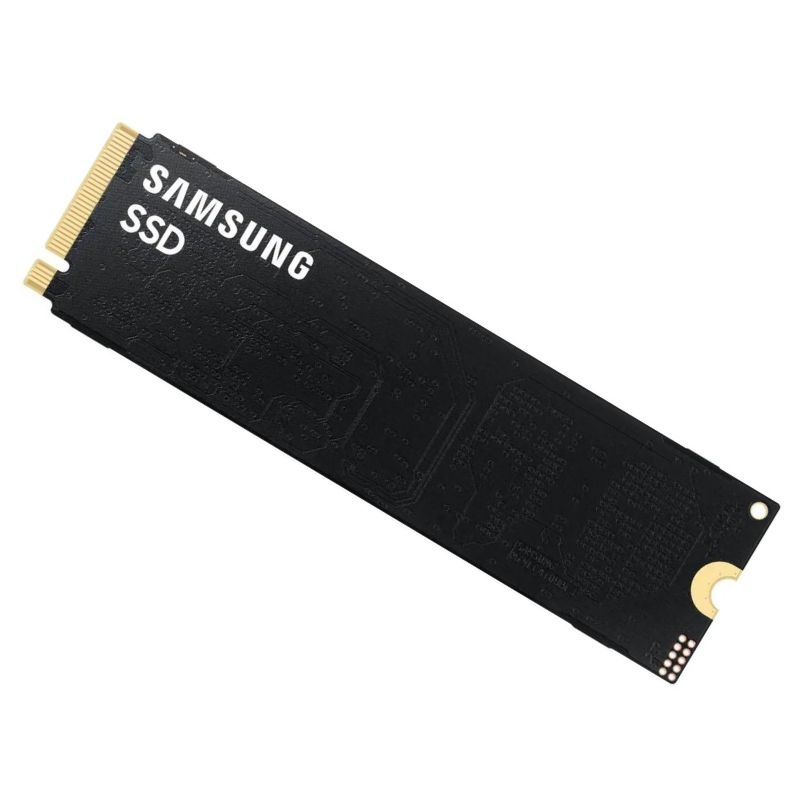
Samsung MZ-VAP2T0BW 9100 PRO 2TB M.2 2280 PCIe 5.0 NVMe Internal SSD. New Sealed in Box (NIB) with 3 years Warranty
Unlock next-generation storage throughput with the SAMSUNG 9100 Pro. This 2TB internal solid-state drive leverages a PCIe 5.0 x4 interface and the NVMe 2.0 protocol to deliver blistering transfer rates, ultra-low latency, and consistent responsiveness for high-end desktops, workstations, and creator rigs.
Discover the advantages of premium NVMe storage with a focus on two standout models in the M.2 2280 ecosystem: the Samsung MZ-V7P1T0 970 PRO 1TB PCIe NVMe and the Samsung MZ-VAP2T0BW 9100 PRO 2TB PCIe 5.0 NVMe. This category centers on enthusiast-grade solid-state drives designed for creators, gamers, developers, and professionals who need high throughput, low latency, and proven reliability in compact M.2 slots. Whether you’re refreshing a workstation, accelerating a gaming rig, or scaling storage for AI workflows, these drives bring leading-edge NAND technology, robust controllers, and sophisticated firmware into a simple plug-in upgrade that fits most modern motherboards and laptops supporting the M.2 2280 standard.
Below, you’ll find an in-depth exploration of use cases, compatibility notes, performance optimization tips, DRAM and cache behavior explanations, thermals and heatsinks, data protection features, and buying guidance. The goal is to help you choose confidently, install correctly, and optimize relentlessly.
Both models combine high-grade NAND, a Samsung controller, and advanced firmware to deliver sustained throughput and predictable latency. The fundamental advantages versus SATA SSDs include more PCIe lanes, the NVMe protocol’s streamlined command set, deeper queues, and direct CPU-to-flash pathways that minimize overhead.
The Samsung 970 PRO 1TB (MZ-V7P1T0) is built to excel on PCIe-based NVMe platforms widely supported by modern desktops and notebooks. It leverages the M.2 2280 form factor and operates over a PCIe link that provides high data rates suited for demanding tasks. The Samsung 9100 PRO 2TB (MZ-VAP2T0BW) targets the next leap in bandwidth by utilizing a PCIe 5.0 interface when available, enabling headroom for parallel workloads, heavier content pipelines, and multi-GB/s transfers that stay brisk even when queues stack up.
Real-world benefits include faster game patching, quicker project loading, smoother timeline scrubbing for large sequences, and less waiting around for file copies. For creators and developers who routinely move multi-gigabyte assets, these advantages stack up daily.
Samsung’s PRO-class drives typically emphasize endurance and sustained performance. Their controller and firmware work hand in hand to manage wear leveling, maintain consistent write speeds over long copies, and keep latency predictable under load. This matters greatly for workflows like video ingest, RAW photo batch exports, and scientific data logging where write performance cannot collapse after the cache is exhausted.
Endurance is often expressed as drive writes per day (DWPD) or total bytes written (TBW). While exact figures vary by capacity and model, the PRO tier generally targets durability that can withstand heavy daily usage over many years. For users who value data integrity and consistent performance under stress, this category sits a tier above mainstream consumer SSDs.
Modern UEFI firmware typically supports booting from NVMe devices. To streamline OS installation:
Windows 10/11 and modern Linux distributions natively support NVMe SSDs. macOS support depends on the specific hardware; some Hackintosh or adapter-based workflows may require additional steps, which are beyond the typical scope of consumer builds. Always verify your platform’s NVMe compatibility if you are using niche configurations.
Performance numbers are often quoted in sequential read/write throughput (MB/s or GB/s) and random IOPS. While maximum figures are useful for quick comparisons, real-world workloads vary. Consider how your tasks map to the drive’s strengths:
On modern titles, faster NVMe storage reduces loading screens and accelerates asset streaming. Open-world games benefit from quick texture and geometry pulls, decreasing pop-in and improving immersion. The 970 PRO delivers consistently fast response times, while the 9100 PRO’s higher interface ceiling helps maintain fluidity when multiple processes compete for disk access—think game updates while streaming and chatting, or capturing gameplay to disk.
Video editors and DITs handle large media assets. With NVMe, you can move camera originals, render cache, and proxies rapidly. High-sustained write speeds mean copying entire project directories won’t bog down mid-transfer. For colorists and compositors, the scratch disk speed of a PRO-grade NVMe can make the difference between choppy and smooth timelines.
Developers compiling large projects will appreciate fewer I/O bottlenecks. NVMe accelerates linking, reduces cold-start times of IDEs, and speeds up dependency installation. If you run local containers, multiple VMs, or database services, the low-latency profile of the PRO series enhances responsiveness during concurrent I/O.
Iterating on models often entails shuttling gigs of tensors, checkpoints, and parquet/csv datasets. An NVMe drive’s parallelism and high queue depth capability reduce time-to-first-epoch and accelerate data preprocessing pipelines. The 9100 PRO’s PCIe 5.0 bandwidth can be particularly helpful when you’re reading/writing large shards repeatedly.
High-performance NVMe SSDs can run hot under sustained load. Thermal throttling is the firmware’s protective mechanism: when the controller or NAND exceeds a temperature threshold, the drive slows to cool off, protecting longevity but reducing performance. Planning for thermals is essential, especially in compact builds.
Many NVMe SSDs rely on multiple layers of caching to boost burst speeds and maintain quality of service under pressure. While specific cache sizes and behavior vary by model and capacity, PRO-class drives typically include onboard DRAM and intelligent SLC caching strategies.
A portion of the NAND may be operated in a pseudo-SLC mode to absorb incoming writes quickly. When the drive is idle, data migrates from this fast cache to the higher-density storage area. With sustained large file copies, the cache eventually fills, after which the drive’s native write performance becomes the governing speed. PRO-tier firmware aims to keep post-cache speeds consistently high.
Reliability is the backbone of the PRO series value proposition. Though details differ by model, Samsung commonly integrates end-to-end data path protection, robust error correction, and firmware-level safeguards to minimize the risk of silent data corruption.
While full enterprise-class power-loss protection (with dedicated capacitors) is typically reserved for server SSDs, consumer PRO drives still employ strategies to reduce exposure during unexpected shutdowns. Always use a quality power supply, keep firmware updated, and consider an uninterruptible power supply (UPS) in mission-critical environments.
Some Samsung NVMe drives support AES-based hardware encryption and are compatible with standards like TCG Opal or eDrive in certain configurations. If full-disk encryption is part of your security policy, confirm OS-level support (BitLocker, Linux LUKS, etc.) and the specific drive’s feature set before deployment.
Select capacity based on workload and growth. The 1TB 970 PRO is an exceptional primary OS/app drive with room for a sizable game library or several active media projects. The 2TB 9100 PRO gives creators and engineers additional headroom for large assets, datasets, and containers—reducing the need to shuffle data between drives.
Out-of-the-box performance is strong, but a few settings can elevate consistency and longevity:
Set your NLE/DAW/3D apps to use the PRO NVMe as a dedicated scratch or cache location. Keep source media and cache on separate volumes when possible to prevent I/O contention during renders and playback.
If you routinely ingest large files (e.g., camera cards), stage the copy when system airflow is best and ensure the M.2 heatsink is correctly seated. Monitoring temps during one or two long transfers provides a baseline for future tuning.
Both are powerhouse options, but they target slightly different ceilings and capacities. The 970 PRO is ideal for mainstream to high-end PCIe NVMe platforms with a focus on durability and consistent performance. The 9100 PRO leans into higher interface bandwidth and more storage room, making it a strong fit for heavy creators and multi-workload power users.
For editors working in Premiere Pro, DaVinci Resolve, or Final Cut (on supported hardware), an NVMe scratch disk is essential. The 970 PRO 1TB is excellent for OS, apps, and daily project files, while the 9100 PRO 2TB can hold longer timelines, proxies, and cache simultaneously. Segmenting workload directories—media, cache, exports—across both drives further reduces I/O collisions.
Tools like Blender, Maya, Houdini, and Nuke benefit from faster load times and improved read/write for simulation caches. NVMe’s parallelism minimizes hitching when multiple assets load simultaneously. The 9100 PRO’s capacity can store large texture sets and simulation caches without falling back to slower storage tiers.
Large sample libraries and multi-track sessions stream efficiently from NVMe. Put your most-used sample libraries on the 9100 PRO for space and the OS/DAW on the 970 PRO for stellar responsiveness. This reduces latency during playback and helps maintain low buffer sizes without glitches.
Running local PostgreSQL, MySQL, ClickHouse, or lightweight NoSQL stores benefits from low-latency, high-IOPS storage. Rapid index scans and faster writes help with prototyping and testing. For analytics, staging datasets on the 9100 PRO shrinks ingest times and accelerates preprocessing jobs.
When juggling multiple VMs or containerized services, storage contention can cause sluggishness. Splitting base images on the 970 PRO and active volumes on the 9100 PRO is a practical way to balance I/O across tasks. The PCIe 5.0 bandwidth of the 9100 PRO offers additional cushion during peak concurrency.
While most consumer setups run a single namespace per drive, advanced users can organize storage by task. Separate partitions for OS, projects, caches, and scratch can simplify maintenance and reduce fragmentation. For dual-drive builds, dedicate the 970 PRO to latency-sensitive tasks and the 9100 PRO to bulk data and concurrent workloads.
On Linux, experimenting with I/O schedulers (e.g., none, mq-deadline, bfq) can influence latency and throughput under different workloads. For Windows, ensure the NVMe controller driver is current and consider disabling features that park CPU cores if it impacts I/O responsiveness.
Creators often prefer NTFS on Windows for broad compatibility and feature support. On Linux, ext4 or xfs are common for performance and maturity, while btrfs offers snapshots and checksumming. Pick a filesystem aligned with your tooling and backup strategy, and benchmark for your specific workload if time permits.
Solid-state drives draw less power under typical desktop workloads than spinning disks, produce no mechanical noise, and generate less heat for the work accomplished. Over the lifecycle of creative projects and software builds, the efficiency of NVMe translates into less time idling and more time producing, potentially reducing overall energy use for the same outcomes.
This category encompasses Samsung NVMe SSD options in the M.2 2280 form factor, spotlighting the MZ-V7P1T0 970 PRO 1TB and the MZ-VAP2T0BW 9100 PRO 2TB PCIe 5.0. Key phrases include PCIe NVMe internal SSD, high-endurance SSD for creators, workstation SSD for 4K/8K workflows, gaming SSD with fast load times, and NVMe scratch disk. Buyers searching for fast M.2 NVMe drives, PRO series SSDs, PCIe 5.0 NVMe, and Samsung professional SSD will find detailed guidance on compatibility, installation, and workload optimization.
Searchers might use variations like “Samsung 970 PRO 1TB M.2 NVMe,” “Samsung 9100 PRO 2TB PCIe 5.0,” “best NVMe SSD for video editing,” “M.2 2280 high endurance SSD,” “NVMe scratch disk for DaVinci,” “PCIe 5.0 SSD for AI workloads,” and “fast SSD for Unreal Engine.” This category page addresses those intents with practical, in-depth advice and configuration tips.
Storage needs rarely shrink. As codecs evolve, projects scale, and games balloon, bandwidth and capacity become more valuable. Adopting a PRO NVMe now means fewer compromises later. Even if your motherboard doesn’t unleash the 9100 PRO’s full interface speed today, the drive still offers immediate gains in responsiveness and a clear upgrade path when you move to newer platforms.
The Samsung MZ-V7P1T0 970 PRO 1TB and Samsung MZ-VAP2T0BW 9100 PRO 2TB represent a category of NVMe SSDs built for people who push storage hard: gamers demanding instant loads, creators dealing with immense media, engineers compiling code at scale, and data practitioners moving large tensors and tables. With the right installation, cooling, and maintenance, these drives deliver the speed, endurance, and stability your workflow deserves.


 Contact Us
 Information
 Catalog
 Solid State Drives (SSD)
 Network Switches
 Hard Disk Drives
 HBA & Controllers
 PC & Servers
 PC & Server Memory
 CPU & Processors
 Network Routers
 Power Supplies
 Tape Drives & Libraries
 Network Devices
 Computer & Network Cables