(7% discount is applied at checkout)
Cart is empty
Your go-to destination for cutting-edge server products


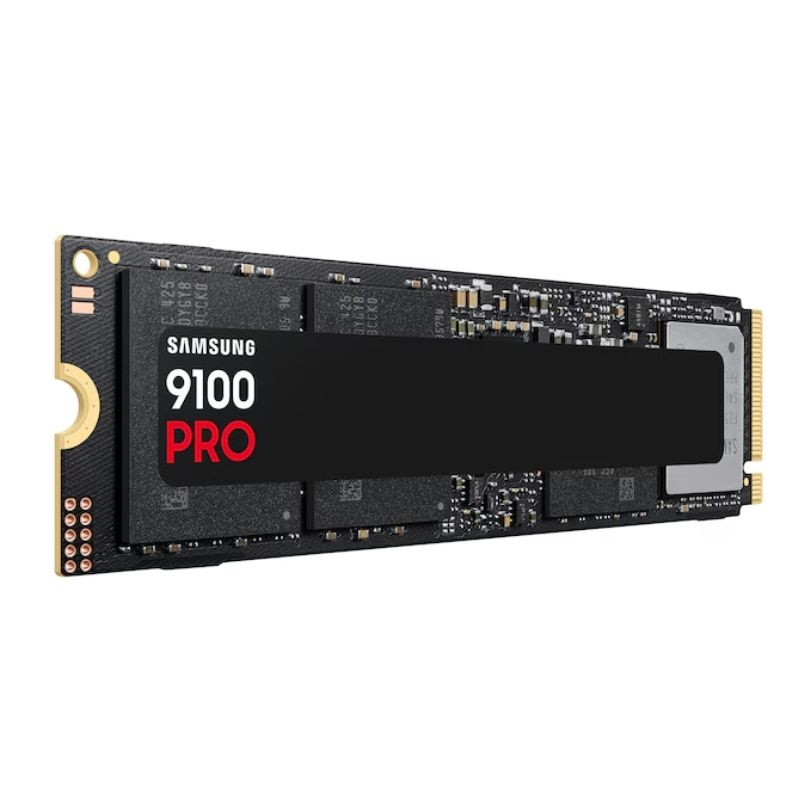
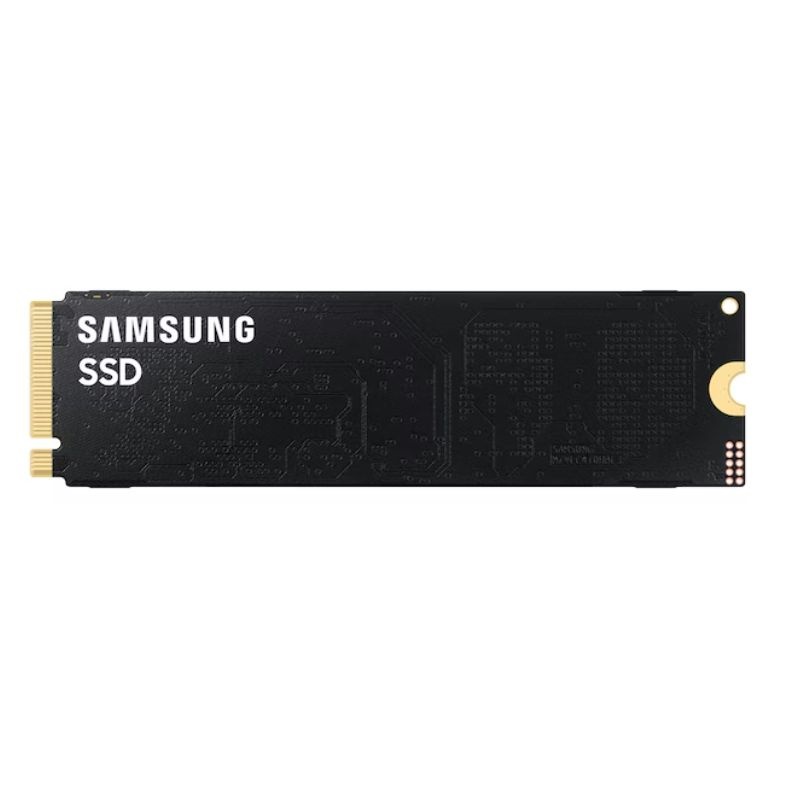
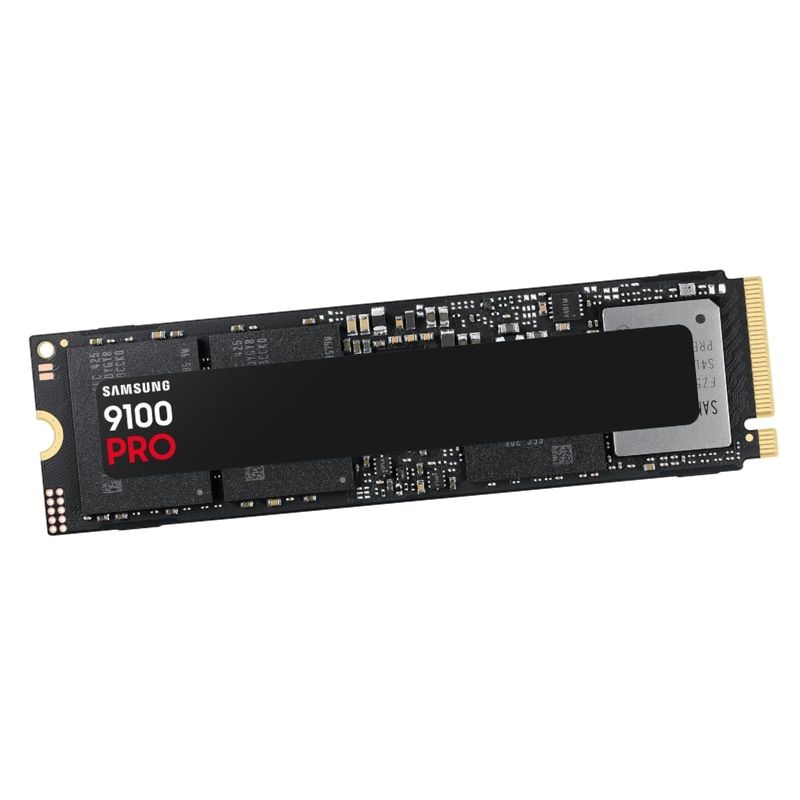
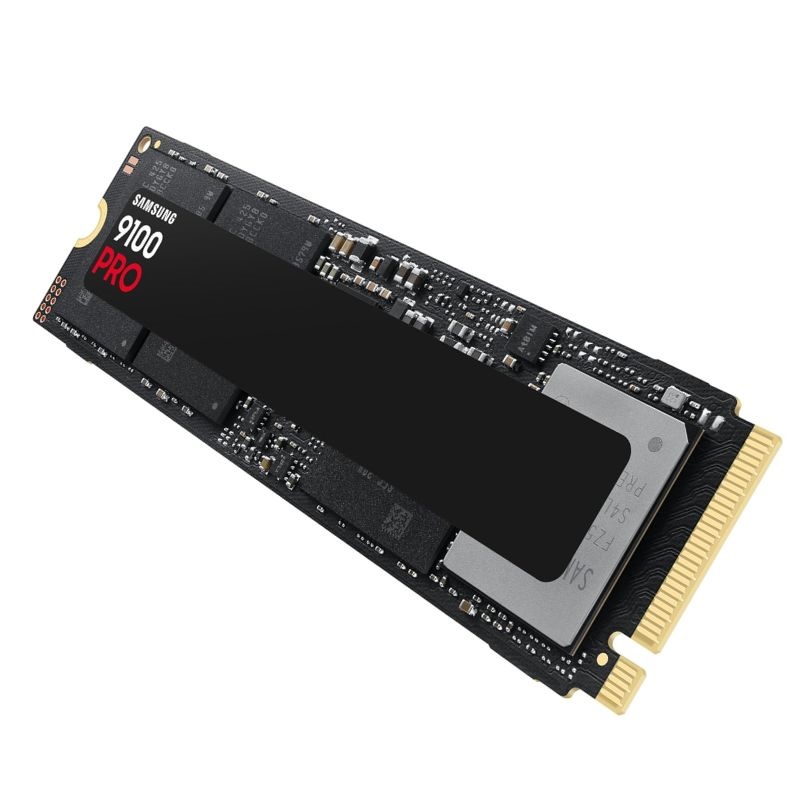
Samsung MZ-VAP4T0BW 4TB 9100 PRO M.2 2280 PCI-E NVMe SSD. New Sealed in Box (NIB) with 3 Years Warranty
Unlock extreme throughput and responsive multitasking with the Samsung 9100 Pro 4TB, a PCIe® 5.0 x4, NVMe® 2.0 drive designed for builders who refuse bottlenecks. The compact M.2 2280 form factor slips into modern motherboards and pro laptops while delivering next-gen bandwidth, swift caching, and rock-solid endurance for demanding creative, AI, and game workloads.
Large projects, open-world textures, and multi-stream timelines load in a flash thanks to elite sequential and random performance metrics.
From 8K footage and complex RAW photo stacks to virtual machines and local LLM caches, the 9100 Pro keeps workflows fluid with consistent throughput and smart caching behavior, even under prolonged queues.
Engineered for sustained speed without wasteful draw, helping your system run cooler and quieter.
The drive follows the popular M.2 2280 specification, ideal for mainstream and high-end boards.
The Samsung MZ-VAP4T0BW 4TB 9100 PRO M.2 2280 PCI-E NVMe SSD represents a premium class of solid-state storage engineered for high throughput, ultra-low latency, and exceptional reliability in a compact gumstick form factor. This category focuses on PCIe-connected NVMe storage in the M.2 2280 size, emphasizing the balance of cutting-edge NAND flash technology, advanced controller design, and firmware optimization that collectively deliver transformative performance for desktops, gaming laptops, workstations, and small-form-factor builds. While the 4TB capacity is a highlight for creators and power users with expansive libraries, the broader category context includes how such drives integrate with modern chipsets, cooling solutions, and operating systems to maximize real-world responsiveness.
Positioned as a performance-centric SSD, this category stresses sustained write behavior under heavy queues, consistent performance during multi-hour workloads, and efficient thermal management under repeated bursts. It also explores installation best practices, platform compatibility, storage planning, and tuning techniques so that builders and IT professionals can unlock the full potential of a PCIe NVMe M.2 device in everyday workloads, creative production, virtualization, and data-intensive gaming.
At the heart of this category is the NVMe protocol, designed specifically for non-volatile memory and optimized for parallel command queues. By leveraging multiple lanes of PCI Express, an M.2 NVMe SSD can execute many operations concurrently. This matters in real workflows where the system is streaming, compiling, editing, transferring, and updating simultaneously.
Modern performance SSDs emphasize three intertwined pillars: latency, throughput, and sustained consistency. Latency drives snappiness—how fast apps open or assets preview. Throughput dictates total data moved per second, critical when copying huge projects. Sustained consistency determines how well the drive holds speed during long captures, renders, or game installs. Premium M.2 NVMe models fine-tune SLC caching, thermal profiles, and garbage collection to excel in these dimensions.
Controllers orchestrate every read, write, and background task. High-end controllers employ multi-core designs that distribute queue processing, LDPC error correction, and wear-leveling. In advanced units, firmware can dynamically shift resources between user I/O and background maintenance, helping maintain performance in mixed workloads. The controller’s synergy with NAND type (TLC/MLC) and the sophistication of the flash translation layer (FTL) determine long-term reliability and speed stability.
High-capacity 4TB models typically use dense TLC NAND, balancing cost, speed, and endurance. The endurance metric is commonly expressed as total bytes written (TBW). Within this category, robust wear-leveling algorithms distribute writes across the drive evenly, while over-provisioning reserves spare blocks that improve both performance under stress and long-term durability.
Over-provisioning (OP) allocates hidden spare capacity that the user does not see but the controller uses for housekeeping. This cushion enables faster background block consolidation and reduces write amplification, helping sustain speed during heavy multitasking and prolonging the life of the flash.
The 4TB capacity sweet spot opens creative and professional workflows that benefit from local, high-speed storage without frequent archiving. Below are common scenarios in which a PCIe NVMe M.2 2280 drive excels.
Editors and VFX artists often juggle massive camera originals, intermediate codecs, proxies, and final renders. With an NVMe M.2 SSD, launching NLE timelines, scrubbing through high-bitrate footage, and rendering previews becomes dramatically smoother. The throughput and IOPS reduce bottlenecks when working with layered compositions, color grading nodes, or high-resolution textures in 3D pipelines. Maintaining on-drive media caches avoids the latency penalties of network dependencies during the editing process.
AAA titles and texture packs consume hundreds of gigabytes. A 4TB performance SSD consolidates the entire library and enables rapid level loads, faster asset streaming, and smoother texture pop-in mitigation. For creators who mod or test multiple build branches, the higher I/O concurrency accelerates patching, verifying files, and switching between versions without stutter.
Developers compiling large codebases will notice shorter build times and quicker dependency installations. Virtual machine (VM) snapshots and Docker image layers benefit from strong random performance. Multi-VM labs, local Kubernetes clusters, and database sandboxes operate with far less thrash and latency, especially when the drive’s sustained writes remain steady under prolonged activity.
Data scientists and ML engineers often shuffle large datasets—images, parquet files, checkpoints, and model artifacts. Fast NVMe storage accelerates local ETL pipelines, feature extraction, and experimentation. While enterprise arrays handle scale-out needs, a high-end M.2 NVMe offers exceptional single-node performance for rapid iteration, particularly when paired with sufficient memory and CPU cores.
M.2 2280 (22mm wide, 80mm long) is the most common size for high-performance NVMe drives. Compatibility requires an M.2 slot that supports PCIe/NVMe (not just SATA). On desktops, most mid-to-high-end motherboards provide multiple PCIe 4.0-capable M.2 slots with dedicated heatsinks. Many premium laptops include at least one NVMe slot as well, though thermal headroom and power constraints vary between models.
Modern platforms route M.2 slots through the CPU or chipset. CPU-attached slots often have the lowest latency and most bandwidth. Chipset-attached slots share bandwidth with other devices; careful slot selection preserves peak drive performance. Motherboard manuals typically clarify which slots operate at PCIe x4 and which may be disabled when SATA ports or PCIe expansion slots are used concurrently.
PCIe generations affect the theoretical peak bandwidth per lane. Even if a drive is optimized for a specific generation, it remains backward compatible at lower speeds with earlier PCIe versions. Real-world performance depends on the entire stack—controller, NAND, firmware, thermals, and system configuration—not just the bus ceiling.
It’s common to pair an NVMe system drive with SATA SSDs or HDDs for archival storage. The category emphasizes using the NVMe SSD for active projects, caches, and games, while slower drives hold static libraries or backups. This tiered approach balances speed and cost.
Beyond raw speed, this category highlights data resilience. Modern controllers use strong LDPC error correction, bad block management, and advanced wear-leveling to preserve data integrity as flash cells age. Many models support secure erase functions, hardware encryption options, and firmware that gracefully handles unexpected power events.
Self-Monitoring, Analysis and Reporting Technology (SMART) exposes counters such as total bytes written, media wearout indicator, and temperature history. Periodic checks help plan drive rotation, particularly in professional environments where uptime matters. Reaching a TBW rating doesn’t mean the drive fails immediately—it signals that the intended service life has been consumed and replacement planning is prudent.
Occasional firmware updates may refine compatibility, stability, or performance behavior. Apply updates from trusted tools and avoid interruptions. After updating, reboot and verify that the OS recognizes the drive and SMART data looks healthy.
Many NVMe SSDs support hardware-accelerated encryption standards that can be enabled in conjunction with OS-level security features. Evaluate your threat model—full-disk encryption protects data at rest, while proper key management ensures that performance remains high without compromising security posture.
Even highly reliable drives require backups. For creators, a 3-2-1 backup plan—three copies of data, on two different media, with one copy off-site—remains a gold standard. Use the speedy NVMe drive for active work and stage periodic snapshots to external disks or cloud repositories.
Out-of-the-box settings serve most users well, but enthusiasts and professionals may extract more responsiveness with mindful tuning. The pointers below address bottlenecks that can arise in heavy, mixed, or multi-process environments.
Applications that exploit deeper queues tend to better utilize NVMe parallelism. Media encoders, database engines, and development toolchains benefit from thread tuning that aligns with available CPU cores. Monitoring tools can reveal if your workloads are CPU-bound, GPU-bound, or storage-bound, guiding which subsystem to optimize first.
Trim informs the SSD which blocks no longer hold live data, enabling efficient garbage collection. Ensure Trim is active in your OS. When dealing with huge daily write volumes—like scratch caches that churn—leaving 5–10% free space can improve sustained performance.
Performance SSDs typically use a mix of DRAM and pseudo-SLC caching layers for fast bursts. When the cache saturates during long writes, the drive transitions to steady-state speeds. Planning workflows—batching smaller transfers or staggering long writes—can keep more activity within the cache window and maintain higher throughput on average.
On mobile systems, aggressive power savings can reduce peak I/O responsiveness. Adjust balanced or performance power plans when plugged in to raise the storage performance ceiling. Conversely, for travel, reverting to power-saving modes preserves battery life without manual toggling of advanced NVMe features.
Understanding where a high-end PCIe NVMe M.2 2280 drive sits relative to other storage types helps buyers plan tiered storage strategies.
While SATA SSDs dramatically improve latency over HDDs, the SATA 6Gb/s interface caps peak throughput. NVMe, operating over PCIe, removes this ceiling for both sequential transfers and parallel I/O. In practice, boot times, application launches, and file operations feel snappier on NVMe, especially during multitasking or handling large assets.
HDDs still win on cost per terabyte for bulk storage, backups, and cold archives. But for active projects, NVMe’s orders-of-magnitude lower access times redefine responsiveness. Many users pair a large HDD array for archives with a fast NVMe drive for production work, achieving an optimal blend of capacity and speed.
Even if a particular system only offers an earlier PCIe generation, investing in a well-tuned NVMe drive can still pay dividends. As platforms are upgraded, the same drive may find more bandwidth headroom, extending its useful life, provided the motherboard and firmware support optimal link widths.
Some drives ship as bare modules; others include heatsinks. Bare modules rely on motherboard heatsinks or case airflow. Factory heatsinks simplify installation and may offer more consistent temperatures. Choose based on your chassis, airflow, and aesthetic preferences.
At 4TB, it’s tempting to keep everything on one drive. A smarter approach is to structure data into tiers that preserve performance and simplify backups. Segment the NVMe space for active projects, caches, and current games, while older deliverables and rarely used titles migrate to secondary drives or external arrays.
Some professionals prefer a dedicated OS partition to isolate system files from project data. Others keep a single large partition for flexibility. Both approaches are valid; the key is to maintain sufficient free space to accommodate temporary project growth, media caches, and future updates without immediately bumping into capacity limits.
Adopt versioning for critical projects. Lightweight snapshot tools allow quick rollbacks after experimental changes, while scheduled differentials minimize storage overhead. Pairing snapshots with cloud sync for select folders yields an extra safety layer without fully mirroring the entire 4TB.
M.2 NVMe drives can be repurposed in USB4/Thunderbolt enclosures for portable scratch disks. Keep in mind that bus limits and thermals differ from internal motherboard slots, but the portability can be invaluable for on-set editing, client presentations, or migrating project assets between workstations.
Modern high-end NVMe drives integrate multiple safeguards to keep data intact under real-world stress.
Advanced LDPC ECC corrects bit errors as cells wear, while wear-leveling prevents hot spots by distributing writes. Background refresh and scrubbing further protect data over time, particularly for cells that retain data for long periods without rewrite.
While consumer NVMe drives are not all equipped with full supercapacitor-based power-loss protection found in enterprise models, firmware techniques reduce the risk of mapping table corruption. Always maintain a reliable power source and use a UPS for desktops in areas with unstable power.
Schedule a monthly check of SMART attributes and a quick surface scan during downtime. Watch for reallocated block counts or sudden temperature spikes that may signal airflow issues or a failing thermal pad. Early detection prevents data loss and downtime.
When decommissioning or repurposing the drive, use secure erase or cryptographic erase features to sanitize data. For asset-sensitive environments, maintain a documented chain of custody and verify the erase with a validation pass.
Modern OSes already recognize NVMe characteristics, but a few tweaks ensure you aren’t leaving performance on the table.
On supported Macs with NVMe-capable storage bays, macOS manages Trim and caching automatically. For external NVMe enclosures, use quality cables and verify the link speed in System Information to ensure full bandwidth.
nvme kernel module presence and monitor with nvme-cli.fstrim timers to maintain healthy free block maps.A storage protocol optimized for non-volatile memory, enabling high parallelism and low latency over PCI Express.
A common SSD card size: 22mm wide and 80mm long. Fits compatible motherboard or laptop slots.
High-speed serial links that carry data between the SSD and CPU/chipset; x4 lanes are typical for NVMe M.2 drives.
An OS command that informs the SSD which blocks are free to optimize garbage collection and sustained speed.
Total Bytes Written—an endurance rating indicating how much data can be written over a drive’s warranted life.
Reserved flash capacity used internally to improve performance and longevity by reducing write amplification.
Sustainable IT planning extends to storage choices. A single, high-capacity NVMe drive can replace multiple lower-capacity devices, reducing materials and energy footprint while simplifying maintenance. Proper thermal management prevents early degradation, prolongs product life, and maintains efficiency. At retirement, follow e-waste guidelines and secure-erase protocols to protect data and enable responsible recycling.
SSD performance may vary as the drive fills, the NAND ages, and workloads evolve. Routine housekeeping—firmware checks, Trim verification, and sensible free space—helps sustain responsiveness. Observing SMART trends enables preemptive replacement before downtime impacts critical deadlines.
Power users who live in command lines, version control, and containerized workflows can adopt additional measures to extract maximum value.
Direct caches, temp folders, and build intermediates to a dedicated directory or partition. This isolation keeps project trees tidy and simplifies periodic clean-ups that reclaim space without risking source files.
Evaluate storage drivers for Docker or container runtimes that best match your file system and workload patterns. Lean image layering and regular pruning reduce unnecessary writes while keeping the cache hot for frequently used layers.
Developers can speed up builds by maintaining local mirrors of package registries or artifact caches on the NVMe drive. This reduces network latency and accelerates dependency resolution across multiple projects.
For small teams or solo developers, a local CI runner that compiles and tests on an NVMe work volume can dramatically shorten feedback loops. Snapshot the workspace before major changes to enable quick rollbacks if a pipeline introduces regressions.


 Contact Us
 Information
 Catalog
 Solid State Drives (SSD)
 Network Switches
 Hard Disk Drives
 HBA & Controllers
 PC & Servers
 PC & Server Memory
 CPU & Processors
 Network Routers
 Power Supplies
 Tape Drives & Libraries
 Network Devices
 Computer & Network Cables