(7% discount is applied at checkout)
Cart is empty
Your go-to destination for cutting-edge server products
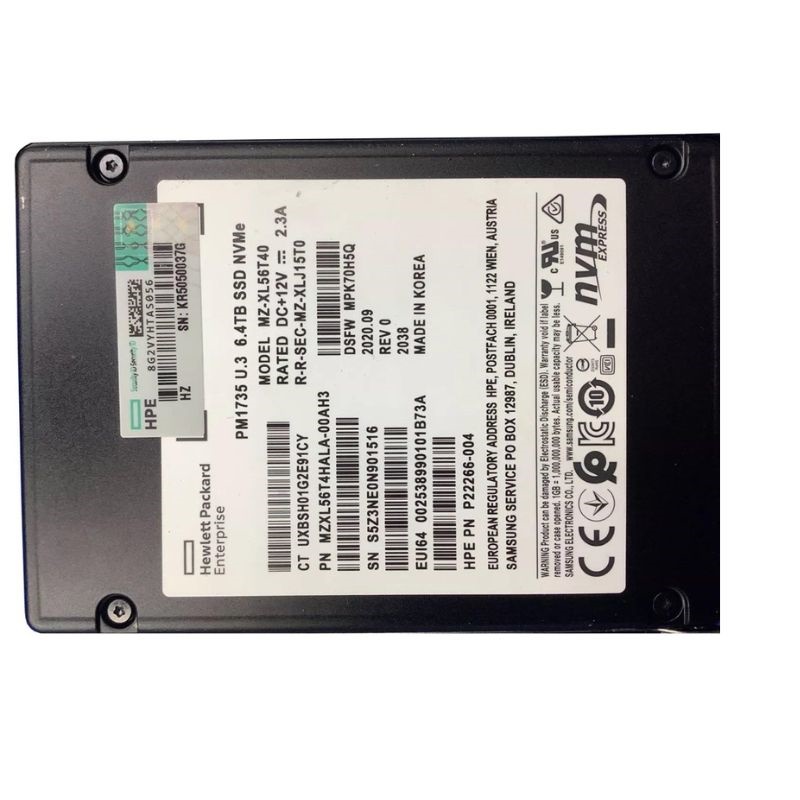


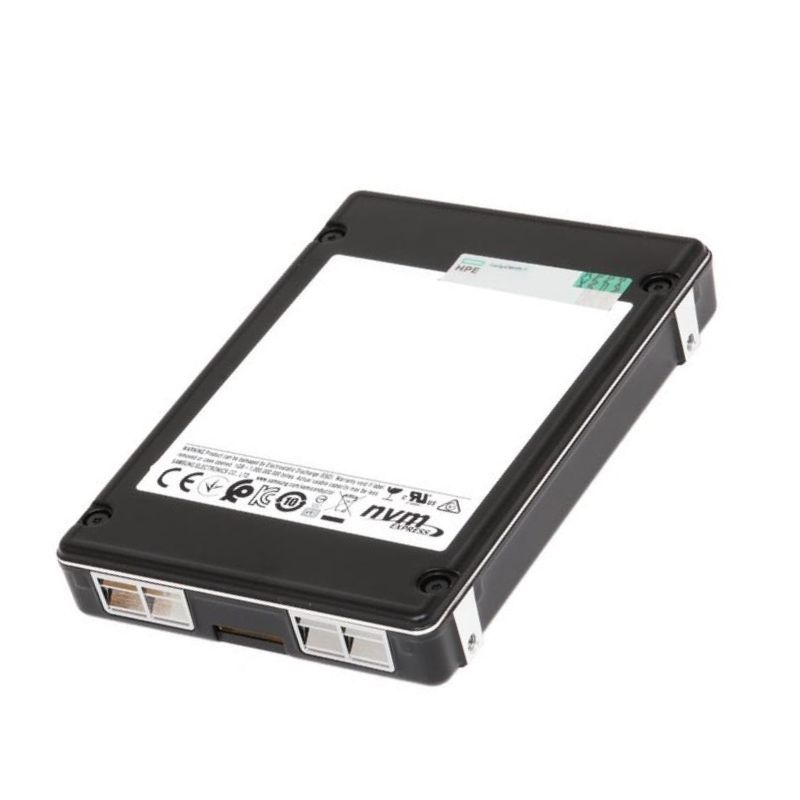
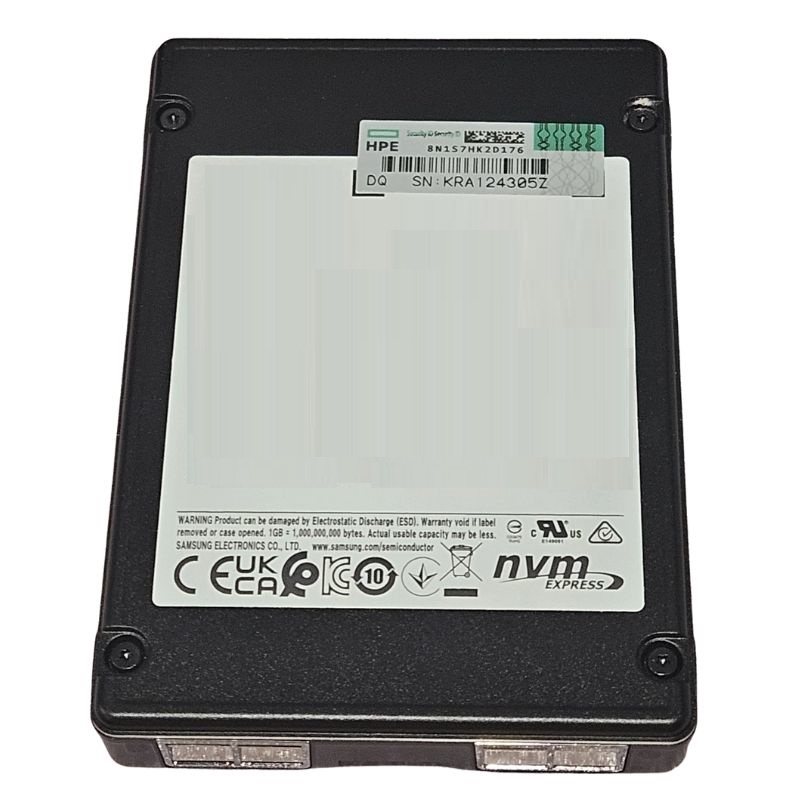
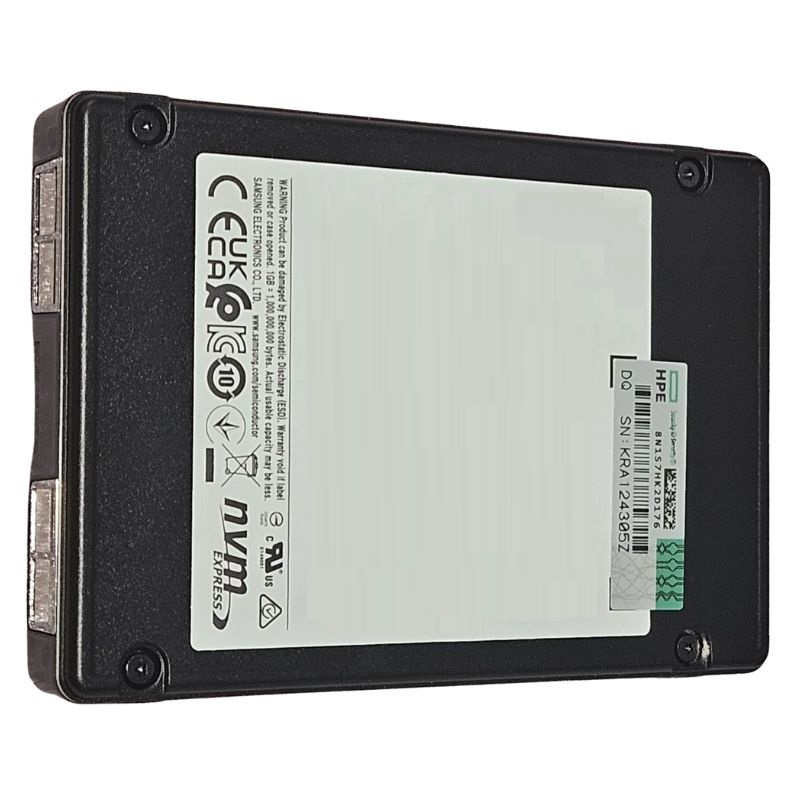
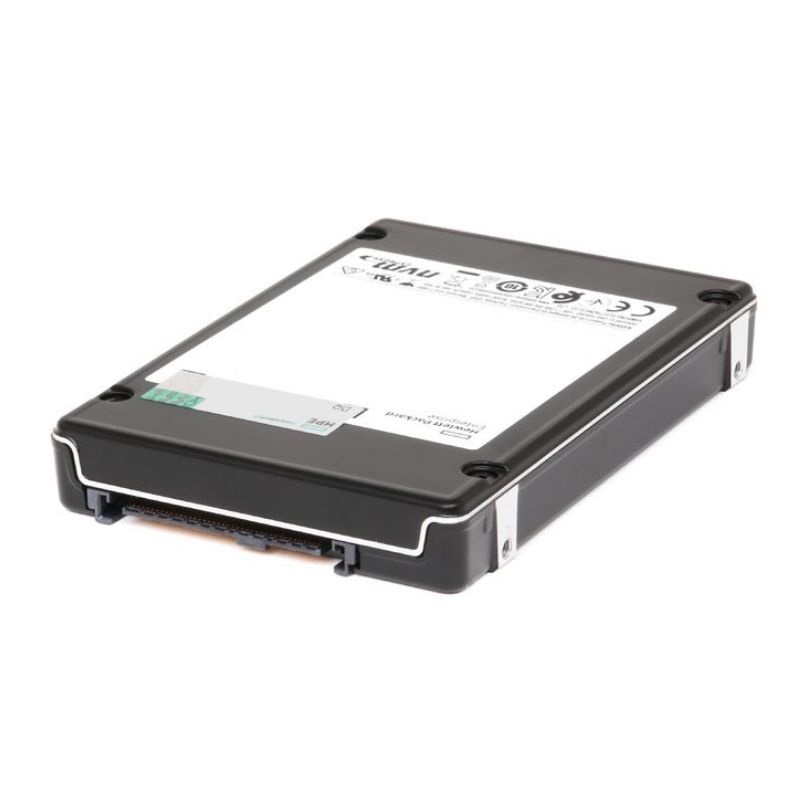
Samsung MZXL56T4HALA-00AH3 6.4 TB PCI-E PM1735 NVMe Internal SSD. Excellent Refurbished with 1 year replacement warranty - HPE Version
Overview of Samsung PM1735 MZXL56T4HALA-00AH3 6.4TB PCIe 4.0 NVMe SSD
The Samsung PM1735 MZXL56T4HALA-00AH3 is a high-performance internal solid-state drive designed for enterprise-grade workloads. With a large 6.4TB storage capacity, PCI Express 4.0 x8 interface, and NVMe technology, it delivers exceptional speed, endurance, and reliability for mission-critical applications. This drive is ideal for businesses and data centers that require fast read/write speeds, consistent IOPS, and dependable storage performance.
Designed for enterprise-level performance, this SSD ensures consistent low latency and outstanding throughput for demanding data workloads. Its mixed-use endurance allows organizations to run transactional databases, virtualization, AI/ML tasks, and big data analytics without compromise.
Samsung’s enterprise storage technology provides one of the most reliable SSD solutions for professionals and organizations. With faster access times, better scalability, and support for high-capacity workloads, the PM1735 6.4TB stands out as a leading choice for IT infrastructure.
The Samsung PM1735 series represents a class of enterprise NVMe solid-state storage engineered for consistent performance, mission-critical reliability, and rigorous data protection. This page provides an in-depth, practical view of the PM1735 MZXL56T4HALA-00AH3 6.4 TB PCI Express 4.0 x8 NVMe SSD as a category entry, covering its positioning, typical deployment patterns, firmware and feature considerations, performance behaviors under real workloads, and integration tips for data-center and workstation environments. It is written to help IT architects, procurement teams, system integrators, and power users evaluate, install, and operate this drive as part of modern NVMe infrastructures.
Samsung’s PM1735 line sits in the enterprise tier above consumer NVMe and prosumer drives, providing a balanced mix of high throughput, sturdy write endurance, and predictable latency. It is designed for hosts that can exploit the PCIe 4.0 x8 interface and the NVMe 1.x command set in sustained, 24×7 data-center conditions. While many NVMe products emphasize peak numbers, the PM1735 is tuned for service-level stability—delivering strong performance during bursty traffic as well as during steady-state database, virtualization, log-structured, and analytics workloads.
The PM1735 leverages PCI Express 4.0 with x8 lanes, exposing ample bandwidth to the host and minimizing bus contention in multi-device builds. The NVMe protocol—built for flash, not adapted from disk paradigms—enables deep queues, efficient submission/completion, and multi-core scalability. This combination is particularly well suited for Linux servers, Windows Server systems, hypervisors like VMware ESXi, and high-end workstations requiring ultra-low latency.
In environments with mixed I/O devices, it is prudent to map each PM1735 to CPU-adjacent PCIe root complexes to minimize NUMA penalties. PCIe 4.0 x8 demands high-quality signal integrity; favor mainboard slots wired directly to the CPU over PCH-attached lanes when possible. Keep in mind that storage bandwidth compounds quickly—two or more PCIe 4.0 x8 NVMe drives can saturate internal fabrics if not balanced across sockets and switches.
While synthetic benchmarks offer a quick yardstick, enterprise buyers care about sustained characteristics, QoS tails, and recovery behavior after prolonged write activity or background housekeeping. The PM1735’s architecture is tuned to maintain usable throughput during mixed read/write patterns, with firmware that balances garbage collection, wear leveling, and over-provisioning without sudden drops that jeopardize SLAs.
Enterprise analytics and transactional databases are sensitive not only to averages but to 99th-percentile latencies. The PM1735 aims for smooth response under deep queues and concurrent namespaces. Administrators who bind CPU IRQs and NVMe queues with affinity typically see tighter latency distributions, especially under virtualization stacks where many small random IOs contend for cache and queue depth.
Like any NAND-based device, the PM1735 periodically performs garbage collection and wear-leveling. Its firmware staggers these tasks and employs adequate spare area so that sustained workloads remain smooth. After long write-heavy bursts, the device returns to steady state without prolonged throttling, supporting predictable maintenance windows and consistent batch job runtimes.
Endurance in enterprise SSDs is a function of NAND type, controller algorithms, and the ratio of user capacity to over-provisioned area. The PM1735 series is built for heavier write mixes compared to read-optimized siblings, supporting frequent checkpoints, intense logging, and rapid temp-table churn. Media management transparently handles bad block retirement, ECC correction, and dynamic wear leveling to extend device life while preserving data integrity.
Power anomalies can corrupt in-flight writes on lesser devices. The PM1735 uses a combination of capacitor-backed protection and firmware routines designed to safely commit or roll back transient data. End-to-end data path protection (from host to NAND and back) provides checksum verification so that silent corruption is detected before it reaches the application layer.
Enterprise deployments frequently require encryption at rest, secure lifecycle operations, and rapid, auditable decommissioning. The PM1735 supports standards-aligned security operations provided by NVMe, enabling compliance-minded workflows across multitenant clusters or regulated industries.
The PM1735 is broadly compatible with mainstream server platforms and operating systems that support NVMe over PCIe. Modern Linux kernels, Windows Server releases, and ESXi builds include native NVMe drivers, while some OEM platforms may provide tuned driver packages and firmware recommendations that coordinate power states, thermal thresholds, and error handling.
nvme-cli for management, and consider I/O scheduler settings (e.g., none or mq-deadline) for best latency.Enterprise SSD firmware evolves to improve QoS, address corner cases, and enhance compatibility. Establish a routine to check for updates during quarterly maintenance. When flashing, always back up drive-resident logs and apply updates one host at a time to maintain service continuity.
The PM1735 MZXL56T4HALA-00AH3 is versatile across multiple workload profiles. Its capacity, interface width, and enterprise firmware make it a solid foundation for data-intensive, latency-sensitive services.
High-frequency, low-latency random I/O dominates OLTP stacks. Placing primary datafiles and logs on the PM1735 reduces commit latencies and shortens contention windows. Combine with synchronous replication or database mirroring for HA—in many cases the storage latency improvements increase headroom for lock waits and checkpoint flushes.
Consolidated hypervisors and VDI hosts generate severe small-block random IO patterns. The PM1735’s queueing and latency discipline handle guest storms with minimal jitter. Deploy multiple namespaces to map storage policies to tiers of VMs—latency-critical databases, steady-state app servers, and dev/test pools can coexist without stepping on each other’s QoS targets.
Data pipelines that iterate on parquet/orc files, shuffle temporary datasets, or materialize features rely on sustained write performance and balanced read throughput. The PM1735 keeps shuffle and spill behaviors fast, shortening wall-clock job times and reducing cloud burst needs for on-prem clusters.
Video ingest, mezzanine transcoding, and real-time effects preview benefit from multi-GB/s sequential throughput and fast metadata seeks. The PM1735 suits both capture nodes and collaborative edit bays, especially where many concurrent streams and proxies demand stable latency across hours-long sessions.
A 6.4 TB enterprise NVMe provides a sweet spot between raw capacity and endurance per dollar. For database administrators, it can host multiple medium-sized instances or split between hot tablespaces and log volumes. For virtualization teams, it can sustain dozens of medium IOPS VMs or a smaller set of high-IOPS tenants. For content creators, it comfortably holds multi-project caches and high-bit-rate intermediates while leaving headroom for scratch and previews.
Keep partition alignment at 1 MiB boundaries and consider leaving a slice unallocated for host-side over-provisioning. While the PM1735 includes spare area, host OP can further stabilize long write bursts in edge cases or particularly adversarial workloads.
Enterprise SSDs sustain high performance when adequately cooled. The PM1735’s controller and NAND packages dissipate heat under steady write loads; with PCIe 4.0 bandwidths this can be significant. Servers should direct front-to-back airflow across the drive’s heatsink area, and workstation users should position intake fans to bathe the card with unimpeded airflow.
Many enterprise NVMe devices support multiple power states. During integration, verify that the device is allowed to operate in performance-optimized states on AC-powered servers, and use conservative settings in edge appliances that prioritize acoustics or energy efficiency.
Whether you are replacing SATA/SAS arrays or augmenting existing NVMe tiers, a structured approach keeps risk low and results predictable. Below are patterns that simplify rollouts and smooth transitions.
Choose a filesystem that matches operational fluency—XFS, EXT4, NTFS, or VMFS are all valid in their respective ecosystems. Align logical block sizes with database or application page sizes when possible, and keep journal/log volumes on separate namespaces for clearer I/O patterns and simplified troubleshooting.
Fast primary storage deserves equally well-designed protection. The PM1735 pair well with snapshot-aware filesystems and host-based backup agents that leverage NVMe speeds without imposing heavy CPU overheads. Replication to a secondary tier (on-prem or cloud) ensures RPO/RTO objectives are met even if a host or entire rack experiences issues.
Use application-consistent snapshots for databases, especially where point-in-time recovery matters. Combine periodic full backups with frequent incremental backups to limit recovery windows. Namespace-level planning helps group related datasets and align them with backup policies.
When standardizing on the PM1735 MZXL56T4HALA-00AH3 6.4 TB, align purchase criteria with workload needs: interface generation, capacity per host, expected write intensity, firmware feature set, and supported platforms. Ensure that maintenance contracts and spares pools include compatible units with matching firmware to simplify fleet management and reduce variability during replacements.
While NVMe itself does not introduce licensing, surrounding software often does. Budget for host OS, hypervisor, or database licensing shaped by CPU/core counts rather than storage. For support, register devices and track serials to integrate with vendor portals, ensuring rapid access to advisories and updates.
Extending the useful life of enterprise SSDs is both economical and environmentally sound. The PM1735’s telemetry and predictable wear profile help planners replace devices on measured schedules rather than on emergency timelines. Proper cooling also reduces power draw by avoiding thermal throttling cycles and noisy fan spikes.
Use sanitize/secure erase processes aligned with internal policies. Keep attestation logs, and if media destruction is mandated, partner with certified recyclers that handle electronics according to environmental regulations.
Below are illustrative patterns that show how a single PM1735 MZXL56T4HALA-00AH3 6.4 TB drive might be allocated. Adjust for your actual workload metrics and compliance needs.
The PCIe 4.0 x8 foundation gives room for concurrent workloads and performance growth as applications evolve. Namespaces, telemetry, and firmware features help teams manage complexity at scale. Whether you operate a handful of high-end workstations or an entire fleet of database and virtualization nodes, standardizing on a dependable enterprise NVMe line like the PM1735 reduces variability and simplifies operations.


 Contact Us
 Information
 Catalog
 Solid State Drives (SSD)
 Network Switches
 Hard Disk Drives
 HBA & Controllers
 PC & Servers
 PC & Server Memory
 CPU & Processors
 Network Routers
 Power Supplies
 Tape Drives & Libraries
 Network Devices
 Computer & Network Cables