(7% discount is applied at checkout)
Cart is empty
Your go-to destination for cutting-edge server products
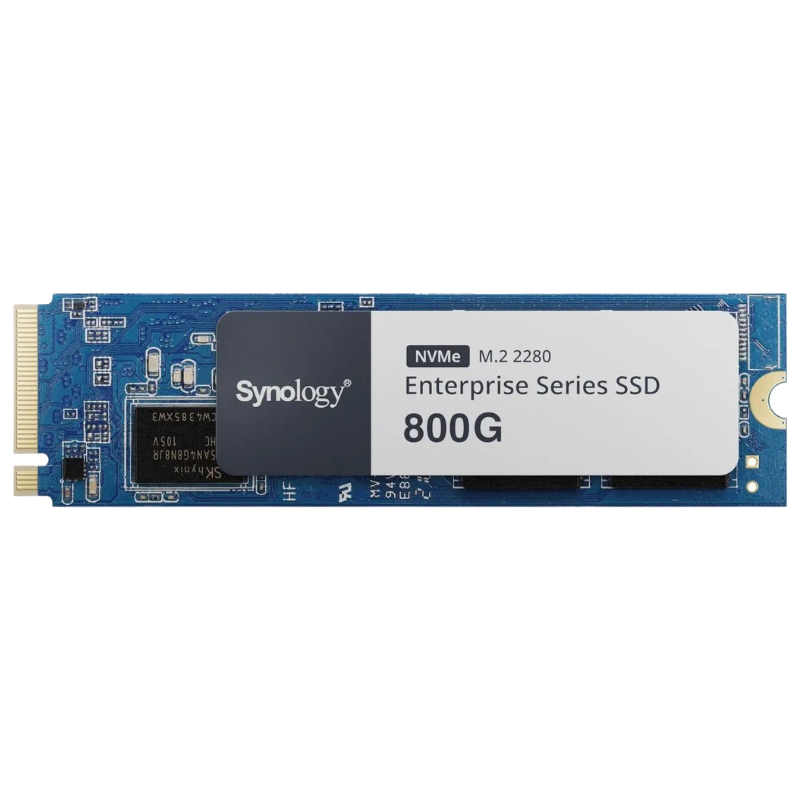


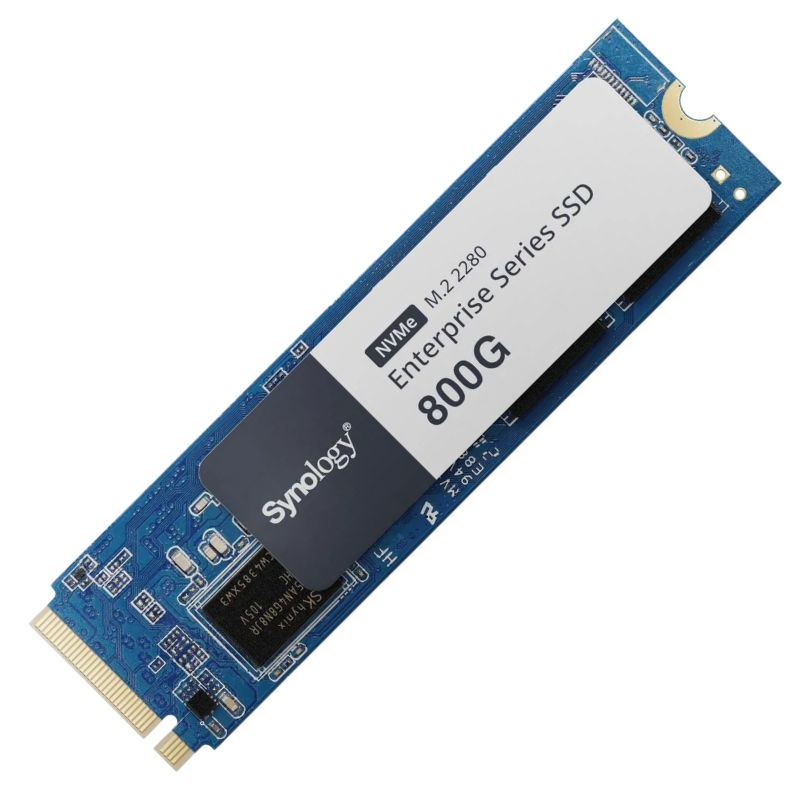
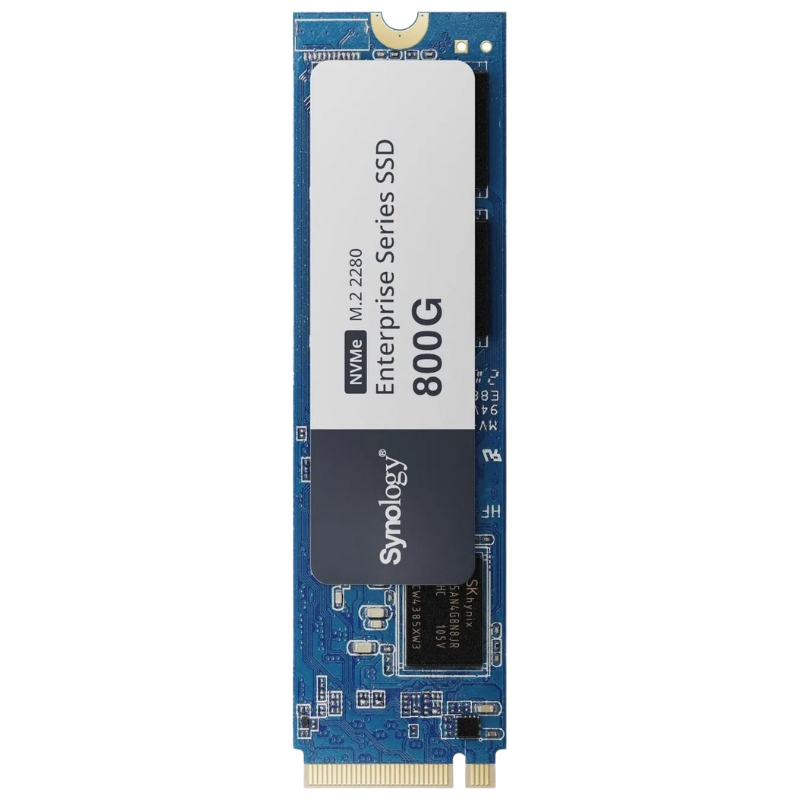
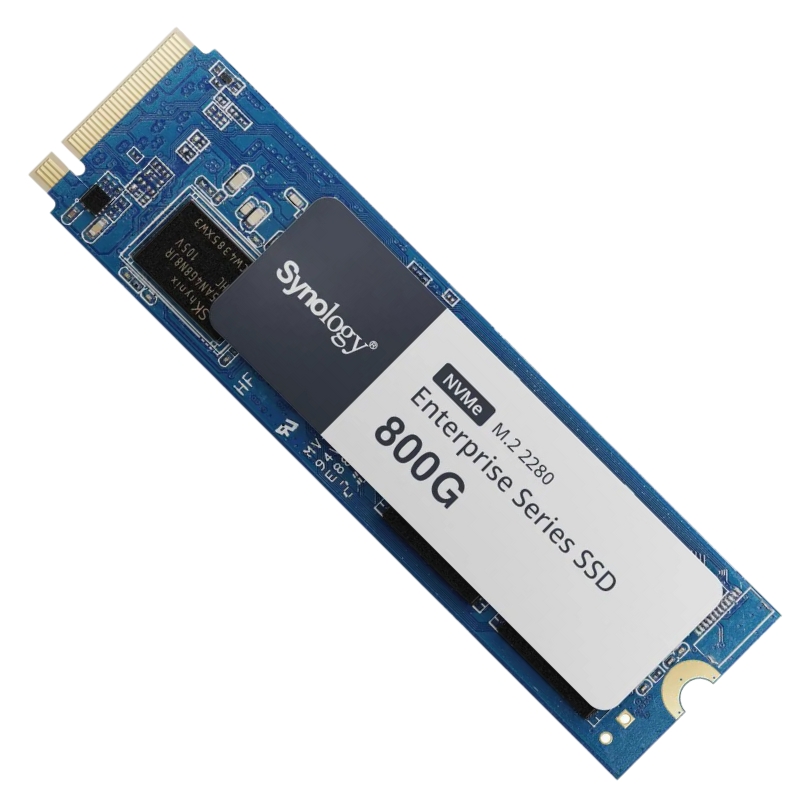
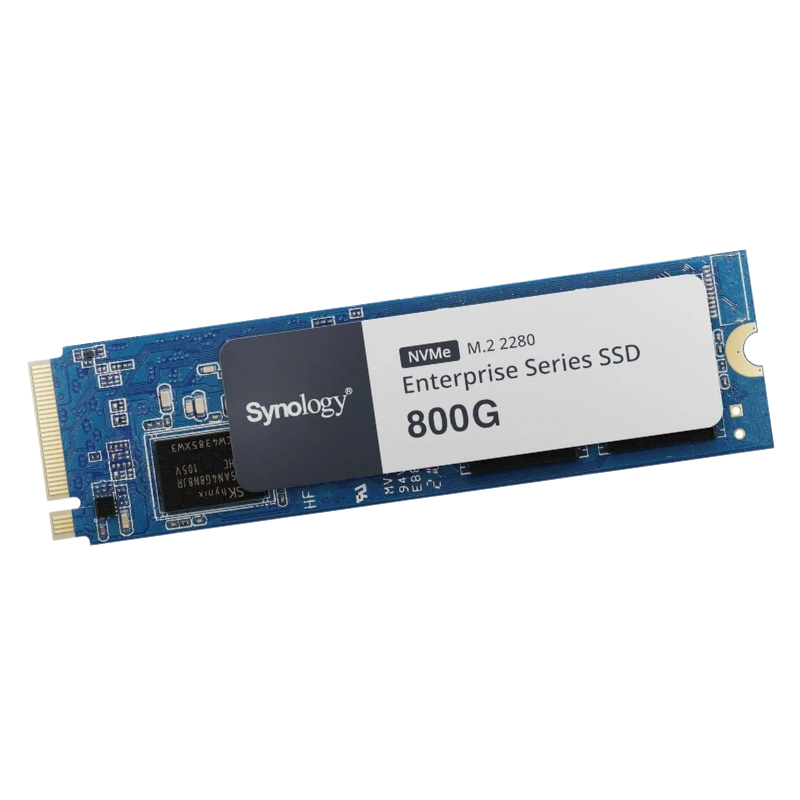
Synology SNV5420-800G 800GB M.2 2280 PCIe NVMe SSD. New Sealed in Box (NIB) with 3 years Warranty
This high-performance internal solid-state drive is engineered for enterprise-grade storage solutions, delivering exceptional speed and unwavering reliability for demanding workloads.
Synology SNV5420-800G 800GB M.2 2280 PCIe NVMe SSD sits at the intersection of enterprise-grade endurance and compact M.2 2280 form factor convenience, delivering high-throughput, low-latency storage designed for demanding Synology NAS and storage server environments. As a category, Synology-branded NVMe SSDs emphasize compatibility with Synology DiskStation Manager (DSM), predictable performance for caching and tiering, and firmware-level integration for monitoring and endurance reporting. The SNV5420 series targets administrators and professionals who require reliable flash storage for read-intensive and mixed workload scenarios, combining a balanced set of IOPS, sequential throughput, and sustained performance under heavy concurrency.
The SNV5420-800G uses the M.2 2280 form factor — standard 22 mm wide by 80 mm long — ensuring wide compatibility with modern motherboards, Synology expansion units, and compact storage appliances that accept M.2 modules. The M.2 2280 size supports adequate DRAMless or DRAM-equipped controller layouts while keeping thermal footprints manageable with well-designed cooling or heat spreaders. In category terms, M.2 2280 NVMe SSDs are ideal for systems where space is a premium but performance cannot be compromised: cache drives in NAS arrays, boot and system volumes for storage servers, and read-optimized tiering layers.
The SNV5420-800G leverages the PCIe NVMe protocol for direct CPU-to-flash communication with low overhead, higher queue depth, and greater parallelism than SATA. Depending on the specific SNV5420 model generation, the drive is tuned for PCIe Gen3 x4 or Gen4 interfaces — delivering sequential read/write bandwidths and IOPS suitable for multi-user NAS workloads. Choosing a PCIe NVMe SSD within this category means matching the host platform’s PCIe generation to maximize throughput while ensuring backward compatibility for older slots.
Performance expectations for the Synology SNV5420-800G include strong sequential read throughput, healthy sequential write capability, and robust random IOPS in read-heavy profiles. Typical benchmark scenarios for this category emphasize:
The SNV5420 category is optimized to reduce latency across read operations and maintain consistent IOPS under mixed read/write workloads. NVMe queueing depth advantages mean the SNV5420 performs best when host software and DSM are configured to take advantage of asynchronous and parallel IO. For administrators tuning systems, expect sub-millisecond read latencies in ideal conditions and a predictable increase in latency as queue depths grow or when drives approach peak write amplification thresholds.
In practical deployments, the 800GB capacities in enterprise NVMe SSDs like the SNV5420-800G hit a sweet spot: enough usable flash for caching and tiering without large unused overprovisioning. Benchmarks typically show:
Endurance metrics such as TBW (terabytes written) and DWPD (drive writes per day) are central when selecting a Synology SNV5420-800G. This category targets sustained reliability through robust NAND selection, firmware wear leveling, and power-loss protection strategies. For enterprise and prosumer environments, TBW provides a quantitative measure to plan lifespan and replacement cycles. Monitoring SMART attributes in Synology DSM and scheduling firmware updates keep drives operating within guaranteed parameters.
Advanced wear leveling algorithms, coupled with adaptive garbage collection, minimize write amplification and extend effective drive life. The SNV5420 series implements firmware-level techniques to ensure even distribution of write cycles across NAND blocks, improving long-term stability and predictable performance under continuous write-heavy tasks.
Enterprise-minded SSDs in this category include safeguards for in-flight data during sudden power loss. While single M.2 modules may not always include full onboard capacitors, firmware strategies and host-level journaling (via DSM or file system features) provide layered protection. When deploying SNV5420 drives in RAID or Synology high-availability clusters, it’s prudent to pair them with UPS systems and DSM replication features to ensure metadata and writes are preserved across interruptions.
One of the key strengths of the Synology SNV5420-800G category is tight integration with Synology storage appliances and DiskStation Manager (DSM). Compatibility spans official Synology NAS models that accept M.2 NVMe modules either as cache devices or dedicated storage volumes. DSM exposes SSD health monitoring, caching configuration wizards, and automatic detection for Synology-branded drives, simplifying administration and reducing the risk of unsupported configurations.
Verify DSM and device firmware levels before installation. While Synology provides compatibility lists that include SNV5420 series modules, confirming available M.2 slots, clearance for heat spreaders, and BIOS/UEFI settings ensures optimal operation. If using Synology expansion units or third-party motherboards, check for NVMe lane allocation to avoid shared bandwidth constraints that could reduce expected throughput.
For most NAS and storage appliances, passive cooling via heat spreaders or chassis airflow is sufficient. In dense server environments or when multiple NVMe drives operate concurrently in the same chassis, consider active cooling solutions or chassis fans tuned to maintain lower intake temperatures. DSM can report temperature and throttle events that help identify drives operating close to thermal limits.
Install the M.2 module in the correct keyed M.2 slot (M-key for NVMe), secure with the manufacturer-provided screw, and avoid bending or twisting the module. When adding multiple NVMe drives, distribute them across independent PCIe lanes when possible to prevent bandwidth sharing. Use anti-static precautions during installation.
DSM surfaces SMART attributes like percentage used, media errors, and reallocated sectors that permit scheduled replacement before catastrophic failure. For enterprise deployments, set maintenance windows to rotate older SSDs out of service based on TBW thresholds or error trends. Proactive replacement minimizes downtime and prevents data recovery scenarios.
Implement firmware updates during planned maintenance, and always back up critical configurations and volumes before applying updates. Maintain a staging environment or test bench to validate firmware behavior in similar hardware setups, particularly when deploying updates across many SNV5420-800G modules in a clustered storage environment.
The Synology SNV5420-800G finds traction in multiple deployment scenarios across SMB, enterprise, creative studios, and virtualization hosts. Below are common archetypes where the SNV5420 category delivers tangible benefits.
In shared file systems with many small random reads — think virtualization templates, software development repositories, and shared home directories — using one or more SNV5420-800G modules as a read cache reduces latency and offloads work from slower bulk HDD tiers. Caching yields improved responsiveness for hundreds of simultaneous users without the capital cost of all-flash arrays.
Virtual machine images and containers benefit from low-latency NVMe storage. SNV5420 drives accelerate boot storms, snapshot operations, and disk-intensive I/O patterns. For hyperconverged or Synology virtualization stations, pairing NVMe speed with adequate RAM and CPU ensures balanced performance.
Creative production pipelines that involve high-resolution video editing and large media file transfers use SNV5420-class NVMe drives to reduce timeline scrubbing delays and speed export times. When combined with high-bandwidth network interfaces (10GbE, 25GbE), the storage subsystem becomes the performance bottleneck unless NVMe speed is present.
The 800GB capacity positions the SNV5420-800G as a mid-range option for caching and small hot pools. Consider overprovisioning to reserve a portion of NAND for better sustained write performance and reduced write amplification. When configuring RAID or Synology storage pools, understand the trade-offs between performance, redundancy, and usable capacity.
Deploy NVMe SSDs in RAID configurations when supported by the platform. RAID levels that favor redundancy (RAID 1, RAID 5 with SSD-friendly parity handling, or Synology Hybrid RAID) protect against single-drive failures but introduce parity write penalties. Use NVMe as a read cache or high-performance tier and maintain HDD arrays for bulk storage to balance cost and performance.
The choice of 800GB modules versus larger capacity NVMe drives depends on workload and budget. Multiple smaller NVMe drives in parallel can yield higher aggregate throughput, while larger single drives reduce management overhead. Decide based on IOPS needs and expected growth curves.
Use DSM encryption with properly stored recovery keys and backup strategies. Test the recovery process to ensure encrypted volumes remain accessible after hardware or firmware changes. Avoid storing master keys on the same physical device as encrypted volumes.
Selecting the right SNV5420-800G involves analyzing workload patterns, platform compatibility, thermal environment, and total cost of ownership. Key checklist items include:
Compare cost-per-GB, supported features, and long-term warranty coverage. For environments where predictable latency and integrated management matter, Synology-branded NVMe SSDs like the SNV5420-800G can offer better total value through easier maintenance and compatibility.
When evaluating alternatives, consider similar M.2 NVMe SSDs from enterprise vendors and how they match against the SNV5420-800G on metrics like endurance, warranty, and firmware features. Some alternatives may offer higher sequential write throughput or larger capacities, while Synology-branded drives typically excel in integration and DSM support.
SSDs, despite high reliability, are only one layer of a comprehensive data protection plan. Use DSM-backed snapshot replication, remote replication, and regular backups to external targets. For mission-critical data, multi-site replication and immutable snapshot strategies provide an additional safety net.
While exact values vary by firmware and production batch, the SNV5420-800G category typically includes the following technical attributes:
Expect power-efficient idle and active states compared to 2.5" enterprise SSDs or HDDs. M.2 NVMe modules trade slightly higher active power for significantly better performance per watt, which benefits scale-out storage clusters where energy efficiency is a factor.
Pair SNV5420-800G modules with proper accessories to maximize reliability and performance: M.2 heat spreaders, NVMe-to-PCIe adapters for systems lacking M.2 slots, 10GbE/25GbE NICs for high-bandwidth NAS access, and uninterruptible power supplies (UPS) to protect in-flight writes. For backup and redundancy, complement with external backup targets and replication services.
The Synology SNV5420-800G 800GB M.2 2280 PCIe NVMe SSD occupies a pragmatic niche for users seeking a melding of Synology ecosystem compatibility, enterprise-grade endurance, and the compact M.2 footprint. Whether deployed as a caching layer in a multi-bay NAS, an acceleration target for virtualization, or a hot tier for media workflows, this category prioritizes predictable performance, DSM-level telemetry, and maintenance-friendly operation. For administrators and decision-makers evaluating mid-capacity NVMe strategies, the SNV5420-800G represents a balanced choice between cost, performance, and manageability when compared to larger-capacity or third-party enterprise alternatives.
For merchants and site managers building category pages, embed up-to-date technical specs, link to Synology DSM compatibility resources, include downloadable datasheets, and provide comparison tables that highlight TBW, warranty, and form factor differences. Use FAQ accordions for common compatibility questions, and ensure product schema markup is present for each SKU to improve visibility and click-through rates on search engines.


 Contact Us
 Information
 Catalog
 Solid State Drives (SSD)
 Network Switches
 Hard Disk Drives
 HBA & Controllers
 PC & Servers
 PC & Server Memory
 CPU & Processors
 Network Routers
 Power Supplies
 Tape Drives & Libraries
 Network Devices
 Computer & Network Cables