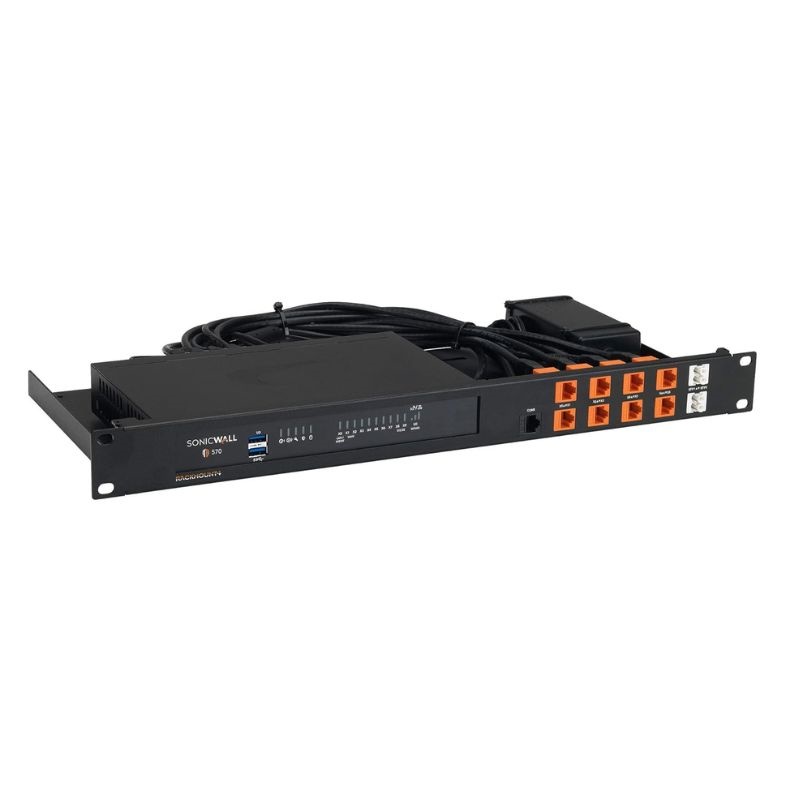
Dell AB296628 5 GBPS TZ570 Desktop Ethernet Next-Generation Firewall Appliance
- — Free Ground Shipping
- — Min. 6-month Replacement Warranty
- — Genuine/Authentic Products
- — Easy Return and Exchange
- — Different Payment Methods
- — Best Price
- — We Guarantee Price Matching
- — Tax-Exempt Facilities
- — 24/7 Live Chat, Phone Support
- — Visa, MasterCard, Discover, and Amex
- — JCB, Diners Club, UnionPay
- — PayPal, ACH/Bank Transfer (11% Off)
- — Apple Pay, Amazon Pay, Google Pay
- — Buy Now, Pay Later - Affirm, Afterpay
- — GOV/EDU/Institutions PO's Accepted
- — Invoices
- — Deliver Anywhere
- — Express Delivery in the USA and Worldwide
- — Ship to -APO -FPO
- — For USA - Free Ground Shipping
- — Worldwide - from $30
Dell AB296628 TZ570 Firewall Appliance Detailed Overview
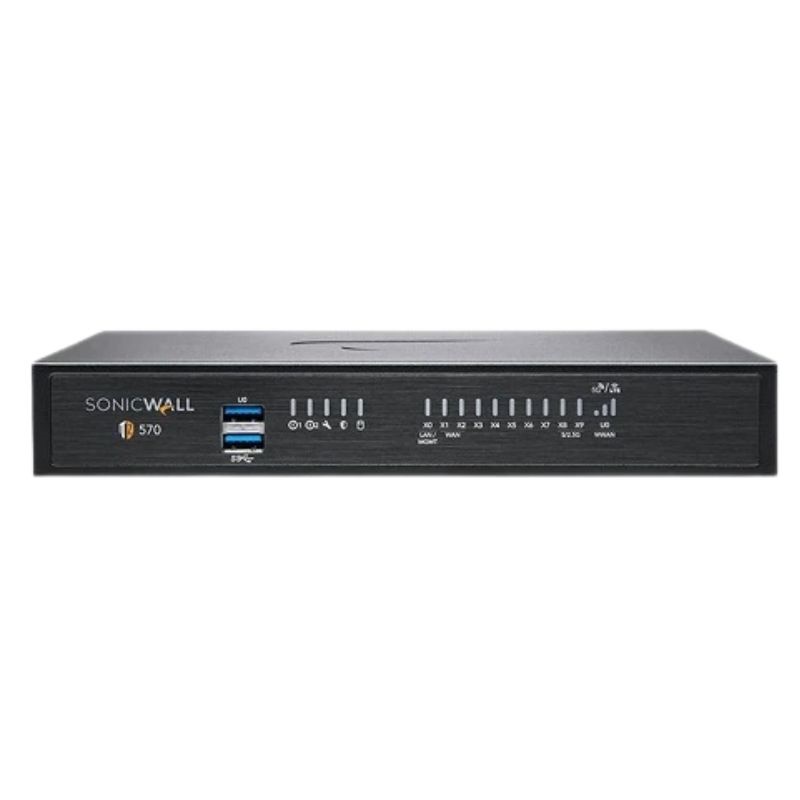
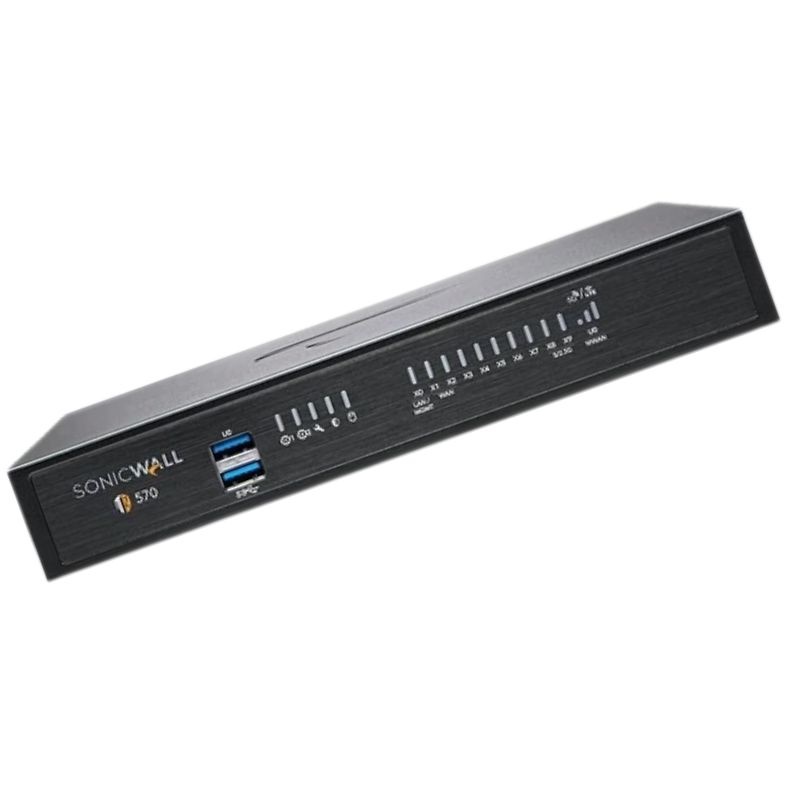
The Dell AB296628 TZ570 Desktop Network Security Firewall is a high-performance next-generation security solution engineered for businesses that demand advanced protection and reliable throughput. Designed to deliver up to 5 Gbps data transfer speeds, it combines cutting-edge firewall capabilities, powerful remote management, and robust interface options into a desktop-friendly form factor.
Key Highlights Of Dell AB296628 Firewall Appliance
- Brand: Dell
- Part Number: AB296628
- Product Type: Next-Generation Firewall
Main Highlights of Dell TZ570 Network Security Appliance
- Desktop-based firewall with enterprise-grade protection
- 5 Gbps data transmission capability
- 14 networking ports supporting Gigabit Ethernet
- Comprehensive support for SNMP, SSH, and DHCP protocols
- Enhanced connectivity with USB 3.0, console, and micro-USB ports
- Energy-efficient with just 13.4 watts maximum consumption
Firewall Category Specifications
General Product Information
- Form Factor: Desktop model, compact design
- Networking Type: Ethernet-based
- Data Transfer Rate: 5 Gbps capacity
- Connectivity: Wired-only solution for stable operations
- Model Number: TZ570
Processor Information
This firewall unit operates without a dedicated processor. Instead, its performance and intelligence are derived from the advanced SonicOS 7 operating system, streamlining security tasks without requiring additional hardware processing power.
Networking and Protocol Support
The Dell TZ570 features powerful networking capabilities that align with the needs of modern enterprises. With a focus on Gigabit Ethernet connectivity, the appliance supports a wide range of remote management protocols for convenience and control.
Protocols and Management Options
- Gigabit Ethernet transport protocol for fast data handling
- Remote management options: SNMP, SSH, and DHCP
- Total of 14 networking ports for flexible deployment
System Compatibility
The firewall appliance is optimized for use with SonicOS 7, the latest generation of Dell’s proprietary operating system. This integration ensures streamlined configuration, automated updates, and highly effective security enforcement.
Performance Capabilities
Firewall Throughput Metrics
- IPSec VPN throughput: Up to 1.8 Gbps for secure connections
- IPS throughput: 2.5 Gbps to detect and prevent intrusions
- Firewall capacity: 5 Gbps data traffic management
Scalability and Efficiency
The TZ570 is engineered for scalability, making it suitable for small to medium-sized businesses that anticipate network expansion. With its efficient performance metrics, organizations can rely on consistent speeds and strong threat detection even during high-traffic usage.
Interfaces and Connectivity Options
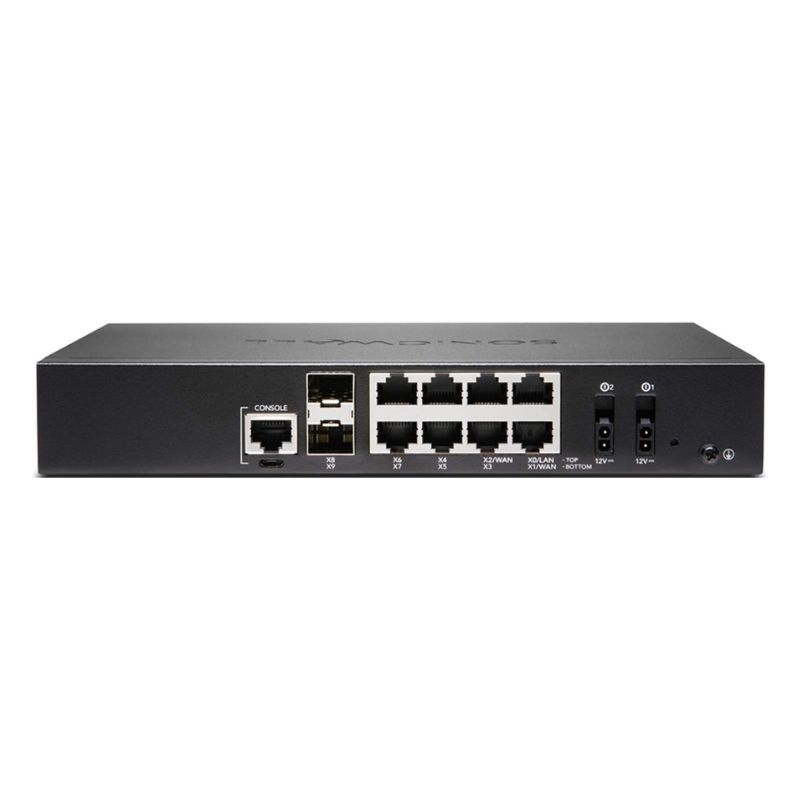
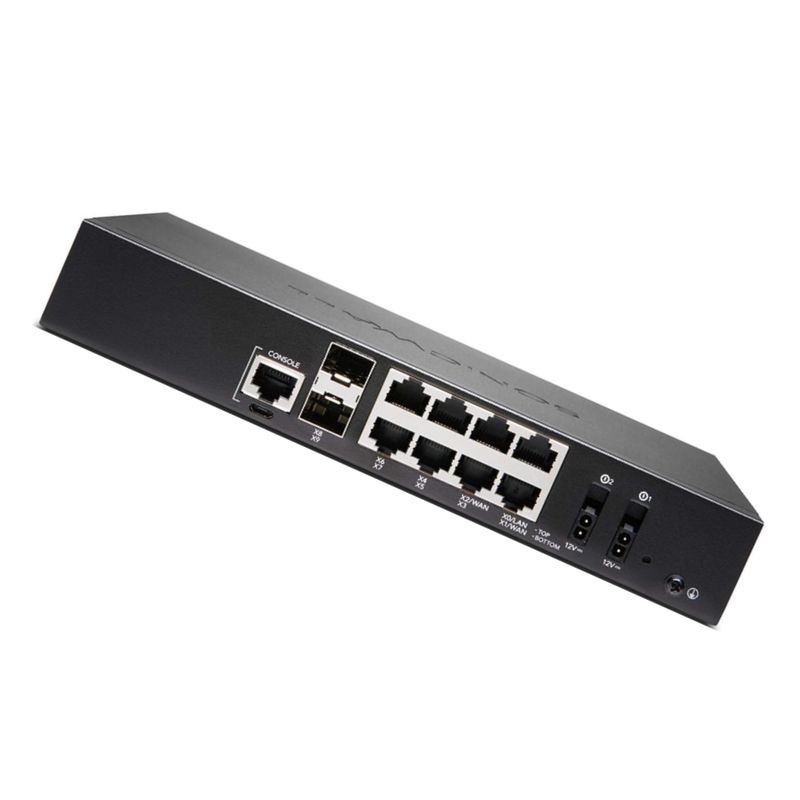
- 8 × 1 Gigabit Ethernet (GbE) interfaces
- 2 × 5G SFP+ ports for high-speed connections
- 2 × USB 3.0 ports
- 1 × console port
- 1 × micro-USB console port
Power Requirements and Efficiency
Energy and Voltage Specifications
- Power Supply: Included
- Maximum Consumption: 13.4 watts
- Supported Voltage: 100–240 VAC
- Frequency: 50–60 Hz
The appliance is designed with energy efficiency in mind, reducing long-term operational costs while maintaining uninterrupted performance for business-critical environments.
Security Service Suite and Advanced Protection
The Dell TZ570 is bundled with a 2-year Advanced Protection Service Suite, offering continuous updates against emerging threats, advanced reporting, and cloud-based security intelligence. This comprehensive package ensures businesses remain safeguarded against malware, ransomware, and network intrusions.
Advantages of the 2-Year Service Plan
- Real-time security intelligence and threat prevention
- Advanced malware analysis and sandboxing
- Cloud-based signature updates for immediate defense
- Centralized reporting and monitoring tools
- Peace of mind with continuous expert support
Ideal Use Cases for Dell TZ570 Firewall
- Securing medium-sized enterprise networks
- Protecting distributed office branches
- Enabling fast, secure remote VPN connections
- Defending business-critical systems from intrusions
- Optimizing network bandwidth with advanced traffic filtering
Outline of Dell AB296628 Firewall Appliance
The Dell AB296628 5 GBPS TZ570 Desktop Network Security Firewall Appliance represents a compact next-generation security gateway designed for small to mid-size enterprises, branch offices, and distributed organizations that require high-performance inspection, simplified administration, and future-ready connectivity. Combining deep packet inspection, application control, VPN, and zero-trust access options within a desktop form factor, this appliance helps teams protect users, applications, and data across campus LANs, SD-WAN edges, and hybrid cloud connections. Its category typically emphasizes multi-gig throughput, threat prevention at the edge, granular visibility, and streamlined lifecycle management, making it a versatile fit for modernization projects that must balance security efficacy with operational simplicity.
Within this category, appliances like the AB296628 5 Gbps TZ570 are engineered to deliver consistent performance when security services are enabled, sustain encrypted traffic inspection, and offer fine-grained policy enforcement for critical line-of-business applications. The desktop chassis is ideal where rack space is limited or where quiet, low-power devices are preferred, yet the software stack is built for enterprise-grade reliability, policy orchestration, and integration with existing identity, logging, and monitoring frameworks.
Key Use Cases and Buyer Profiles
- Growing SMBs and mid-market organizations that need a next-gen firewall with simple setup, strong IDS/IPS, and scalable licensing as users and applications increase.
- Branch and remote office networks seeking secure SD-WAN connectivity, application-aware routing, and consistent security posture across dozens or hundreds of sites.
- Education and non-profit deployments requiring content filtering, bandwidth management, and simplified audit reporting with constrained IT resources.
- Healthcare, retail, and legal firms that handle sensitive data and must demonstrate compliance with frameworks like HIPAA, PCI-DSS, or industry privacy rules.
- Service providers and MSPs that standardize on compact appliances to deliver managed security services with centralized policy administration.
Architecture and Performance Perspective
A defining characteristic of this category is a 5 Gbps firewall throughput class, which provides comfortable headroom for busy offices, modern collaboration tools, and hybrid traffic patterns. Appliances are optimized to process a blend of north-south internet traffic and east-west LAN communications while maintaining low latency for voice, video, and interactive applications. Performance is sustained by dedicated security processing paths, multi-core architectures, and efficient software pipelines for deep packet inspection (DPI) without relying solely on raw CPU cycles.
While raw throughput remains a headline metric, real-world capacity depends on the depth of security controls enabled. Enabling IDS/IPS, gateway antivirus, application control, and TLS inspection increases processing demand. The TZ570-class design anticipates this by combining hardware acceleration with intelligent service chaining so that typical feature stacks—content filtering, SSL/TLS inspection on common ciphers, threat intelligence lookups, and sandbox detonation for suspicious payloads—still deliver responsive user experiences for dozens to hundreds of concurrent users.
Traffic Types Optimized for the 5 Gbps Class
- Encrypted web and SaaS traffic: Inspection engines support modern TLS versions and common cipher suites to preserve visibility into business-critical cloud applications.
- Real-time collaboration: QoS and application detection minimize jitter for VoIP, video conferencing, and remote presentation tools.
- File transfer and backups: Bandwidth shaping ensures background synchronization never starves interactive apps.
- IoT/OT communications: Policy allows segmentation of devices with minimal overhead using VLANs, zones, and micro-policies.
Scalability Considerations
The AB296628 category emphasizes licensing and subscription flexibility so organizations can adopt base firewall features first and layer on advanced services when budgets or compliance mandates require them. Cloud-delivered management options reduce the burden of upgrades, backups, and policy consistency across multiple appliances. As headcount grows, straightforward license uplift paths and flexible VPN capacity add-ons help avoid forklift replacements.
Security Services Portfolio
Next-generation desktop appliances in this family deliver a comprehensive stack of prevent, detect, respond capabilities that extend beyond stateful firewalling. The goal is to interlock multiple controls—each tuned for speed and accuracy—so that organizations achieve defense-in-depth without resorting to complex manual tuning.
Deep Packet Inspection (DPI)
DPI engines examine packet payloads in real time to identify signatures, anomalies, and risky behaviors. This enables intrusion prevention, gateway antivirus, and application-layer controls that go past simple port-based rules. DPI policies can be layered by user group, device profile, or network zone—allowing, for example, tighter scrutiny for servers and guest networks while maintaining workplace usability for standard users.
Application Visibility and Control
The TZ570 category supports a rich application signature library, enabling admins to prioritize, limit, or block apps based on business relevance. Application tagging feeds QoS, bandwidth allocation, and reporting. This visibility is crucial for shadow IT discovery, ensuring cloud apps comply with risk standards, and preventing bandwidth monopolization by non-business traffic during peak hours.
Intrusion Prevention System (IPS)
IPS policies combine signature-based detection with protocol decoders to block known exploits, lateral movement techniques, and command-and-control communications. Periodic signature updates are delivered from threat research networks so protection evolves with the attack landscape. Selective inspection modes let administrators tailor performance to their appetite for strictness, with high-risk services monitored more closely.
Gateway Anti-Malware and Sandboxing
Gateway antivirus engines scan files as they traverse the firewall, while optional cloud sandboxing detonates suspicious objects in an isolated environment. This two-step approach catches commodity malware at the edge and escalates unknown payloads for behavioral analysis, reducing dwell time and the chance of infections spreading internally.
Web Filtering and Safe Browsing
URL filtering categorizes sites and enforces acceptable use, with override workflows for exceptions. SSL/TLS inspection can be selectively enabled for categories where visibility is essential, like newly registered domains or sites known to host malware. Safe search enforcement and keyword blocking help education customers promote appropriate internet usage without endless manual rule edits.
Zero-Trust Network Access (ZTNA) and VPN
Remote access in this category accommodates both traditional IPsec tunnels and modern client-based or clientless access for specific applications. When paired with identity providers, policies can assert device posture, user group, location, and time-of-day conditions. The result is granular, least-privilege access that reduces the reliance on broad network-level VPNs while preserving compatibility for legacy systems that still require them.
Network and Connectivity Features
Beyond security, the AB296628 5 Gbps TZ570 class emphasizes connectivity versatility to support complex edge designs. Multiple copper interfaces, optional fiber uplinks via SFP, and flexible WAN options make it feasible to blend ISPs, transport types, and LAN segments without external switches for small sites. Automatic failover, load balancing, and link health monitoring underpin highly available internet access for cloud-first organizations.
SD-WAN and Application-Aware Routing
Built-in SD-WAN features monitor link quality—latency, jitter, and packet loss—to steer traffic along the best path dynamically. Business-critical applications can be pinned to low-latency links while bulk traffic uses lower-cost circuits. Brownout detection and seamless failover maintain session continuity, reducing the impact of ISP instability on user productivity.
Segmentation with Zones, VLANs, and Policy Objects
The category supports layered segmentation to isolate guests, IoT devices, production servers, and administrative networks. Policy objects, address groups, and FQDN rules simplify recurring design patterns. This keeps rule bases readable and reduces misconfigurations. Micro-segmentation within small offices becomes practical without additional hardware, allowing specific device classes—like printers, cameras, or payment terminals—to be tightly fenced.
High Availability and Resilience
- Stateful failover: Pair two units for continuity during software updates or hardware faults.
- WAN failover and load balancing: Prioritize primary circuits while maintaining warm backups.
- Dynamic routing support: Integrate with OSPF/BGP in more complex topologies without complicated workarounds.
- Power and environmental durability: Desktop hardware designed for quiet operation and low power draw while sustaining enterprise-grade uptime.
Management and Automation
Administrators value this category for intuitive management paired with deep diagnostic tooling. Whether managing one device or a fleet, workflows emphasize policy templates, role-based access control (RBAC), and audit trails. Logging and reporting can be exported to SIEM platforms or centralized cloud portals to unify insights across multiple security domains.
Centralized Policy and Template Inheritance
Multi-site rollouts benefit from hierarchical templates, allowing global rules—like baseline IPS or web filtering policies—to cascade down to each location. Local admins can override site-specific items such as ISP details or printer subnets without deviating from corporate standards. This approach shortens deployment times and keeps configurations consistent after staff changes.
Role-Based Administration and Change Control
RBAC ensures help-desk staff can perform safe tasks—like unlocking users or checking link status—while senior engineers retain rights to modify core policies. Scheduled changes, staged commits, and configuration diffs enhance transparency for audits. Backup and restore functions provide rapid recovery from accidental misconfiguration.
Telemetry, Dashboards, and Alerting
Real-time dashboards surface bandwidth hotspots, top applications, threat detections, and anomalous traffic. Automated alerts for link degradation, license expirations, or signature update failures help teams act quickly. Exported logs in common formats—like syslog or JSON—enable straightforward integration with SOC workflows and third-party analytics tools.
API and Scripting Options
For organizations embracing Infrastructure as Code, the category commonly includes RESTful APIs for policy creation, object management, and configuration backups. Scripts can bulk-provision branch appliances, rotate service accounts, and validate compliance against golden templates. This reduces repetitive labor and human error, especially when rolling out updates to dozens of sites.
Deployment Patterns and Best Practices
How the Dell AB296628 5 Gbps TZ570 appliance is deployed has a profound impact on performance and maintainability. The following patterns and practices help extract maximum value:
Edge Gateway with Split Zones
Place the appliance at the perimeter with dedicated interfaces for trusted LAN, guest WLAN, and IoT/OT segments. Use application control and IPS on all untrusted zones, apply stricter egress filtering to IoT devices, and enable content filtering for guests. SD-WAN policies prioritize SaaS suites and collaboration platforms to the most stable ISP circuit.
Layered Security with Upstream/Downstream Devices
In sites with existing routers or layer-3 switches, deploy the firewall in routed or transparent mode to fit the current design. Transparent mode preserves IP addressing while still enforcing policies and logging. Where server farms exist, dedicate an interface and zone to data-center traffic to isolate backup, virtualization, and storage flows from regular user traffic.
Selective TLS Inspection
TLS inspection is essential for visibility, but it can be tailored for both performance and privacy. Establish an allowlist of business-critical domains exempt from decryption if required (such as banking sites), and focus inspection on risky categories, new domains, or downloads. Periodically review root certificate deployment on managed endpoints to maintain trust and avoid user friction.
Identity Integration
Integrate directory services and single sign-on providers to map traffic to users and groups. This unlocks user-based rules like “Finance can access payroll SaaS, while interns cannot” and powers accurate reporting. Guest networks can be bound to captive portals with time-bound access to reduce persistent risk from unknown devices.
Change Windows and Rollback Safety
Schedule policy changes during low-impact windows and rely on configuration snapshots for rollback. Consider commit confirm behaviors where available, so that if remote access is interrupted by a misconfiguration, the appliance automatically restores the previous state.
Sizing Guidance and Capacity Planning
Choosing a 5 Gbps desktop firewall is about more than raw throughput. Consider user concurrency, the percentage of encrypted traffic, and the security services expected to run simultaneously. Inventory application behavior—burstiness, latency sensitivity, and data transfer profiles—to align QoS and SD-WAN rules with business outcomes.
Workload Profiles
- Collab-heavy offices: Emphasize jitter control and application classification to protect voice/video. Ensure DPI and IPS profiles are tuned to avoid unnecessary overhead on media streams.
- Data-centric teams: Enable bandwidth caps for bulk sync tools, and prioritize transactional SaaS. Review sandboxing policies to manage detonation queues during large update cycles.
- Regulated environments: Include comprehensive logging, longer retention exports, and strict egress filtering. Validate policy templates against compliance checklists and change-control procedures.
Throughput With Security Services
Real-world throughput will vary with DPI, TLS inspection, IPS, and sandboxing turned on. Plan headroom to absorb seasonal peaks, new SaaS adoption, or expansion of remote access. Aim for 30–40% spare capacity after baseline policies are active, ensuring growth without immediate hardware changes.
Licensing and Subscriptions
The category generally offers tiered bundles for threat prevention, web filtering, application control, and 24/7 support. Annual or multi-year terms can reduce total cost of ownership. Centralized management subscriptions unify policy and reporting across a fleet, while add-ons—like cloud sandboxing or advanced analytics—can be activated as needs evolve.
Renewal Strategy
Align renewal dates across sites to simplify budgeting and auditing. Use vendor portals to forecast expirations 60–90 days in advance, preventing coverage gaps. During renewal, review policy usage: remove unused features, right-size tiers, and consider multi-year terms for price stability.
Compliance, Logging, and Reporting
Appliances in this category generate detailed security and access logs, supporting forensic investigations and compliance evidence. Role-based reports can be scheduled for executives (trend summaries), security teams (threat breakdowns), and network ops (bandwidth and link health). Export logs to SIEM or data lakes for correlation with endpoint, identity, and cloud telemetry.
Data Protection Considerations
Apply data minimization in logs to respect privacy laws. Mask sensitive fields where supported and restrict report access to authorized personnel. When enabling TLS decryption, maintain transparent user communication and documented policies that explain scope, exemptions, and business justification.
Hardware Form Factor and Environmental Notes
The desktop chassis balances quiet operation, energy efficiency, and adequate port density for small to medium environments. Passive or low-noise cooling meets open-office requirements, and the footprint fits on shelves or in secure cabinets. Where rack mounting is necessary, optional trays or shelves can consolidate multiple appliances in a single RU.
Interface Options and Expansion
The 5 Gbps class typically includes multiple RJ-45 LAN/WAN ports, with optional SFP for fiber uplinks depending on model and configuration. Administrators can dedicate ports to DMZ services, point-of-sale networks, or Wi-Fi controller backhaul. Link aggregation and VLAN tagging increase flexibility without additional switching for small sites.
Power and Energy Use
Low typical power draw reduces operational costs and makes the appliance suitable for locations with limited UPS capacity. During brownouts, the device can be protected by modest battery backups, preserving critical internet access and security services until generators or power return.
VPN and Remote Access Stability
- Standardize on modern cipher suites and ensure consistent client versions for predictable performance.
- Leverage split tunneling policies to keep cloud traffic local when appropriate, reducing bandwidth pressure.
- Implement multi-factor authentication and session timeouts to reduce account takeover risk.
Comparison Within the Desktop Firewall Category
The Dell AB296628 5 Gbps TZ570 sits in a space where buyers often evaluate competing desktop appliances with similar throughput claims. Differentiators typically include security efficacy scores, TLS inspection performance, management experience, licensing simplicity, and ecosystem integrations. While benchmarks vary by test conditions, practical comparisons should prioritize consistent user experience with full security features enabled rather than headline L3 numbers alone.
Feature Checklist for Side-by-Side Evaluations
- Can the appliance maintain usable throughput with DPI + TLS inspection for common SaaS?
- Are cloud management and template-based policies included or licensed separately?
- What reporting granularity is available without a separate analytics product?
- How easy is SD-WAN policy authoring for non-specialists, and does it include path failover testing tools?
- Does HA failover preserve sessions for critical applications like voice?
- Is there a zero-touch provisioning workflow for remote branches?
Total Cost of Ownership Considerations
Calculate TCO by accounting for hardware, subscriptions, support, training, and the operational time saved through centralized management. Appliances that reduce manual troubleshooting and accelerate site rollouts typically yield greater long-term value than lower-cost hardware with fragmented tooling.
Lifecycle, Support, and Upgrades
A predictable lifecycle ensures long-term reliability. Vendors typically publish end-of-sale and end-of-support milestones well in advance, allowing customers to plan refreshes without disruption. Support tiers commonly include 8×5 or 24×7 access, hardware replacement options, and incident response guidance for critical outages. During refresh cycles, migration tools export/import policies and objects, minimizing manual rework.
Training and Knowledge Transfer
Invest in administrator training focused on policy design, troubleshooting workflow, and reporting. Short enablement sessions for help-desk personnel reduce escalations and empower first-line resolution of common issues such as captive portal resets, VPN client updates, or SD-WAN link checks.
Edge Security in a Hybrid Cloud World
Even as workloads move to cloud platforms, the edge remains critical. Users still access SaaS from offices, branches, and homes; IoT devices still require segmentation and monitoring; and compliance often demands audit controls at network boundaries. The Dell AB296628 5 Gbps TZ570 category complements cloud security by enforcing