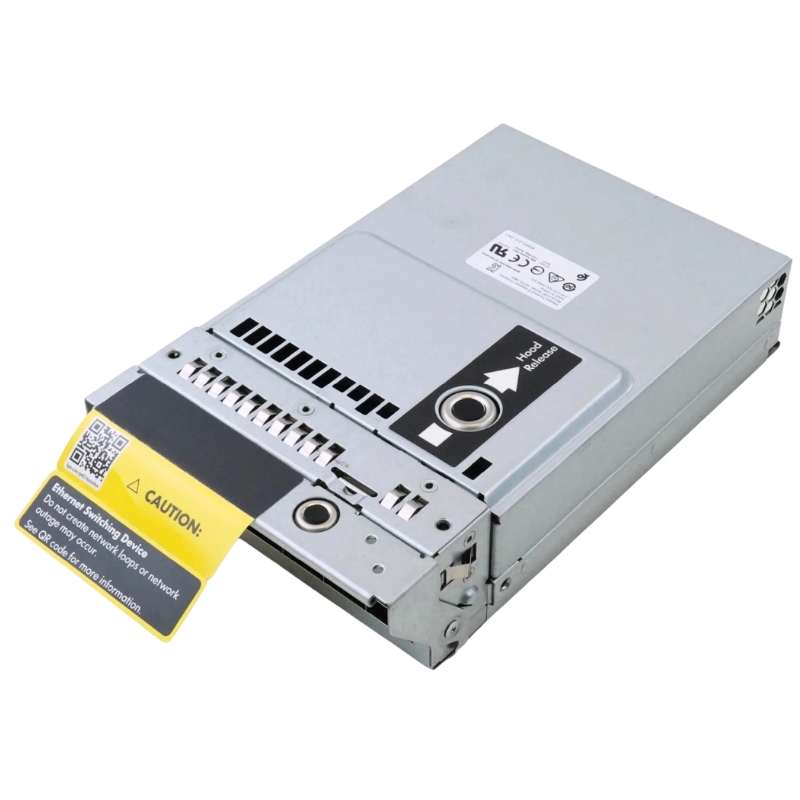
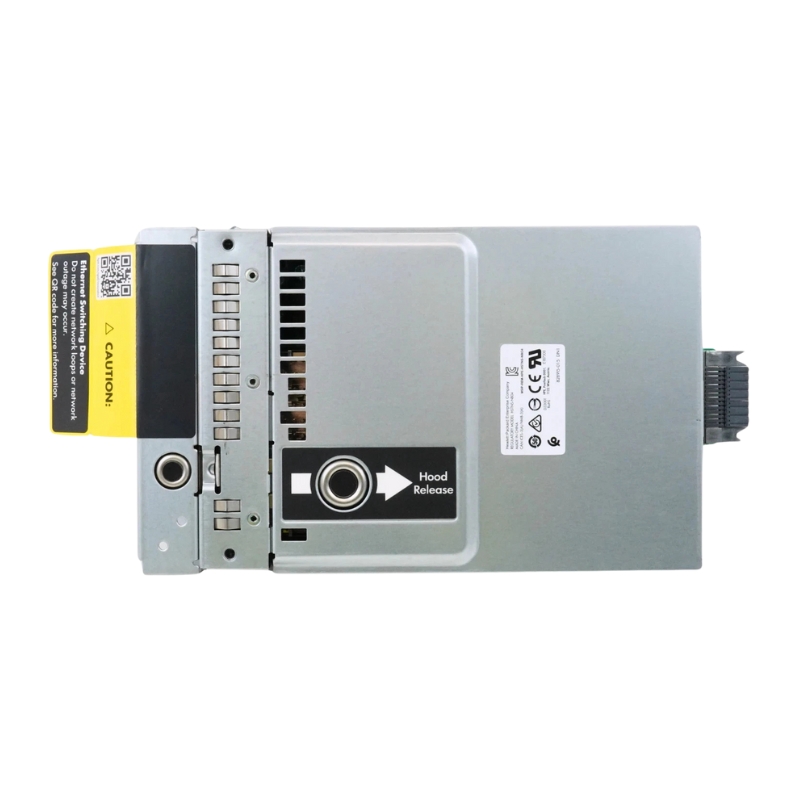
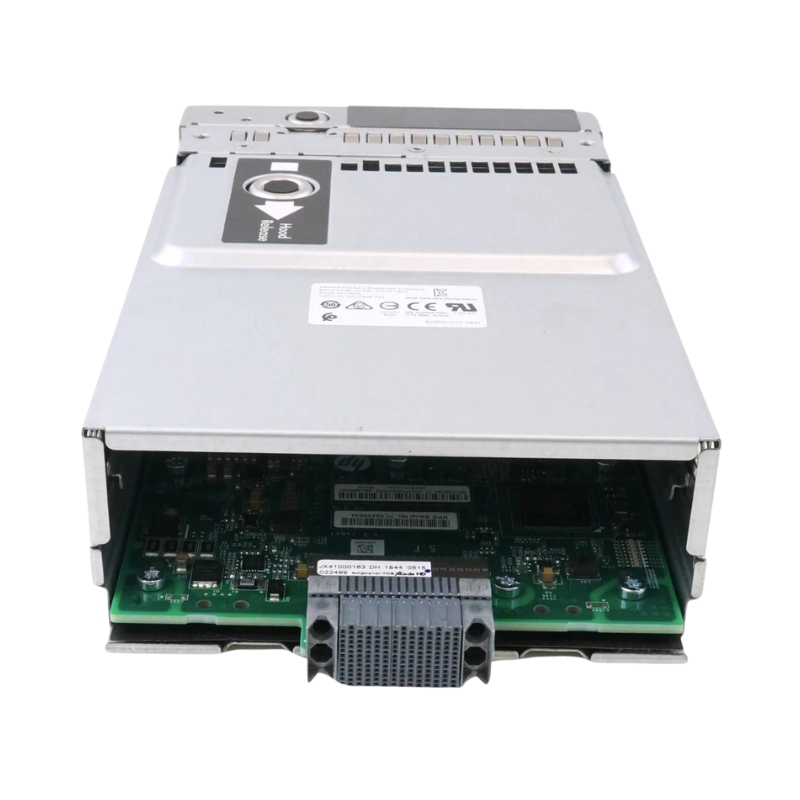
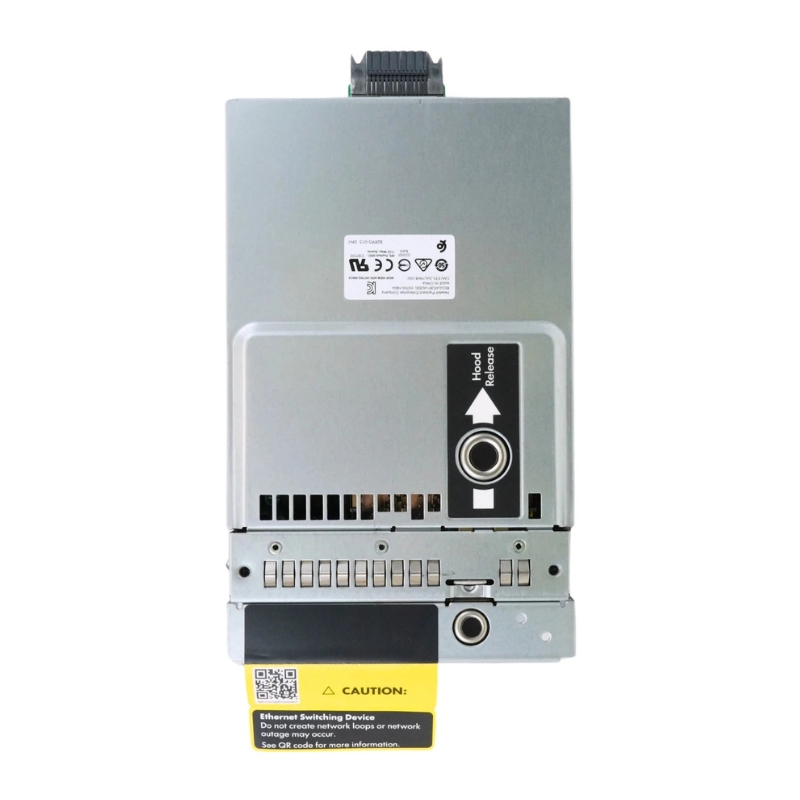
HPE 712694-001 Moonshot 1500 4xQSFP+ 40GBE Uplink Module.
- — Free Ground Shipping
- — Min. 6-month Replacement Warranty
- — Genuine/Authentic Products
- — Easy Return and Exchange
- — Different Payment Methods
- — Best Price
- — We Guarantee Price Matching
- — Tax-Exempt Facilities
- — 24/7 Live Chat, Phone Support
- — Visa, MasterCard, Discover, and Amex
- — JCB, Diners Club, UnionPay
- — PayPal, ACH/Bank Transfer (11% Off)
- — Apple Pay, Amazon Pay, Google Pay
- — Buy Now, Pay Later - Affirm, Afterpay
- — GOV/EDU/Institutions PO's Accepted
- — Invoices
- — Deliver Anywhere
- — Express Delivery in the USA and Worldwide
- — Ship to -APO -FPO
- — For USA - Free Ground Shipping
- — Worldwide - from $30
HPE 712694-001 Moonshot 1500 4xQSFP+ 40GBE Uplink Expansion Module — Product Overview
The HPE 712694-001 Moonshot 1500 4xQSFP+ 40GBE Uplink Expansion Module is an uplink adapter designed to deliver high-bandwidth network aggregation for HPE Moonshot server blades. Engineered for dense microserver environments, this expansion assembly provides four QSFP+ ports, each supporting 40 Gigabit Ethernet throughput, enabling fast, low-latency connectivity between blade chassis and your data center fabric.
Key Specifications & Technical Details
- Part type: Uplink module kit / expansion adapter
- Interface: 4 × QSFP+ (Quad Small Form-factor Pluggable Plus)
- Nominal speed: 40 Gigabit Ethernet per QSFP+ port
- Primary purpose: Provides uplink connectivity for HPE Moonshot server blades
- Compatibility: Specifically designed for the HPE Moonshot 1500 chassis
High-Performance Connectivity for Dense Server Environments
This uplink card streamlines network aggregation in ultra-dense computing deployments. It’s ideal for organizations that require:
- High-throughput interconnects between blades and spine switches
- Reduced cabling complexity through multi-lane QSFP+ ports
- Scalable bandwidth for virtualization, CDN, web services, and edge workloads
Supported Cabling & Transceiver Options
The QSFP+ interface supports a variety of cabling choices to match deployment needs:
- Direct Attach Copper (DAC) for short-reach, cost-effective links
- Active Optical Cables (AOC) for improved reach with low latency
- QSFP+ to QSFP+ optical transceivers (SR, LR—depending on switch support) for long-distance connections
Pre-installation checklist
- Verify chassis model is HPE Moonshot 1500 and firmware is up to date.
- Confirm the uplink bay is free and the module part number matches your purchase.
- Review thermal and airflow paths before inserting expansion hardware.
Step-by-step mounting tips
- Power down the chassis following manufacturer procedures or use hot-swap guidance if supported.
- Align the module with the guide rails and seat it firmly until it clicks.
- Secure any captive screws or latches and reconnect network cabling to QSFP+ ports.
- Power on and validate link status via the management console or network switch diagnostics.
Compatibility & Interoperability Notes
This uplink expansion kit is engineered expressly for the HPE Moonshot 1500 family. For guaranteed functionality:
- Use with Moonshot 1500 chassis only — compatibility with other Moonshot variants may vary.
- Check switch compatibility for QSFP+ link negotiation and supported link speeds.
- Confirm transceiver vendor compatibility and supported optical specifications.
Thermal, Power & Environmental Considerations
Dense configurations increase power draw and heat output. Keep these environment recommendations in mind:
- Maintain recommended rack airflow direction (front-to-back or as specified by HPE).
- Monitor overall chassis power consumption to avoid exceeding PSU capacity.
- Ensure data center ambient temperature meets HPE operational guidelines to protect components.
Common Use Cases
- Edge compute clusters requiring high-throughput uplinks to aggregation layers
- Content delivery and streaming infrastructure with dense microserver footprints
- Virtualized hosting environments demanding consolidated network lanes
Alternatives & Related Components
- Other HPE uplink variants with different port counts or SFP+/10GbE configurations
- Third-party QSFP+ breakout cables if your downstream switch uses 10Gb lanes
HPE 712694-001 40GBE Uplink Expansion Module
The HPE 712694-001 Moonshot 1500 4xQSFP+ 40GBE Uplink Expansion Module is engineered to extend the uplink capacity of Moonshot 1500 systems with high-density, high-throughput connectivity. Built around four QSFP+ ports that each deliver up to 40 gigabits per second (40GbE) per link, this uplink expansion module provides the scalable east-west and north-south bandwidth required by modern microserver, storage, and accelerator workloads. The module is a purpose-built component for environments that demand compact form factor, low power draw, and simplified cabling while preserving advanced networking features such as link aggregation, jumbo frame support, and compatibility with common optical and direct-attach cable (DAC) transceivers.
Technical characteristics and port architecture
Port count and physical interfaces
The expansion module offers four QSFP+ ports arranged to support:
- Up to 40GbE per port in native QSFP+ mode.
- Breakout capability to support four 10GbE links per QSFP+ (when used with QSFP+ to 4xSFP+ breakout cables), enabling flexible mapping of server fabrics and aggregation layers.
- Compatibility with both active and passive Direct Attach Copper (DAC) cables and a range of MPO/LC optical transceivers for multimode and single-mode fiber deployments.
Bandwidth and performance considerations
Each QSFP+ port supports line-rate forwarding at 40 Gbps nominal capacity and, with proper breakout cabling, can be subdivided into four 10 Gbps channels. For dense server footprints like Moonshot cartridges, this flexibility allows:
- High-throughput consolidation—aggregate multiple server nodes through a single physical uplink.
- Granular traffic segmentation—deploy 10GbE lanes for individual node isolation while preserving uplink economies.
- Low-latency forwarding for latency-sensitive services, thanks to the architecture’s short switching path and optimized internal switching fabrics.
Switching, forwarding and L2/L3 capabilities
Although sold as an uplink expansion, the module integrates with the Moonshot 1500 management plane to deliver standard networking features common to modern data center fabrics:
- Support for link aggregation (LACP) to combine multiple 40GbE or 10GbE logical links into higher-capacity trunks.
- Jumbo frame handling to improve efficiency for large-packet traffic patterns (backup, replication, HPC flows).
- VLAN tagging and basic QoS prioritization for multi-tenant and multi-application isolation.
Compatibility and integration with Moonshot ecosystem
Chassis and server cartridge alignment
The 712694-001 uplink module is designed specifically for the HPE Moonshot 1500 chassis family, integrating with the cartridge backplane and chassis management to present aggregated uplinks to top-of-rack fabrics. It pairs well with compute, storage, and GPU/FPGA accelerator cartridges that populate Moonshot sleds, providing a consolidated external connectivity point and simplifying data center cabling. When planning deployment, check cartridge interconnect mappings and firmware compatibility on both the chassis and management modules to ensure the uplink module is recognized and configured as intended.
Transceivers, cables and breakout options
Flexibility in optical and copper media is a core benefit:
- Direct Attach Copper (DAC): Cost-effective short-reach connections, ideal within racks and between adjacent racks.
- Active Optical Cables (AOC): Economical medium-range links that reduce electromagnetic interference and weight compared to copper.
- QSFP+ Optical Transceivers: For longer reach—SR (multimode) and LR (single-mode) options depending on network topology.
- Breakout Cables (QSFP+ to 4×SFP+): Enables converting a 40GbE port into four independent 10GbE ports to match cartridge port density and application requirements.
Compatibility checklist
- Ensure the Moonshot 1500 chassis has an available uplink slot that supports the 712694-001 module.
- Verify the server cartridge families in use—some legacy or specialty cartridges may have different uplink mapping that requires planning.
- Match transceiver type to reach requirements and the switch/router end-points (MPO, LC, SR, LR).
- Confirm that the management firmware of the chassis and interconnect controller are up-to-date for best interoperability.
Typical deployment scenarios and use cases
Cloud and multi-tenant hosting
For service providers hosting multi-tenant workloads, the 712694-001 module offers the isolation and bandwidth needed to segment tenants into VLANs or virtual fabrics, while keeping external connectivity consolidated and manageable. Link aggregation and QoS features help preserve SLAs across shared infrastructure.
High-performance computing (HPC) and analytics
Analytics clusters and HPC workloads benefit from high-throughput, low-latency uplinks for data staging, checkpointing, and inter-node traffic. The QSFP+ architecture reduces the number of hops and external switch layers, which can improve performance for parallel workloads and distributed storage access.
Edge computing and telco deployments
In edge or telco environments where space and power are constrained, Moonshot systems equipped with a 4xQSFP+ uplink module provide a compact, carrier-grade building block. The module supports diverse media types and breakout options—valuable for site-specific cabling and transport layer requirements.
Configuration and management guidance
Initial setup and firmware considerations
During installation, administrators should:
- Insert the module into the designated uplink bay on a powered-down chassis if the procedure recommends it, or follow the chassis’ hot-swap guidance if supported.
- Power on and access the chassis management interface to verify detection of the uplink module and to review port status.
- Verify firmware revisions on the chassis interconnect controller and the module; apply vendor-recommended updates to unlock performance and stability fixes.
Network topology and VLAN planning
Plan your VLAN and trunking strategy before connecting to aggregation switches. Recommended practices include:
- Map each QSFP+ port to a specific trunk or fabric to maintain predictable traffic flows.
- Reserve dedicated trunks for storage or replication traffic to avoid contention with application traffic.
- Leverage jumbo frames for storage and backup VLANs to improve transfer efficiency—ensure end-to-end support across switches and storage arrays.
Monitoring and telemetry
Make use of chassis management and standard network telemetry tools to monitor:
- Port utilization and error counters (CRC, frame errors, link flaps).
- Optical power levels for fiber transceivers and link quality metrics.
- Temperature and health indicators from the chassis to detect thermal stress that may affect uplink performance.
Practical tips for cabling, transceiver selection, and breakout use
Choosing the right transceiver or cable type
Selecting appropriate cabling depends on the distance and environment:
- Short runs (within rack): Passive DACs are cost-effective and adequate for a few meters.
- Medium runs (adjacent racks): Active Optical Cables or multimode SR optics are common choices.
- Long runs (across data center or campus): Single-mode LR optics with appropriate SFP/QSFP transceivers provide reliable long-distance connectivity.
Breakout cable strategies
When you need to map 40GbE QSFP+ ports into multiple 10GbE links for individual server cartridges, QSFP+ to 4×SFP+ breakout cables are an effective choice. Key considerations:
- Confirm that the aggregation switch port supports breakout mode and that it’s enabled according to vendor guidance.
- Label cables meticulously to avoid mispatching—one QSFP+ physical port may represent four independent logical lanes.
- Plan for link aggregation group (LAG) policies if you intend to bundle breakout lanes for redundancy or increased throughput.
Security and compliance features
Physical and network-level security
Network security best practices apply to uplink modules:
- Restrict physical access to racks and chassis to authorized personnel only.
- Use management interface access controls—strong passwords, role-based access control (RBAC), and management VLAN isolation.
- Monitor and log uplink activity via SNMP, syslog and other monitoring stacks to detect anomalies, unauthorized changes, or link flap events.
Compliance considerations
For regulated industries, ensure that uplink deployment conforms to relevant compliance frameworks (e.g., PCI-DSS, HIPAA, GDPR) by:
- Documenting network segmentation and access controls for sensitive data flows.
- Using encryption and secure transport at higher layers where required.
- Maintaining records of firmware versions and security patches applied to networking modules and chassis management controllers.
Comparisons, alternatives, and buying advice
When to pick the HPE 712694-001 versus other uplink options
Choose the 712694-001 when you need a purpose-built, chassis-integrated uplink that:
- Is designed specifically for Moonshot 1500 environments for guaranteed mechanical and electrical fit.
- Offers a balance of high-speed ports with breakout flexibility to handle both 40GbE trunking and 10GbE endpoint connections.
- Simplifies cabling, reduces switch port requirements, and improves rack density for dense compute workloads.
Alternative strategies and modules
Alternatives include:
- Multiple 10GbE uplink modules if your topology is exclusively 10GbE and you prefer granular per-node lanes without breakout complexities.
- Third-party uplink modules or fabrics—though vendor compatibility and support differ, validated third-party options may offer cost savings or additional features.
- External top-of-rack (ToR) switches with higher port counts of 10/25/40/100GbE—useful if you prefer to centralize switching outside the chassis.
Content structure and internal linking
A high-value category page should:
- Link to compatible products (transceivers, breakout cables, supported cartridges) with clear anchor text.
- Include high-quality technical images and diagrams that illustrate port mapping and breakout usage; add alt text containing the primary keywords.
- Offer downloadable assets (compatibility matrix, spec sheet) and link them from the category description to increase dwell time and provide authority signals to search engines.
Rich content and user intent
To capture both buyers and technical planners, populate the page with:
- How-to guides for installation and breakout configuration.
- Performance comparison tables between 10GbE and 40GbE uplink strategies.
- FAQs that answer common pre-sales and deployment questions (e.g., "Does this module support QSFP+ to 4×SFP+ breakout?", "What transceivers are compatible?").
Performance tuning and jitter
If you observe unexpected latency or jitter:
- Confirm that end-to-end MTU settings are consistent when using jumbo frames.
- Validate that QoS policies are applied correctly and not causing unintended queuing.
- Isolate traffic flows to determine whether external switch congestion or internal backplane congestion is the source.
Fault indicators and LED behavior
Refer to the Moonshot chassis documentation for LED diagnostic patterns, but typical signs of trouble include:
- Port LEDs indicating amber or no link—may indicate disabled ports or broken optics.
- Chassis health LEDs reflecting temperature or fan issues that can indirectly affect module reliability.
Detailed feature breakdown
Hot-swap readiness and field replaceability
The uplink module is designed to be replaceable in field operations with minimal disruption, provided the chassis supports hot-swap for uplink components. Field replaceability reduces downtime and simplifies spare part logistics.
Redundancy and high availability strategies
For HA architectures:
- Use multiple uplink modules in active-active or active-standby configurations if supported by the chassis and management fabric.
- Implement LACP across multiple QSFP+ trunks to provide link-level redundancy.
- Design external aggregation switches with redundant fabrics to avoid single points of failure at the uplink aggregation layer.
Management APIs and automation
Leverage the Moonshot management API and common automation frameworks (Ansible, Terraform with vendor providers, or RESTful management interfaces) to programmatically:
- Provision VLANs and trunking on uplink ports.
- Collect telemetry and integrate it with monitoring stacks for proactive alerting.
- Automate firmware upgrade workflows to keep uplink modules aligned with chassis updates.
Accessories and complementary items
Recommended accessory list
- QSFP+ to 4×SFP+ breakout cables for per-cartridge 10GbE lines.
- Passive and active DAC cables for short-reach connections.
- SR and LR QSFP+ optical transceivers for multimode and single-mode fiber runs.
- Patch panels and MPO/LX breakout assemblies for structured cabling in large racks.
Spare parts to keep on hand
Maintain essential spares to reduce MTTR:
- One spare 712694-001 module per critical chassis group.
- Mix of QSFP+ DACs and breakout cables tailored to rack layout.
- Optics for long-haul or SR deployments commonly used across your environment.
Category page elements to boost conversion
Technical datasheets and downloadable resources
Provide consumers with:
- Compatibility matrix PDFs mapping cartridges, transceivers, and cable lengths.
- Installation guides showing port mapping and breakout examples.
- Whitepapers describing performance metrics and target use cases for Moonshot uplink topologies.
Customer reviews and use-case stories
Include verified buyer reviews and short case studies focusing on density, reduced cabling, and power savings to provide social proof and real-world validation. Highlight quantifiable benefits like reduced rack units, fewer switches needed, or energy-per-bit improvements where possible.
Final practical checklist for procurement and deployment
Pre-purchase checklist
- Confirm Moonshot 1500 chassis slot compatibility for the 712694-001 module.
- Gather expected link distances and choose between DAC, AOC, or optics accordingly.
- Plan for breakout needs and ensure external switches support QSFP+ breakout modes if required.
- Arrange for warranty and support contracts that match service-level expectations.
Deployment checklist
- Install and power on following HPE guidance; confirm module detection in chassis management UI.
- Apply recommended firmware updates to chassis management and uplink module.
- Configure VLANs, LACP, and QoS as needed for your workloads.
- Validate end-to-end connectivity with optical power checks and throughput testing.